


I’ve used Vivaldi as my web browser for some time now, and I love a lot of things about it, including the customization options for the homepage. There’s actually quite a bit I can do with it, and I’ve turned it into a pretty useful dashboard.
But I’ve been hearing about self-hosted dashboards, and I finally decided to give them a shot. And after taking some time to set them up, I’ve fallen in love with the concept. These dashboards make my new tab page (and home page) even more useful and give me access to everything I might want to have a quick look at as i go about my day.
There are plenty of options
Homarr, Glance, and more

I already wrote about self-hosted dashboards not too long ago, but as my first experience, I was mostly focused on getting something to work, rather than trying a ton of alternatives. I went with Glance at the time, but this time around, I also wanted to check out Homarr, which seemed easier to arrange and manage. And there are even more options out there, like Grafana.
No matter which option you go with, though, you have a ton of tools that not only help you manage your home lab and smart home, but also connect to internet services to access more data you may be interested in having readily accessible. Both Homarr and Glance have a wide range of integrations and plugins, including some community-created ones, giving you plenty of options to choose from.
Homarr seems to have a bigger focus on self-hosted services, in my experience, while Glance offers some more features for internet content, like YouTube video feeds and Reddit widgets.
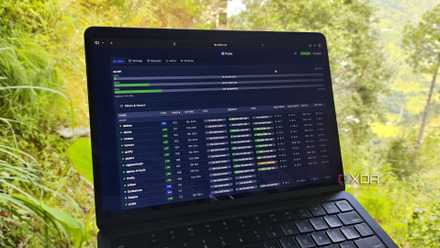
4 dashboards for your home lab that are better than Grafana
Grafana may have a gorgeous UI, but these dashboards surpass it on other fronts
Homarr is easily customizable
Drag, drop, and resize quickly
I spent some time setting up Homarr as a potential replacement for my new tab page, and its biggest benefit is arguably the simplicity of setup. Everything in Homarr is customized using a GUI, which makes it way easier for a newcomer to start adding integrations and apps to their dashboard.
Homarr also lets you edit a dashboard directly from the web view, so you can simply enter edit mode and start adding, removing, dragging, and resizing your various dashboard items to suit your preferences. I love how easy it is to use, and I managed to set mine up with a calendar (which can pull information from my Nextcloud calendar for events), a slideshow from one of my Immich albums, various buttons for different entities in my Home Assistant instance, and quick links to websites I want to access, mostly for my self-hosted services.
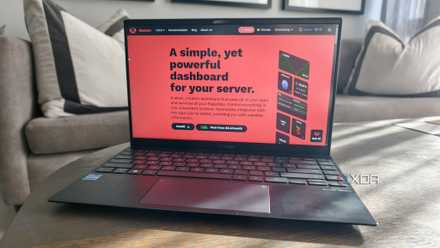
I tried this dashboard to see if it could fix my chaotic self-hosted apps
Getting useful shortcuts and widgets was easier than expected with this self-hosted solution
I was also able to create a widget that lists recent releases in GitHub repositories of my choice, and it looks pretty great. Everything is presented in a very clean and organized way, and I can even see changelogs for recent releases directly within the widget. There’s also a widget for RSS feeds, and even a notebook with Markdown support, which lets me write lengthy notes that are always accessible at a moment’s notice.

Another notable benefit of Homarr is that not only can you create multiple dashboards, but it also supports multiple users, so if you have more people in the house, everyone can have their own custom dashboard that’s separated from everyone else’s.
While some of the dashboard widgets do look great, though, I find Homarr’s presentation in general to be a bit sterile by default, so it’s not my favorite to look at overall. I believe you can get more detailed with customizations per widget, but that seems like more work than I want to put into something like this. I also wasn’t able to easily connect to my Proxmox node to add the respective widget to my dashboard, as I needed to manually download a CA certificate and add it to Homarr.
Glance is still my favorite, though
Beautifully simplistic
While I like a lot about Homarr, from its ease of customization to some of its great widgets, Glance remains the option I want to use as my dashboard going forward. Glance is entirely configured in the command line by modifying the config.yml file, so it’s a little more cumbersome to set up, but the official GitHub has fairly easy-to-follow instructions that let you get up and running with everything you want relatively quickly.
Glance may have a simpler presentation, but it’s actually done in a very elegant way. It’s minimalistic, but there’s a touch of color (you can customize the colors and get crazy with it, if you want to), and it just looks very clean, while still having all the informatiuon you could want.
Glance also has some widgets and plugins that rely on self-hosted services, including a Proxmox overview that I was actually able to set up easily, but what I like the most about it is how I can very easily add widgets for internet content that I may be interested in. RSS feeds are also supported in Homarr, but Glance has an extension that creates a feed of YouTube videos from as many channels as I want, it lets me pull content from subreddits I care about, and there’s even a widget for Steam deals, in case there’s ever something I might want to buy or recommend to a friend.
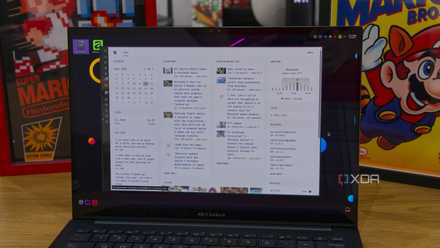
Homarr is packed with features, but Glance is what I actually use on my home servers
Homarr dashboard and its advanced integrations are great, but Glance reigns supreme on my home servers due to these features.
It also has a plugin for GitHub releases which, while less comprehensive, still does the most important job of letting me know when a new release has occurred, and it links me to the latest release page for more info. There’s also a built-in ping test I can use to monitor whether certain services are available, which I use for my self-hosted services as well as the main XDA website, just in case.
Glance is less interactive, but when it comes to surfacing information I want to see, I prefer it to Homarr, and I think the simple visual style is actually a plus.
It’s such a big upgrade
As much as I loved the default new tab page in my browser, these self-hosted dashboards are so much more useful. I love hubs that can bring together information from all these different places and make it all accessible in a single page, and both Glance and Homarr are great for this. I do prefer the more internet-focused widgets in Glance as opposed to the bigger focus on other self-hosted services trhat Homarr seems to have, but both of these are excellent for different people.
The only thing I kind of miss is having my email inbox visible here, which is something Vivaldi let me do, using the built-in Mail client, but there are other endpoints for it that I can access easily, so it’s not a major issue at all.