





Are you looking for some fun homelab projects to tackle this weekend? Today, I’m going to show you the pros of setting up a notification server, homelab inventory platform, and even a way to organize your kitchen and pantry.
Set up your own notification server with Gotify
Stop relying on Discord or Telegram for notifications

Have you ever wanted your homelab to be able to send notifications directly to your phone? Well, with Gotify, that’s possible.
The way that Gotify works is by connecting to another device via its REST API and websocket setup. This works with both smartphones and desktops, making it quite versatile.
Gotify is a multi-part platform. The main part runs on the server itself, handling all of the notification triggers. This is where you configure everything.
A few examples of notifications you could set up include backup job alerts, update reminders, disk space warnings, SMART drive status, power outages, and so much more. It’s actually quite versatile, and you’ll constantly be finding new notifications to set up.
Then, you install the app on your iPhone or Android, or you install the browser extension on your computer. From there, just register each client with your Gotify server, and it’s ready to send notifications.
One thing to keep in mind is that Gotify requires a connection to the server to work. So, if you don’t have reverse proxies or VPNs set up on your devices, then it’ll only work on your LAN (local area network). However, you can definitely set it up with remote access in mind so that you can receive notifications when you’re not at home.
Know exactly which homelab gear you own with Snipe-IT
When was the last time you took inventory?
If you’ve been homelabbing for a while, there’s a good chance you have amassed quite a bit of equipment—some of which you might not even know where it is. I know I’m in that boat. I have a UniFi access point… somewhere in my office, but I have no idea exactly where it is.
With Snipe-IT, you are able to keep track of all the physical items in your homelab or even small business. It’s designed as an asset management platform, letting you keep track of things like servers, mini PCs, network switches, cameras, laptops, and so much more.
Each asset inside of Snipe-IT can have all sorts of metadata stored alongside it, like purchase date, purchase location, serial number, warranty information, and more. Plus, it can generate barcodes and QR codes so that way you can label gear and scan it later instead of trying to dig through notes.
So, if your homelab is a disorganized mess when it comes to hardware, spend this summer going through everything and organizing it. It’ll help your sanity whenever you go and try to find an item and don’t remember where it was last placed.
Make managing your kitchen simpler with KitchenOwl
Grocery lists and meal plans don’t have to be difficult
If you’re looking for a simpler way to keep your kitchen organized, KitchenOwl could be the perfect solution. It’s designed as a smart grocery list and recipe manager.
The difference with KitchenOwl is that it’s not just a recipe manager that lets you build a grocery list. Instead, it also adds pantry management. So, you can track what’s in the pantry and then plan meals based on that. From there, you can see what should be in the pantry but is out of stock, and know what you need to pick up on your next grocery haul.
The hardest part of KitchenOwl is just remembering to use it every time you cook. It only stays as accurate as you make it, so if you forget to enter that you used the last box of pasta noodles, then it’ll still think you have them ready to go.
However, the best part of KitchenOwl is that there are mobile apps for both Android and iPhone so that way you can easily check your database from anywhere without having to open the website.
Keep in mind that, just like Gotify, you’ll need some type of reverse proxy or VPN to be able to access it outside your network. Though, if you only plan to use KitchenOwl at home, then that’s something you don’t need to worry about.
But, if you can keep on top of that, then KitchenOwl could be just the tool that you need to get your kitchen organized this summer.
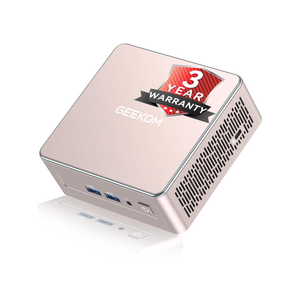
- Brand
-
GEEKOM
- CPU
-
AMD Ryzen 5 7430U
The GEEKOM A5 mini PC packs 16GB of user-replaceable RAM, a user-swappable NVMe SSD, plus two other storage slots, giving you plenty of user-upgradability in this compact system. The Ryzen 5 processor packs plenty of power for general tasks, and it’s even great at lightweight gaming and CAD work too.
Make your homelab work for you
Your homelab is only as useful as you make it, so it’s time to put it to work. Today’s projects focus around making your life simpler in some way, shape, or form.
Notifications help you know when things are either functioning smoothly or there’s something majorly wrong with the server. Inventory tracking might seem like a frivolous thing, but it actually has a ton of uses and benefits in keeping your sanity.
Kitchen organization is one area where your homelab can really revolutionize your life. Some kitchen organization apps can be quite expensive, but self-hosting your own means that it doesn’t cost a dime and just uses your own hardware to run.
So, if your homelab is just hosting a media server, make it earn its keep by spinning up a few new services on it.