


If you’ve got some extra time during this upcoming long weekend, it’s the perfect time to sit down and finally work on some Raspberry Pi projects. Today, I’m showing you how to take your Raspberry Pi and know who is in a room, how to detect (and stop) water leaks when they happen, and even how to make your sprinkler system smart.

- Brand
-
Raspberry Pi
- CPU
-
Cortex-A72 (ARM v8)
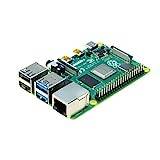
With the Raspberry Pi 4 Model B, you can create all kinds of fun projects, and upgrade gadgets around your home. Alternatively, install a full desktop OS and use it like a regular computer.
Know who’s in which room with a Bluetooth presence tracker
Home automations are about to get a whole lot smarter

Have you ever wanted to know who was in a specific room of your house, and have automations trigger based on when a person walked into said room? Well, now you can with a Bluetooth presence tracker.
Using a project like monitor from GitHub, you’re able to detect BLE signals from different devices, like a phone, watch, Tile-style tracker, key fobs, and more. Those specific BLE (Bluetooth Low Energy) signals can be tied to a person, allowing you to know that when Patrick’s iPhone is nearby, Patrick is likely in the room.
From there, you can publish the data to MQTT/Home Assistant/Node-RED to say that, since Patrick is in the room, an automation should run. Likewise, when Patrick’s device is no longer seen for a certain amount of time, he has likely left the room, and another automation should run.
The best way to run a Bluetooth presence setup like this is with multiple Raspberry Pis, though. Having a Pi in multiple rooms can increase the accuracy, as it allows the system to check the RSSI signal strength between the different nodes and more accurately pinpoint what room someone is in.
Be alerted if water ends up where it shouldn’t with a leak detector
Never worry that you’ll miss a leak again

If you’ve ever experienced a water leak somewhere, then you very likely want to do anything possible to prevent from it happening again. That’s why water leak detectors are so important.
While there are some water leak detectors that simply sound an alarm if water is there, that doesn’t help if you’re not home or if it’s in the basement and you’re upstairs.
Your Raspberry Pi is actually a fantastic smart water sensor, which means it can send you a notification or even run an automation if water is detected. For instance, you can set up a water leak detector to simply send you a message on Telegram if there’s water where there shouldn’t be.
Or, you can integrate it with Home Assistant to flash all of the lights in the house if there’s a leak somewhere. The best automation, however, integrates a leak detector with a smart water shutoff valve.
While this does require additional installation, and likely a professional plumber (or an advanced DIYer), it’s an extremely powerful setup. The way it works is you integrate the leak sensor with something like Home Assistant and, if a leak is detected, have it alert you and shut the water off. This means that the leak will likely be stopped at the source, preventing any further damage.
This type of project definitely takes some time to set up properly, but it’s well worth it in the end if leaks are something that you’re worried about.
Only water your yard when it needs it with a smart sprinkler controller
Your yard doesn’t need to be double watered after a hard rain
While I don’t have a sprinkler system in my current house, I always had one growing up as we lived in Florida and if you didn’t water the yard, it was sure to die. However, it was also frustrating to have to turn the system off after a hard rain because our rain gauge rarely worked.
That’s why using a Raspberry Pi to build a smart sprinkler controller is such a great weekend project. Since the Raspberry Pi has GPIO (general-purpose input/output) pins, it’s easy to wire it up to control valves for a sprinkler system. Plus, the Pi has Wi-Fi, which means it can integrate with a number of other types of sensors.
You can use platforms like SIP (Sustainable Irrigation Platform), Sprinqua (a Home Assistant MQTT plug-in), or any number of other open source projects to turn your Pi into a smart sprinkler controller.
Each platform has different integrations they offer, but almost all of them can change not just when you water, but how much you water based on weather activity in your area. This means you’ll be able to cut down on water usage by watering at optimal times of the day, or not watering at all if it’s not needed.
So, set some time aside this weekend and work on making your sprinkler system smarter. Your wallet will thank you.
- Brand
-
Raspberry Pi
- CPU
-
Quad-core 64-bit ARM Cortex-A53
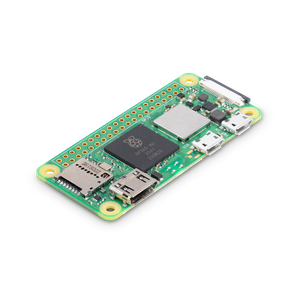
The Raspberry Pi Zero 2 W is super tiny and super affordable, but it packs enough computing power for a variety of DIY projects. You can use it to create a handheld retro gaming console, for Klipper/Mainsail, a super compact home or media server, and more.
Let your Raspberry Pi make your life easier
Raspberry Pis are fantastic little computers. While it would be fairly difficult to create a smart sprinkler controller or leak detector using a normal mini PC or laptop, it’s a trivial task with something like a Raspberry Pi.
So, allow your Raspberry Pi to do what other computers can’t. If your Pi is currently stuck running homelab tasks, then find a cheap computer on Marketplace and offload those services to the computer and put your Pi to work in a way normal desktops simply can’t operate, so your everyday life can be that much easier.