


I’ve never been one for tabletop roleplaying games or wargaming. Even so, when I used to attend PAX every year, I’d always frequent the free “paint a miniature” area. It’s a lot of fun.
Whether you’re looking for fresh units or a fun weekend painting project, you can pick from thousands of free models to download, print, and finish at home.
Print miniatures on any 3D printer
No resin, no problem

Tim Brookes / How-To Geek
I don’t blame you for thinking you need a resin 3D printer to print minis. One of the main drawbacks of a filament deposition modeling (FDM) printer is a lack of fine detail on smaller items. FDM printers use a nozzle to create items line by line, which have telltale signs like visible layers. If you want to print miniatures or keycaps, buy a resin printer—or so I was told.
But FDM printers are vastly more popular, and for good reason. Filament is less messy, doesn’t require curing, and is generally a lot safer to be around. There also happens to be a die-hard community of FDM printer owners who are determined to make miniatures work, despite the limitations of these printers.
Generally speaking, picking the highest quality print profile available to you and learning how to properly finish your models can yield fantastic results. Visible layer lines can be reduced by investing in a small 0.2mm nozzle, which allows you to push print resolution even higher.
You can then sand your models lightly, spray them with a self-etching auto primer, and use acrylic paint (or something a little fancier) to bring them to life. For best results, pick support-free miniatures since these will appear cleaner without the visible support contact points to clean up. Learning how to best deal with 3D printing supports will go a long way here.
The Mini Index is the best place to start
More than 50,000 models available

You can search model repositories like MakerWorld, Printables, and Thingiverse for miniatures (and some of these websites even group these types of models by category). By far the most popular dedicated 3D printing miniature resource is The Mini Index.
Here you will find more than 50,000 paid and free models, browse by creator, run search queries, and filter by tag. Crucially, there is an “Only Free Minis” toggle that you can use (after searching) to exclude paid models. Most paid creators also release models for free, and downloading these is a great way to find a new author to follow or support.
Models aren’t hosted directly on The Mini Factory, but instead point off-site to the aforementioned model repositories. Some of these models are AI-generated, so make sure you watch out for that and always read reviews to avoid problems. Use tags to find models that are free of supports or come with limited supports added by the model author.
Nozzleborn Foundry is worth a follow
Exclusively on MakerWorld
There are many talented model authors who specialize in creating miniatures, so it feels a bit weird to just highlight one. But since we’re focusing on free models today, Nozzleborn Foundry deserves a shout-out for being a creator who only releases free models, the majority of which are exclusive to MakerWorld.
The creator uses Blender to create these models, with 117 released free of charge at the time of writing. Many of these include multiple print profiles for different nozzle sizes, and span a large array of genres and games. In addition to TTRPG units and other characters, Nozzleborn Foundry has also released a good selection of terrain.
r/FDMminiatures is a great resource too
Filter posts to find models
The r/FDMminiatures subreddit is an incredible resource for anyone looking to get into miniature printing on a non-resin printer. Community members share their prints, tips for getting the best finish, problems they’ve encountered, and incredible-looking painted models for others to discuss.
People also use this subreddit to share finished STL files (and links to larger resources). You can filter posts by the “Sharing STL Resource” post flair to find these. While not all of these are free, many of them are. The best part of using the subreddit to find these is that most STLs are accompanied by a real photo of a finished model rather than just a render of the 3D model, as is the case on other repositories.
-
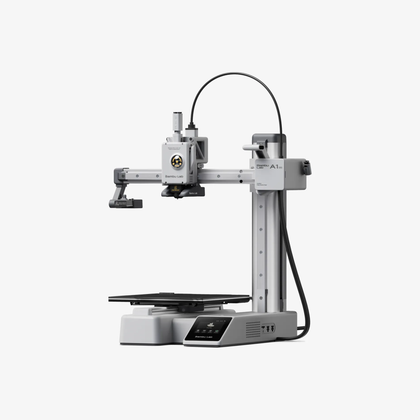
- Build Volume
-
180x180x180
- Printing Speed
-
500mm/s
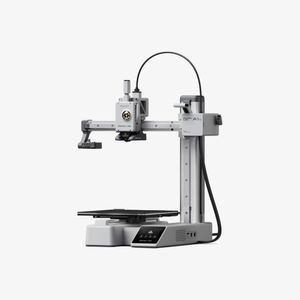
The Bambu Lab A1 mini 3D printer is ready to go out of the box and can have you printing within 30 minutes. Offering full-auto calibration, this compact 3D printer features a 180mm build volume and is compatible with the AMS Lite for multi-color printing. It also features built-in vibration and flow-rate calibration, which are typically features only found on more premium printers.
-
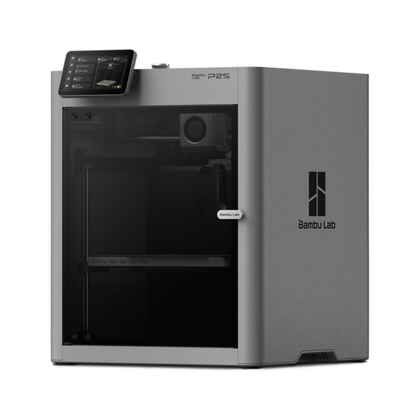
- Build Volume
-
256x256x256mm
- Printing Speed
-
600mm/s
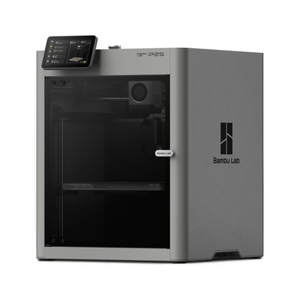
The Bambu Labs P2S 3D printer is ready to go out of the box and can have you printing within 15 minutes. It features up to 20-color printing with the AMS unit, has an upgraded built-in camera for remote monitoring and time lapses, and has an enclosed body for printing even high-temperature filament.
-
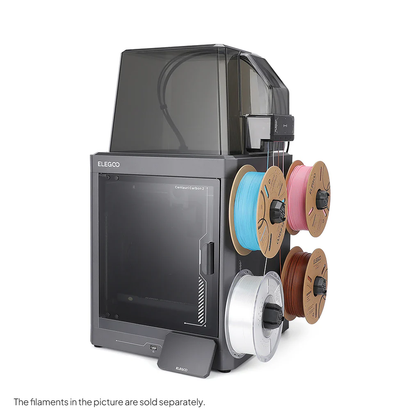
- Build Volume
-
256 × 256 × 256 mm
- Connectivity
-
Wi-Fi
The ELEGOO Centauri Carbon 2 builds on the solid foundation of its predecessor and adds an affordable, effective multicolor system to the mix.

Did you know you can also turn “waste” 3D printing supports into terrain for tabletop games?


