




Are you tired of spending money on Dropbox every month when you have a perfectly good NAS sitting at home? Or, maybe you’re just tired of Dropbox being able to see all your data whenever you upload something. Regardless of why you want to leave Dropbox, here are four self-hosted replacements that are completely free and keep your data private.
Nextcloud
The most feature-packed Dropbox competitor
If you’re looking for a drop-in self-hosted Dropbox replacement, chances are Nextcloud is going to come up high on that list. I mean, look at this list, it’s the first replacement I’m mentioning, and for good reason.
Nextcloud is really the closest thing to a proper Dropbox replacement that you’re going to be able to self-host. It has online document editing, supports multiple users well, and offers sync clients for basically every platform—including iOS and Android.
The only problem with Nextcloud is how complex it is. Running it is definitely not the simplest thing in the world, but, once it’s set up, it’s fairly stable and solid.
The features of Nextcloud are definitely worth the hassle if you want something that offers you the full Dropbox experience but runs locally on your computer.
File Browser
A simple file manager without a sync client

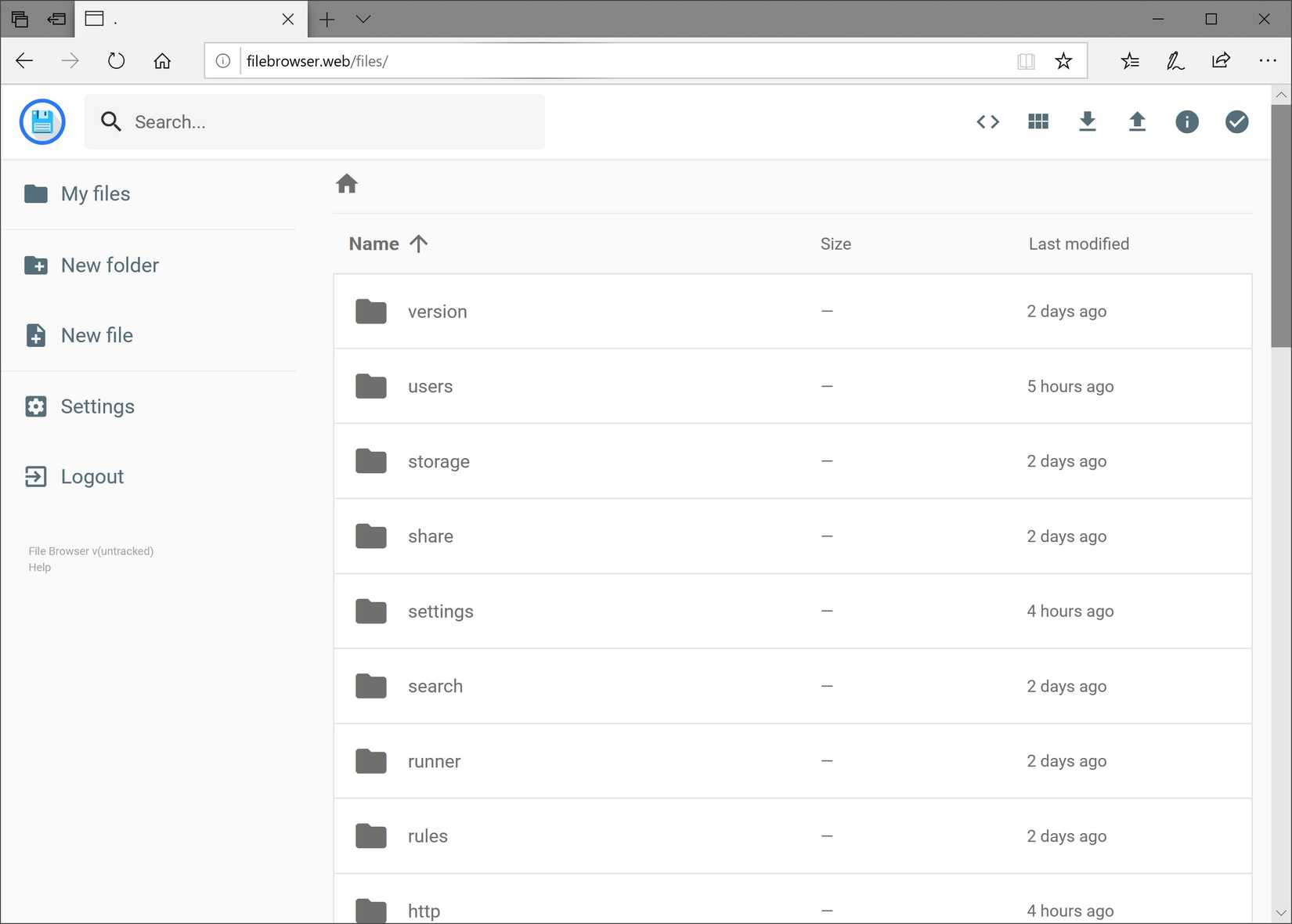
While not directly a Dropbox replacement, File Browser is something that is simple to set up and use and still keeps your data private.
File Browser works just like the name implies—it lets you browse your files. There’s an authentication layer where you can set a username and password, though multi-user setups aren’t quite as robust as something like Nextcloud.
File Browser also doesn’t have robust in-browser document editing or management. You can edit simple text files, but that’s about it. The platform is really designed for just browsing your folders and files, and either downloading or uploading a folder or file. That’s it.
There are no sync clients or mobile apps for File Browser, either. Just the website.
If you’re looking for a full-featured Dropbox replacement, File Browser isn’t it. But, if you just want something that will let you browse your files when away from the house and download or upload something, it’s ultra lightweight and gets the job done extremely well.
Seafile
A simpler Dropbox competitor with all the right features

If the only thing you’re after in replacing Dropbox is a sync platform that keeps your devices up to date with each other, Seafile is a great choice. While Nextcloud is the full cloud suite with document editors and everything, Seafile just focuses on syncing your files from point A to point B.
Seafile has a much narrower focus in its feature set, and that’s actually a good thing. Seafile is often more snappy than Nextcloud and it’s easier to explain to new users. In fact, Seafile still has mobile apps as well as desktop clients.
At the end of the day, if you’re just looking for a way to sync files between systems, check out Seafile. The setup is way simpler than Nextcloud and it still achieves a very similar end result.
Tailscale or VPN
DIY to the core—but also private to the max

You don’t actually have to use a dedicated piece of software to remotely access your data. If all you want to do is access files from your NAS on your phone or computer, then something like Tailscale or any other VPN could be the perfect ticket for you.
A VPN is private by nature, and gives you remote access without having to use reverse proxies or any typical port forwarding. It also doesn’t open up login pages to the internet or anything. It all stays private to just your account and whoever you share it with.
Using something like Tailscale as a Dropbox replacement is a lot more manual than any of the tools listed above, however. By default, you’re only going to have access to your files over SMB or NFS through Tailscale, which means it isn’t syncing at all—it’s just pure access.
However, you could pair Tailscale with any of the above platforms, too. This would let you access your syncing tools remotely without port forwarding. Really, Tailscale is so extremely versatile that it could work in just about any configuration you come up with.

- Brand
-
Ugreen
- Memory
-
8GB (Upgradalble to 64GB)
- Drive Bays
-
2x 3.5-inch, 2x M.2 NVMe
- LAN Ports
-
10GbE
The Ugreen DXP2800 GT NAS is the perfect starter system for anyone looking to get started in homelabbing. With two 3.5-inch drive bays and two NVMe slots, this NAS also supports user-upgradable RAM and has 10-gigabit networking.
-
- Brand
-
Synology
- CPU
-
Intel Celeron J4125
- Memory
-
2GB
- Drive Bays
-
2
- Expansion
-
None
- Ports
-
2x USB 3.2 Gen 1
The Synology DS225+ is a great beginner storage server. It features two 3.5-inch hard drive bays and both 2.5Gb Ethernet and Gigabit Ethernet. Designed around Synology’s Disk Station Manager operating system, this NAS offers a simplified experience that anyone will feel at home using.


Replacing Dropbox is all about what your needs actually are
At the end of the day, you need to figure out what your needs actually are before deciding on a Dropbox replacement.
If all you use Dropbox for is a way to access files when you’re not at home, then something like Seafile or File Browser would be perfect. In fact, Tailscale would get the job done. But, if you need more features than that, like document editing, access control, and other more advanced features, Nextcloud is what you’re looking for.
The great part about self-hosting with these free platforms is you can try each one without spending a dime to figure out which one works the best for you.