




Most people who buy 3D printers, myself included, mainly print models that other people make. Talented sculptors and designers who make things that are beautiful, useful, or both.
The internet is full of amazing models, so why bother making anything yourself? I had that attitude too, but as I’ve started dipping my toes into the world of modeling, it’s becoming clear that I’m missing out on a huge part of this hobby.
You’re missing the most rewarding part of the hobby
It’s only half the picture
It’s a little ironic to think that when it comes to 2D printers, you’ve probably mostly printed things you’ve made yourself. An essay, a report with charts, a photo you took and edited yourself, the list goes on. Conversely, most of what you’ve made in your 3D printer was probably made by someone else entirely.
I’ve printed thousands and thousands of downloadable models like these over the years, and for the most part, that’s been fine.
However, having recently moved to multi-material printing, which forced me to learn how to paint 3D models, I’ve also started modifying models in other ways.
It might not be much, but the first time I virtually punched a hole in something to turn it into a keychain, it gave me a bit of a tingle. It scratched an itch I didn’t really know I had. So far I have yet to print something I’ve fully modeled myself, but the nips and tucks to other people’s work is certainly leading me down a path here.
Basic CAD skills are easier to learn than ever
Slightly more complicated than Lego

I dabbled in CAD in the late ’90s and early 2000s, but it was just too hard for my dumb child brain to really grasp. Mind you, the version of AutoCAD that ran on my dad’s business partner’s Pentium Pro wasn’t exactly intuitive. It gave you a 3D render of what you were designing, but the actual design process worked by inputting instructions like “draw line from point X to point Y.”
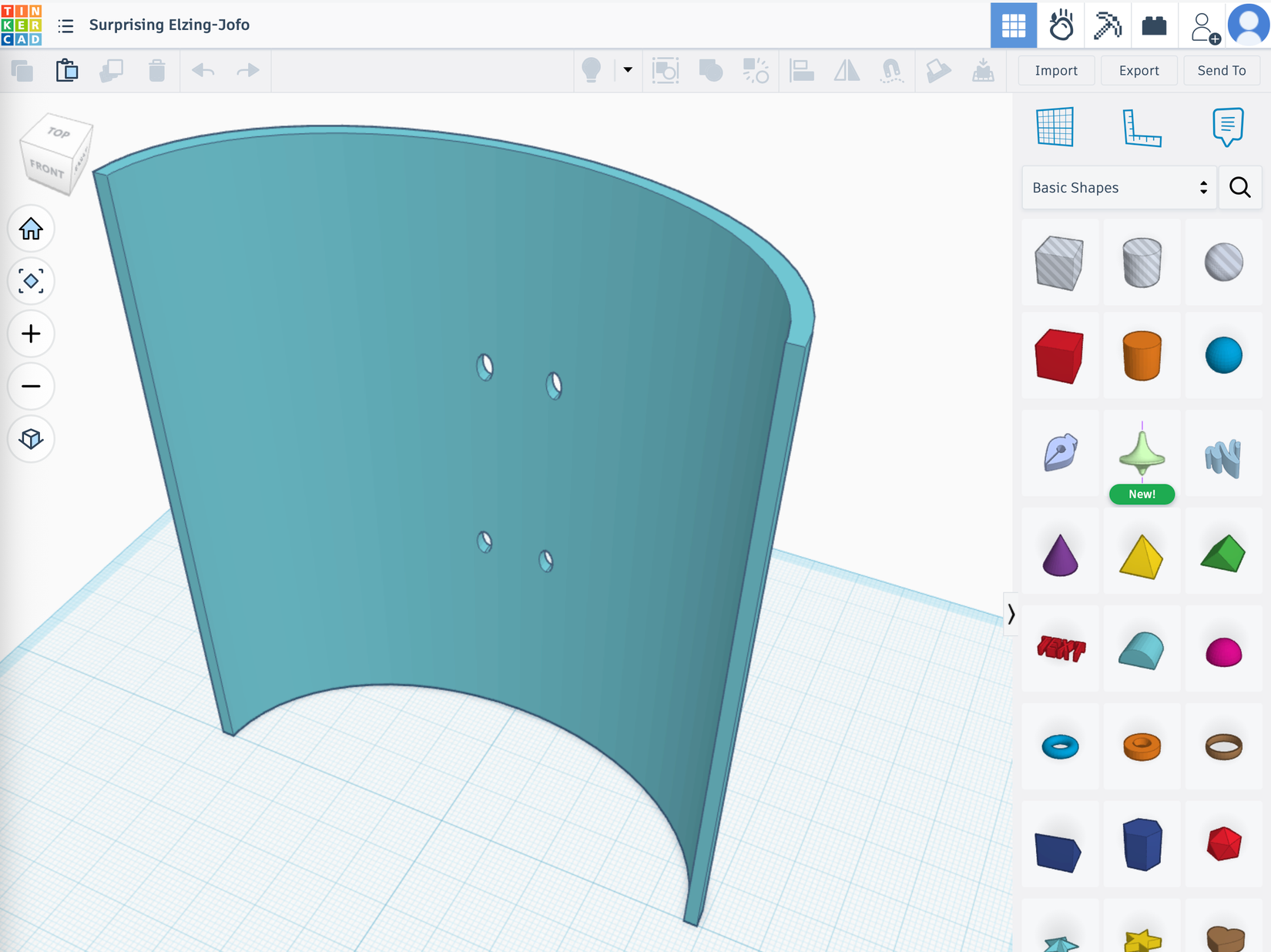
While you can still do it like that, modern CAD tools like FreeCAD, Tinkercad, and Fusion are way more intuitive. You can just throw basic shapes into your virtual build volume and directly interact with it to change its parameters.
Setting CAD programs aside, if what you’re after is making artwork, then there are digital sculpting tools that are effectively like working with virtual clay. Zbrush is the industry standard, and is likely how the models in your favorite game or movie were made. However that costs a pretty penny and has a steep learning curve. Blender also has a steep learning curve, but at least it’s free. This is a general-purpose 3D-modeling program, but it has a sculpting feature too. You can even use your phone or tablet to sculpt models with your fingers using an app like Nomad Sculpt
But maybe that’s too big a jump at first. Perhaps you should start out by looking for the basic modeling tools that are built into slicer software package like Orca. You can still create interesting shapes with these, and of course modify the models other people make that you are already loading into your slicer anyway.

- Build Volume
-
256 × 256 × 256 mm
- Connectivity
-
Wi-Fi
The ELEGOO Centauri Carbon 2 builds on the solid foundation of its predecessor and adds an affordable, effective multicolor system to the mix.
There are even more ways to make your own models
Thinking outside of the CAD box
Your 3D printer doesn’t actually care how you make the 3D models it prints, as long as you slicer can turn that model into a usable set of instructions. While playing around with CAD and sculpting tools is fun and I’m certainly going to keep doing that, there are some interesting alternatives.
For one, you can actually just sculpt a real physical object, and then use a 3D scanner to capture it as a model. My colleague Patrick actually scanned and printed objects using a professional 3D scanner, and a phone.

Then there’s also the (sometimes frowned-upon) AI-generatd 3D model method. Here you type a prompt into the AI and it spits out an STL file.

When I first tried this a few years ago the result was both unusable and could not be fixed, but these days you’ll get something that’s pretty decent. Close enough that you can modify it into something great. It might even be good to start with AI-generated models that you refine before you try to model something from scratch.
If all you want to do is print models other people make, there is nothing wrong with that. But as many people have obviously discovered long before me, that amazing manufacturing machine you’ve been making 3D-printed dragons with looks a lot different once you dip your toes into making your own stuff.
I don’t know if I’ll ever be good enough to make a gadget or a figure that I’d want to share with the world, but I’m already sure that there’s a path to a place where I could make something for myself that I’d probably be proud of.