





I have said this before, but Claude Code is one of the few AI tools I was genuinely happy to pay for. Claude is brilliant at coding, and on difficult tasks, it is still much better than any model I can realistically run on my 16GB MacBook Air. Yet a few weeks ago, I canceled my $20 subscription and replaced it with a coding agent that runs entirely on my Mac.
The model I use now is slower, less intelligent, and gets things wrong more often. This sounds like a stupid downgrade on paper, but I can get more done with this workflow. I’m using a combination of Qwen, OpenCode, and Ollama, and this workflow gives me more room to iterate. I can keep working and refining things instead of having Claude Code suddenly put everything on pause.
Claude Code is too good to ration
You want to use more of it, but you can’t
I do not have many complaints about Claude Code itself. It is easily one of the best coding agents I have used, especially when I am working on something messy and do not know exactly how I want to build it. Claude Code has only gotten better recently with the Opus 4.8 model, and now that even Fable 5 is available, it can basically one-shot a lot of things, and that’s precisely why the limits annoy me so much.
Coding with an agent is not the same as asking a chatbot to write a function and copying the answer. My workflow is much more wasteful. I will ask Claude to build something, run it, decide I hate the layout, ask it to change half of it, notice something else has broken, and then spend another few turns fixing it. Sometimes I will abandon the entire approach and try again.
The problem is that every one of those iterations counts against the same allowance. Claude Code also shares limits with regular Claude usage, which makes things worse for me because I use Claude for plenty outside of coding. A long coding session can eat into the same subscription I rely on for research and writing.
Eventually, I started rationing prompts. I would look at a small UI issue and wonder whether it was worth asking Claude to fix. I would avoid experimenting with another approach because the current one was technically good enough. Sometimes, I would just make a change myself because I did not want to burn more of the usage window on something minor.
Building a better workflow with a local coding agent
OpenCode plus Qwen 2.5 get the job done

My current setup is much simpler than running a giant local model and hoping it can replace Claude. I am using Ollama to run Qwen2.5-Coder 7B locally, with OpenCode sitting on top as the agent interface. I settled on Qwen2.5-Coder 7B because it is small enough to be practical on my 16GB MacBook Air without reducing the entire machine to an AI box. The standard Ollama build is around 4.7GB, and getting it running is as simple as pulling the model with:
ollama run qwen2.5-coder:7b
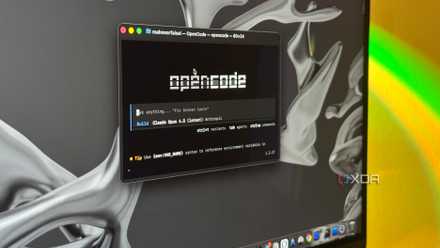
OpenCode is the part that makes the setup useful. I can launch it inside a project directory and let it read files, edit them, and run commands from the terminal. Instead of copying code back and forth with a chatbot, I can ask it to inspect a component, make a change, run the project, review the resulting error, and fix it. Ollama now has an official OpenCode integration through Ollama’s launch of OpenCode, or OpenCode can be pointed manually at Ollama’s local API endpoint at http://localhost:11434/v1.
Qwen2.5-Coder 7B is not remotely as reliable as Claude on a large, vaguely defined task, but I do not need it to be. It is perfectly usable for smaller feature additions, UI changes, scripts, configuration files, and debugging loops, where I can keep the task focused. I usually ask it to inspect the relevant part of the project first, make one change, and then run the necessary command to check the result.
The agent matters more than the model
OpenCode is the real hero here

The more I used this setup, the more I realized how much of the experience depends on OpenCode rather than the model running underneath it. Qwen2.5-Coder 7B handles the actual reasoning and code generation, but OpenCode gives me the workflow around it. I can use separate agents for planning, building, exploring a codebase, or reviewing external documentation, each with different instructions, tools, and permissions.
This becomes particularly useful with a smaller local model. I can keep one agent focused on inspecting the project and understanding what needs to change, then hand the implementation to another agent with access to the relevant tools. I can also restrict what each agent is allowed to do. An agent that is only supposed to plan a change does not need permission to edit files or run every command on my machine.
OpenCode also supports MCP servers and custom tools, which gives me room to extend the workflow beyond the default coding setup. I can connect additional services, expose specific tools to the agent, and decide which actions should run automatically or wait for approval. The setup stays largely the same even when I change the model powering it, which is useful because I do not want every part of my workflow tied to Qwen.
I try to use the local model for most of the repetitive work. However, when it gets stuck on a harder problem, I can switch to Claude for that task and then return to the local model. I have written separately about that workflow, so I will not go into it in depth here, but this flexibility is a major reason I prefer the setup.