





Summary
- I use a local Gemma 4 LLM to triage and summarize my email, cutting morning decision fatigue.
- Everything runs locally via Ollama and my GPU, so no emails leave my PC—privacy is central.
- It summarizes and categorizes only; I still write replies myself—local setup takes extra elbow grease.
Reading my email hasn’t been a habit I’ve had for years now. The only times I do end up opening it is on the rare chance of an email-based OTP, or if I’m simply mailing things to myself between devices. Outside of that, I’ve had zero willingness to actually sift through tens of unread emails every single day. Suffice to say, going through my mail wasn’t something I thought would suddenly become a part of my day that I would actively begin looking forward to.
I’ve been aware that I could use Claude to sift through my mail and present it to me, but the idea of letting a cloud-based service have access to my personal mail wasn’t something I was ever going to be okay with. As such, I used Ollama to self-host a local AI model, with just a little bit of help from Claude, and now my local LLM sorts and classifies all my email while I go about my day.
Ollama is still the easiest way to start local LLMs, but it’s the worst way to keep running them
Ollama is great for getting you started… just don’t stick around.
This is email triage instead of automation
I wanted fewer decisions in the morning, not another productivity app
Every morning, opening Gmail means making dozens of tiny decisions before I’ve even had the chance to wake up properly. I have to decide what’s important, what can wait, what’s just another newsletter, and what deliveries I could be expecting today. Gmail itself isn’t the problem, but neither its inbuilt sorting, nor the wall of unread emails every morning does much to help me start my day on the right foot. I wasn’t looking to automate email, but I did want someone, or something, to perform that initial triage for me and give me a rundown of every single email I’d received.
This is exactly where my local instance of Google’s Gemma 4 comes in. By the time I’m back from the kitchen with my morning coffee, it has already done around 90% of the work I’d otherwise be slogging through on my own. Instead of staring at a cluttered inbox, I’m greeted with neatly categorized emails that tell me what actually deserves my attention, what can safely wait, and whether there are any deliveries I can look forward to receiving that day. Better yet, every email also gets a concise summary. So, instead of clicking into an email titled “Your shipment update” just to find out what has changed, Gemma reads the email to tell me that my package is out for delivery. The same goes for work emails, receipts, subscriptions, and everything else that would otherwise demand my attention one click at a time.
That’s what makes this workflow work so well for me. Sure, this isn’t pure “email automation” in the traditional sense, but that’s also the best part. Gemma isn’t deleting messages or firing off replies on my behalf. All it’s doing is simply reducing the decision fatigue that comes with opening an inbox full of unread mail every morning. Once that mental overhead disappears, checking email stops feeling like a chore and becomes a quick two-minute glance before I get on with the rest of my day.
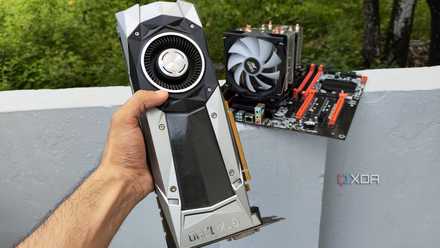
I ran Gemma 4 (26B) on a 10-year-old-GPU, and it’s reliable enough to replace the cloud
It was a bit of a hassle to set up, though
Building this email-reading secretary was surprisingly simple
This is the only bit where Claude helped out
The actual application came together with a little support from Claude, which helped me vibe-code a simple Python program that could connect to Gmail. I needed to hand each of my emails accounts’ Google App Password (a sixteen-character unique key that acts as an access key for my email) to my local instance of Gemma 4:e4b running through Ollama. Initially, I limited it to processing just 15 emails while I figured out the workflow, asking the model to classify each message into one of six categories: Urgent, Action Needed, Subscriptions, Deliveries, Bank Updates, and Reddit Updates. My very first attempt started reading the oldest emails I’d ever received instead of the newest ones — imagine my surprise when the very first email Gemma decided to read and classify was about an old friend adding me to Google+ of all things! Fixing this logic became priority uno before anything else.
Two-factor authentication for your Google account must be turned on in order to create an app password for your AI app to use.
I also made a conscious decision not to compromise on context. Instead of feeding the model just the subject line or a couple of hundred characters, I let it read around 2,000 characters from each email before asking it to summarize and classify it. That naturally meant longer inference times, with my GPU taking around 15 seconds per email, but the noticeably better summaries made the extra wait worthwhile.
Truth be told, I’d done this entire experiment with Qwen 3.5’s 4b and 9b models. Both these models went through an entire reasoning process, generating extra tokens before summarizing, and the wait time got intolerable at tasks involving bulk emails. Turning thinking off deteriorated the quality of the triage itself, so I switched to Gemma 4:e4b, which gave me the best of both worlds — the classification quality of Qwen 3.5:9b, in a fraction of the time.
Microsoft’s new OpenClaw assistant will make phone calls, read your email, and manage your schedule
Microsoft is also making deploying agents in a business environment far less scary.
Local AI is the only reason this experiment ever happened
Privacy is the entire point here, not just a bonus feature

As much as I’m aware that Claude or ChatGPT could probably do something similar and do it better, I was never comfortable handing over my entire inbox to someone else’s servers. My email contains years’ worth of receipts, OTPs, work conversations, travel confirmations, and countless other bits of personal information. If this project had depended on uploading all of that to the cloud, I just wouldn’t have built it in the first place.
That’s why local AI changed everything for me. Between a consumer-grade GPU like the GeForce RTX 4070 Ti, an open-source model like Gemma, and a self-hosted tool like Ollama doing all the heavy lifting on my own PC, every email stays exactly where it belongs. Nothing ever leaves my PC, and I still get the convenience of having an AI assistant organize my inbox before I even think about opening Gmail. This kind of workflow just wasn’t practical for a lot of people just a few years ago.
Most importantly, this has made both my personal and work email genuinely usable again. Spam fades into the background, stubborn subscriptions remain neatly in their own category so I can ignore them easily, and the messages that actually matter rise to the top, clearly color-coded according to their urgency. Instead of feeling overwhelmed by a wall of unread emails every morning, I’m simply presented with the handful that deserve my attention first, while everything else waits its turn.
AI can read my inbox, but it will never speak for me
Summarizing my emails is one thing; replying to them is another entirely

The funny thing is that letting Gemma write replies would’ve been one of the easiest features to add, but that’s not what I set out to do. AI can absolutely draft emails, and in many cases, it might even do a half-decent job. Still, that doesn’t mean it gets to speak as me. The moment a reply leaves my inbox, it represents my thoughts, my tone, and my intentions, and that’s a line I’m not crossing. Reading email is an administrative task, while replying to one is communication, and those two things aren’t remotely the same.
That’s why I’m perfectly happy with the workflow I’ve ended up with. My local AI assistant’s job is simply to tell me what needs my attention and give me enough context to decide whether it’s worth opening. If something is genuinely important, I’m still the one reading the full email, writing the response, and taking whatever action is necessary. Gemma handles the busywork, and everything else that actually represents me remains entirely my responsibility. I wouldn’t want it any other way.

- Released
-
July 3, 2023
- Developer(s)
-
Jeffrey Morgan and Michael Chiang
- Price model
-
Free
Ollama is a platform to download and run various open-source large language models (LLM) on your local computer.

I absolutely loved overengineering this program
Local AI requires more elbow grease than cloud services, but I do get complete control over my data.
I probably spent far more time optimizing this little project than anyone reasonably should. I experimented with different, smaller, and faster models, compared token speeds, toggled thinking and reasoning multiple times, and sifted through the same emails several times to determine the quality of the task itself. Plus, I kept adding new categories with new colors as I saw fit and necessary, which is how I landed at six categories from the initial three.
The script is now the first thing I launch before heading off to make my morning coffee, so those are five minutes spent away from my desk anyway. I even ended up building a second version that simply lists the latest 30 emails in my inbox, regardless of their read status, giving me a quick overview at the end of the day before I shut down my PC.
That’s probably the biggest lesson I’ve taken away from this project. Local AI does ask for a little more elbow grease than simply signing into a cloud service, and a few more minutes for specialized tasks. In return, though, I do get something I value far more than convenience: complete control over my own data. My inbox never leaves my computer, no company gets to learn years of my personal correspondence, and I still enjoy an AI assistant that makes one of my least favorite daily tasks feel almost effortless.


