







Self-hosted AI has moved past the chatbot phase. There’s a whole category of tools now that wrap around your model of choice and give it a proper home, with memory, docs, tools, agents, and whatever else. All you have to do is plug it into your runner and the workspace handles the rest. In theory one of these is all you need to cover most of what you’d do with cloud AI, just without the subscription and without your chats on a random server. I’ve been rotating through a couple of these AI workspace tools and they’re all doing the same thing in very different ways…
Want to stay in the loop with the latest in AI? The XDA AI Insider newsletter drops weekly with deep dives, tool recommendations, and hands-on coverage you won’t find anywhere else on the site. Subscribe by modifying your newsletter preferences!
AnythingLLM turned my local notes into something with memory
It’s built for the parts your model runner leaves out
AnythingLLM is made by Mintplex Labs and is fully open source. The way it works is that it sits on top of your existing model runner instead of replacing it, so LM Studio, Ollama, llama.cpp, or vLLM keeps doing the actual inference, and AnythingLLM wraps a full workspace around it. You can also point it at cloud APIs like Anthropic or OpenAI if you want to mix in a frontier model on the same interface.
The main reason I picked it up was persistent memory, and it delivers. A background process reads through your recent chats every so often, pulls out facts worth keeping, and re-injects them into future conversations so your local model actually knows what you told it a few weeks ago. There’s a workspace scope and a global one, and honestly this is a much nicer setup than trying to wrangle memory through MCPs or custom prompts inside LM Studio.
While I haven’t taken full advantage of AnythingLLM yet since it’s primarily a tool I use for memory, Workspaces are worth a mention. Each one is its own isolated bubble with its own docs, memory, model, and settings, so you can have a research workspace running a local model and a coding workspace pointed at Claude API and nothing crosses over. Then there’s the agent side, which lets a model actually go do things like browse the web, run SQL, save files, or use MCP servers, and it activates through @agent inside any chat. Overall, it’s a very useful tool, albeit a little stripped down for a workspace.
Odysseus is doing more than any workspace should
The one built by PewDiePie
Odysseus is the newest of the three by a wide margin and it’s also the strangest. It’s a self-hosted AI workspace built by PewDiePie and it launched a month ago at the time of writing. In roughly a month it’s picked up over 77k GitHub stars, which for a project that came out of nowhere is a lot. It’s Python and FastAPI with ChromaDB for its vector store, and it hooks into Ollama, llama.cpp, LM Studio, vLLM, or cloud APIs if that’s your thing. Setup takes a minute if you go the Docker route, which is what I did, but the payoff is worth it. The interface itself is really pleasant to look at and I don’t know if I’ve ever said that about a self-hosted anything before.
My favorite thing in here is the Cookbook, which scans your machine and recommends models that’ll actually run on your hardware, pulling from a catalog of over 270 options. So instead of guessing whether a model will fit into your VRAM or downloading a 12B just to find out it thrashes your system, the Cookbook tells you upfront and lets you serve the pick straight from the same screen.
Chat is honestly the least interesting thing in there. Still, every conversation has a Notes panel attached to it, which gives me NotebookLM vibes in the best way, so you can jot down where you left off, save the useful bits from a response, and keep your scratch work next to the actual model without leaving the tab.
There’s also a to-do manager that the AI can actually see and interact with, so it’ll add tasks, prioritize them, or work through them with you conversationally, which is a genuinely useful thing to have in the same window as your chat. And another really weird tool to find here, but I’ve been playing around with it nonetheless, is the image editor…in an AI workspace of all things. This is PewDiePie’s stated attempt at his own Photoshop.
Open WebUI is the reliable one
Steady and capable, but boring

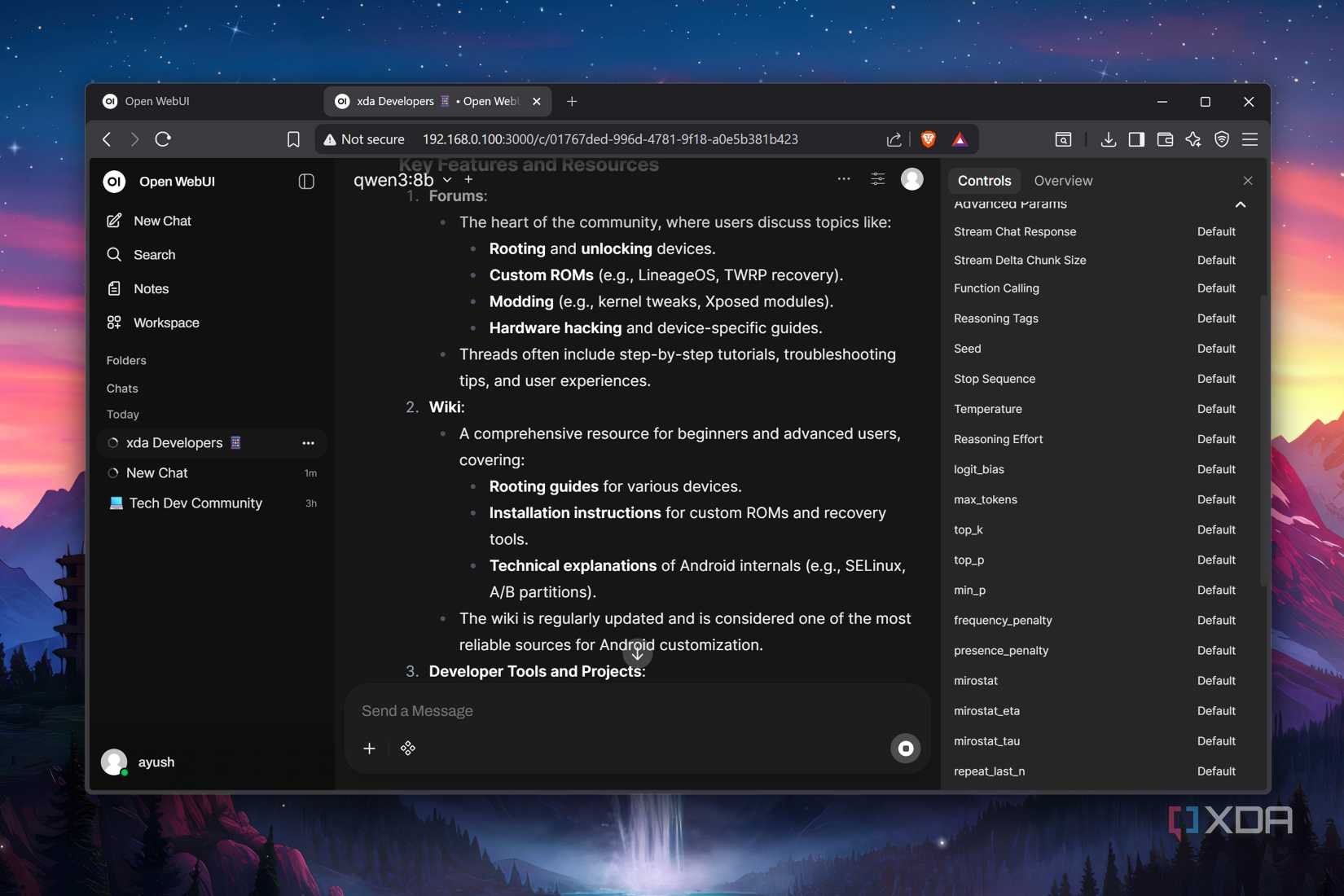
Open WebUI is the elder statesman of the three, sitting past 350 million downloads and comfortably one of the most-installed self-hosted AI interfaces out there. It’s positioned as a full ChatGPT-style workspace you run yourself, and like AnythingLLM, it’s backend-agnostic, so it plugs into Ollama, LM Studio, vLLM, LocalAI, or any OpenAI-compatible API. Docker is the main install path with a single command.
The chat itself is clean but boring; I mostly like that each conversation has a Notes workspace attached to it with a rich editor where you can draft freely, let the AI rewrite selected chunks, and then feed the whole note back into a chat as context.
There’s also Channels, which is where things get more interesting than a normal chat interface tends to go. Channels are shared spaces, kind of Slack-style, where you and your teammates and multiple AI models all live in one timeline. You tag a model with @ to pull it into the conversation and it replies right there in the thread, so you can have GPT draft something, tag Claude to critique it, and pin it.
Persistent memory is in here too and works automatically across chats, so your context will carry forward. Plugins are its other real strength, with Filters, Actions, Pipes, Tools, and Skills, plus MCP and OpenAPI tool server support, so you can extend it pretty far if you want to.
My pick isn’t the one I expected
AnythingLLM does its job well but I do think it feels a tad stripped down for something calling itself a workspace. Open WebUI is steady and covers everything you’d need, but it’s a little boring, and there’s nothing wrong with boring, it’s just not what pulls me in in this case. Odysseus came out of nowhere for me, and I love the mix of tools it ships with, the interface, and how much of it feels like it was created with character. If all three demanded a subscription, Odysseus is the one I’d consider paying for.


