




For ages, one of the greatest frustrations of anyone into Google’s smart home offerings was that you couldn’t pair speakers with your TV. That’s right — despite the fact that Android TV launched in 2014, and the first Google Home device shipped in 2016, movie night was never a possibility. The company did claim, at one point, that it was trying to figure out a way of syncing the Nest Audio with a Chromecast, but that never materialized. Much to my own disappointment, since I had both products.
Both the Nest Audio and the Chromecast are dead. The good news is that the Nest Audio’s replacement, the Google Home Speaker, finally has a place alongside that new mini-LED or OLED TV. I’ll explain how to get things set up, and the limitations you can expect. Those restrictions are pretty tight at the moment, although there’s reason to think they’ll open up. I’ll touch on that as well.
How to set up Google Home Speakers for your TV
Brace yourself for a major catch

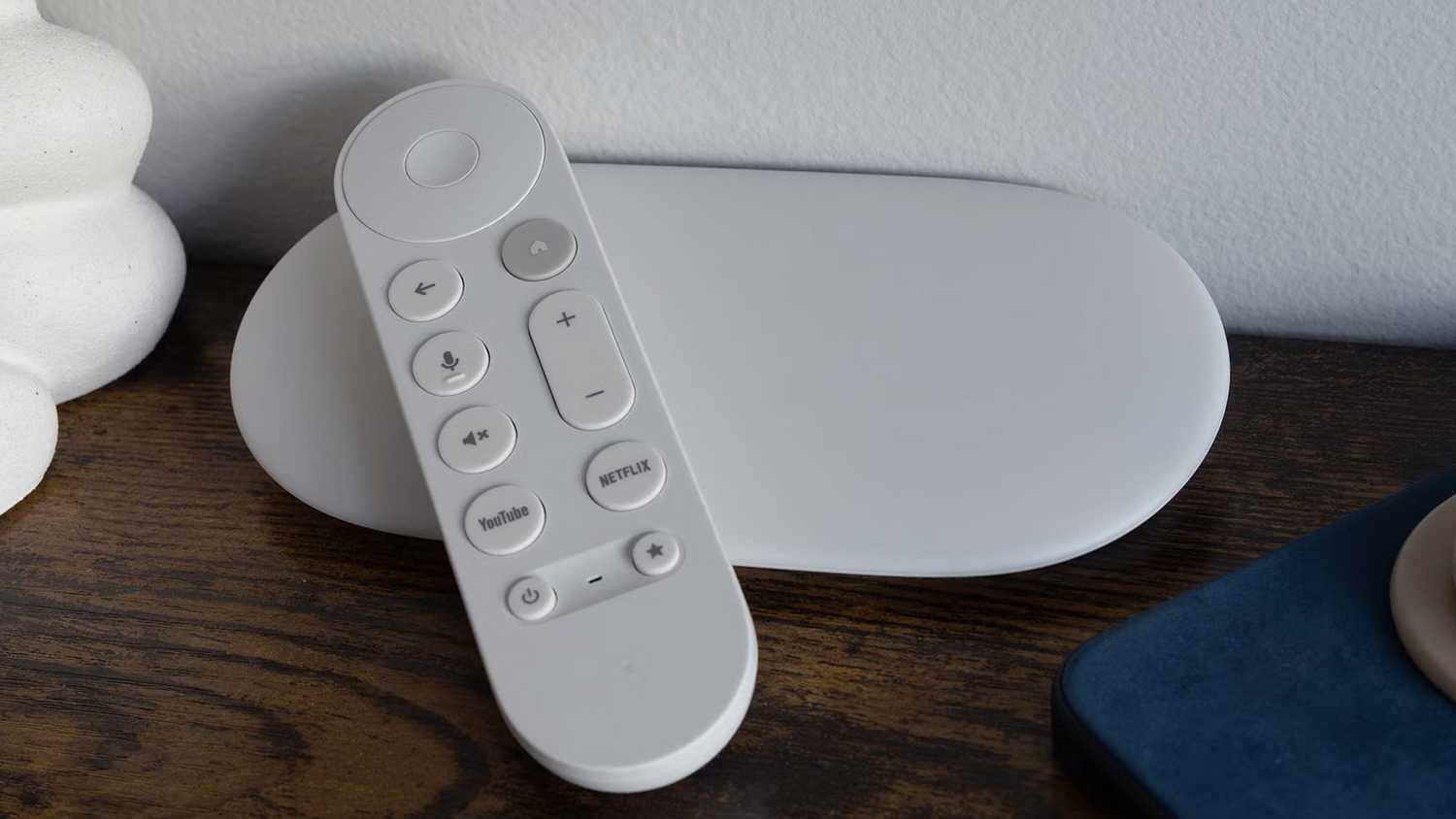
As of this writing, the biggest hurdle is that you can only pair Home Speakers to a Google TV Streamer. That’s a relatively affordable add-on, selling for $100 or less. But naturally, you might already have a Google-based TV, or simply prefer to spend the money elsewhere. The Streamer will potentially be faster than your TV — but it may not be, since it shipped in 2024.
Start by getting your Streamer installed. I won’t go over all the details, since Google guides you through most of them anyway. It’s essential, however, that you set the device up using the Google Home app, and use the same Wi-Fi network and Google account that you plan to attach to your Home Speakers. If you don’t, the devices won’t be able to see each other later on.
You’ll want to buy a pair of Home Speakers, likewise configured using the Home app. Just go to Add (+) -> Device once you’ve plugged the speakers in, and be prepared to scan their QR codes, although there are fallbacks if QR scanning isn’t an option. Strictly speaking, you can use a single speaker if you like, but you need two to get stereo or spatial audio (mostly Dolby Atmos). The single-speaker route won’t be very satisfying unless you’re upgrading something like a kitchen, gym, or breakfast nook TV.
All three of your devices should be assigned to the same room in the app, e.g. Living Room, Den, or whatever label you’ve assigned. Even if your speakers work when assigned to separate rooms, you may run into other trouble later, say when you ask Gemini to play music in a particular space but get nothing.
The easiest way to link everything is by using the Google TV Streamer itself. Follow these steps:
- At the homescreen, open Settings (the gear icon).
- Click Remotes and accessories, then Google speakers.
- Select your Home Speakers.
- One of the speakers should start glowing. This is to position channels — make sure the glowing speaker is on the left side of your TV.
- When prompted, click Continue to start configuring spatial audio.
That should be it. Alternately, you can use the Google Home app. The procedure looks like this:
- Once all your devices are installed and positioned, open the Home app if you’re not already there.
- You should be prompted to link your devices automatically. Tap Connect if you are. If not, you’ll have to go to Home -> All devices and select your TV’s tile.
- If necessary, pick Use your speakers for TV audio, then Connect.
- Select your Home Speakers and click Next.
- Wait for the connection process to complete. You’ll see a Done button when it’s finished.
You may have already clued into a couple of additional drawbacks with using Home Speakers. First, you can only use two, which means it’s impossible to set up rear satellites, much less ceiling units. Google also doesn’t sell a subwoofer. The main reason to choose Home Speakers is convenience — you’ll be able to control your TV entirely with hands-free voice commands, and continue using Gemini even when your TV is off. You’ll also be able to better automate your setup. A “movie night” routine might not just turn on the Streamer, dim the lights, and close the blinds, but adjust volume on both speakers simultaneously.
Keep in mind that Gemini allows for complex commands, so you might not need automations at all. “Close the blinds, then find action movies with Chow Yun-fat on my TV” might be a perfectly legitimate phrase. You could even try something like “I’m looking for realistic sci-fi movies that aren’t too depressing. Can you show me some on my TV?”
The second issue is that because your speakers are connected to a Streamer instead of directly to your TV, other devices in your home theater may not have access to them. If you want better audio for things like your game console or Blu-ray player, it’s wiser to choose an ARC- or eARC-capable soundbar instead.
The prospects for expanded hardware support
A giant question mark

To me, at least, it seems inevitable that Google will expand support to Google TV sets in general, since there’s nothing fundamentally tying things to the Streamer. Moreover, it’s an obvious way of increasing the Home Speaker’s appeal, much in the same way that an Apple HomePod is far, far more attractive if you have an Apple TV 4K. I think the real question is which TVs will be compatible. Some older sets aren’t powerful enough to handle Gemini, and might even have trouble keeping a Home Speaker in sync with onscreen action.
If Apple’s smart home revamp succeeds, Google might be forced to step up its efforts to remain competitive. If Apple’s efforts are unremarkable or a flop, Google will take the hint.
As for Google’s plans to introduce additional speaker models, or allow pairing more than two of them, the company is keeping quiet. It could well have greater goals, since it obviously wants people using Gemini all the time, particularly if it gets them paying for Google Home Premium and/or one of its Google One AI tiers. Simultaneously, though, Google has been the least committed of the three major smart home providers. Prior to the Home Speaker, its last smart speaker of any kind was 2021’s second-gen Nest Hub, unless you count the Pixel Tablet. Even Apple has been more prolific in the interim.
Speaking of Apple, prospects could ride on the success of that company’s rumored smart home revamp. In the next several months, Apple is expected to ship not just a new Apple TV, but a dedicated home hub, new HomePods, and possibly accessories like a doorbell. If those succeed, Google might be forced to step up its efforts to remain competitive. If Apple’s efforts are unremarkable or a flop, Google will take the hint.

- Dimensions
-
6.4 x 3 x 1-inch
- Connective Technology
-
Wi-Fi, Bluetooth
- Brand
-
Google