






Canceling an Adobe subscription feels good for about a week, but then you have to start looking for alternatives. Photoshop has a reputation for being irreplaceable, and a lot of the alternatives people recommend don’t really feel like a fair trade. Krita doesn’t even come up in these conversations, most likely because it’s marketed as a painting and drawing tool first, which is what it’s genuinely best at. So when someone asks for a Photoshop alternative, Krita usually gets skipped.
But it can do a lot more beyond illustration. It handles layers and masks and blend modes, so depending on what you actually use Photoshop for, it might cover more ground than you’d think.

I stopped reaching for GIMP, and Krita is why I haven’t gone back
For creative work, the choice is pretty clear
Krita is a painting tool that does a bit of everything else too
Krita’s brush engine is genuinely the best thing about it, and I don’t think Photoshop comes close on this one. There are nine separate engines behind the brush picker, and each one is its own little system with its own settings and behavior. There are pixel, color smudge, bristle, particle, shape, filter, and a few more. So you’re not just picking a brush, you’re picking a kind of brush, and then you can pull it apart and rebuild it however you want. Over a hundred presets come preloaded and there’s a whole community sharing custom brush packs you can download for free.
And the brush isn’t just for painting. The filter brush engine lets you paint a filter onto a layer, like literally smearing blur or saturation onto specific areas. The color smudge engine works for blending and compositing that feels almost a bit like actual painting. So even if you’re doing graphic design or photo work and you’d never call yourself an illustrator, the brush still ends up being useful in many scenarios.
I’m not the best drawer but like to doodle, and I’ve also been experimenting with abstract art pieces lately thanks to some inspiration from social media. Krita’s brushes make this experimentation much easier than Photoshop ever could. Photoshop ships with a decent brush library and lets you tweak things like size, hardness, spacing, scattering, and texture, but it’s all running off one underlying brush model. So you’re adjusting parameters on a single system rather than picking which system you want in the first place.
The other half of this is the layer system, which is where I assumed Krita would feel like a downgrade but it doesn’t. You get paint layers, vector layers, group layers, clone layers, file layers, and filter layers. Masks come in transparency, filter, transform, colorize, and selection varieties, so you can apply a filter to a layer, transform a layer, and mask out proportions, all non-destructively. There are also over 70 blend modes, which is actually more than Photoshop ships with (though I haven’t used most of them yet).
So overall, Krita is probably one of the strongest contenders you can pick for compositing work. You can paint a filter mask onto one section, drop a gradient mask onto another, group it, apply a blend mode to the group, and repeat. Another thing: Krita opens PSD files too, sometimes ones that Photoshop itself struggles with, which is a little funny (this is just because it has a higher tolerance for file corruption). So you can actually come over to Krita with some older PSD work.
I created it three times so you don’t have to
Where Krita shows its limits
The 10% Photoshop still owns

I know I just praised Krita for being a multi-tool, but unfortunately its shortcomings do still show up when you edit photos. Despite being a decent editor, it wasn’t built for this. Also, Photoshop has spent the last few years stacking AI features that Krita just doesn’t have, like Generative Fill, Neural Filters, sky replacement, and content-aware fill. Krita has a Stable Diffusion plugin you can install, but it’s not the same as having those tools ready to use without extra setup. So if your image work revolves around photo retouching and color grading and such, which is now heavily integrated with Adobe’s AI feature, you’re probably going to feel like something’s missing pretty quickly.
The text and typography tools are weaker too. You can add text in Krita but Photoshop’s text engine is years ahead, with proper paragraph styles, advanced kerning, and a ton of plugin support. Same goes for print workflows, like CMYK colour management is limited and export options for print are narrow. Smart Objects don’t really have a Krita equivalent either, although the mask system gets you decently far. And of course, if you’re in the Adobe ecosystem itself, then you probably value the Lightroom handoff and the Creative Cloud sync.
The type of workflow that Krita is best suited for
I did a small experiment, and it revealed Krita’s best audience

The piece I tested it on was more of an experiment than a serious project, just a grid of textured blocks layered over a painted brushstroke background. But it gave me a reason to actually use most of the features in one sitting, like adjusting brush weight and pressure response, layering blocks with different blend modes for the textures, masking parts of the strokes so they sat behind some tiles and over others, and of course, playing around with the brush collection and colors. And I have to say, Krita came out on top for this.
So who is Krita actually for? Illustrators are the obvious answer, comic artists and concept artists too. But anyone doing graphic design, mixed-media compositing, abstract work, or texture-heavy stuff is going to be well served. Hobbyists especially, because there’s no subscription pressure.
Who it’s not really for: photo retouchers who lean on AI tools, anyone delivering PSDs to clients or rely on a Creative Cloud pipeline, as well as print designers who need solid CMYK support. So if your work sits somewhere in those areas, Krita probably isn’t going to cut it, to be completely honest.
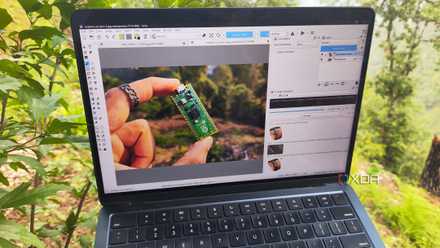
Krita’s AI plugins do what Photoshop charges $120 a year for, and the results surprised me
I’m not going back to Photoshop
It might be worth the switch if you’re fine with the caveats
Overall, Krita is a real Photoshop alternative for a wider range of work than it usually gets credit for. The brush engine alone is worth the install, and the layer and mask system covers most of what you’d want for compositing. There are still things Photoshop does better, but unless you’re a professional photographer, the switch might be worth it.