




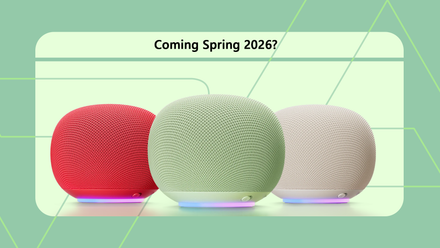
The Google Home Speaker has had center stage in my kitchen for the last few days, and although there are things to like about it, I’ve found myself really missing the Google Pixel Tablet, which it replaced.
It’ll sound very obvious after I explain why, but it’s an important thing to consider if you’re choosing your next smart home assistant.
I’ve been waiting all spring for the new Google Home smart speaker to finally drop
The clock is ticking
Cute design
Missing just one thing

The Google Pixel Tablet has been my primary smart home assistant in the kitchen since it was released, and it has been surprisingly good at it.
Google’s under-appreciated tablet has plenty of problems.
However, most of them are avoided when you pair it with the dock and use it for Assistant duties, a part-time media machine, and for basics like timers.

The new Google Home Speaker showcases Gemini’s new smart home ability.
It does so inside a modestly sized bundle of fabric-covered joy, which looks great on a kitchen work top, living room shelf, or bedside table.
However, the lack of a display almost kills it for me. It’s not even because I can’t watch video. It’s for the basic duties I ask my smart home assistant every day.
All in good time
Not that I’d know

Gemini Live conversations have their place, but for the most part, my smart home assistant in the kitchen only needs to keep good time.
The Pixel Tablet works as a basic clock. Not only because it shows the time on its lock screen, but also because it can set and operate multiple timers and show the progress on the screen.
Timers aren’t only about the end point. The lead-up to the end point is equally important to know, as it’s when you’re preparing the next step in a recipe or using the remaining time to make a judgment call on whether things are cooked.
I can verbally ask the Google Home Speaker to tell me the time remaining, but it’s no substitute for glancing at a screen and seeing it for myself. No waiting around for Gemini to answer.
I use the Home Speaker less
Another screen takes over

Not being able to see the time or see timers is a pain. It doesn’t help that I’ve been used to a smart home device with a screen until now, but it also highlights why one is much more helpful than a screen-less model.
I tried asking for a timer with a countdown for a set time towards the end, so I’d be more aware, but this isn’t something Gemini wanted to do.
It would just set multiple timers, which isn’t what I wanted. It doesn’t seem to be able to count down out loud at all, unless I’m just not saying it right.
I also hoped the new light array around the base of the speaker would add a visual element to basic things like a timer, but no, it only illuminates when Gemini is talking or thinking.
I don’t really want to mess around like this anyway, especially because a screen takes away all the problems.
It means I’ve turned to my phone when I really need to visualize individual timings. At least I can see the timer on the screen, and the time of day too.
Unfortunately, this removes one of the primary ways I use a smart home speaker.
What’s the solution?
Google makes things difficult

I have my Pixel Tablet to fall back on if the Home Speaker gets too annoying, but what if you want a smart home speaker with a screen for your kitchen?
Google’s range of smart home products with a screen is not necessarily the way to go.
The Nest Hub (2nd Gen) and Nest Hub Max are both supposedly current models, but finding them available to buy is a challenge.
The Google Pixel Tablet and its dock are both discontinued, and you’d have to buy a used model if you want one.
The answer is to say bye to Google Gemini, and hello to Amazon Alexa+.
Alexa+ is a true alternative
Devices are great value

While my Pixel Tablet has lived in my kitchen, I’ve used Alexa+ in my living room for a while.
Until recently, it was on a very old Echo Show 5, which has now been upgraded to an Echo Show 11. The most recent Echo Show 5 (3rd Gen) was released in 2023 and is yours for $90. It has a 5.3-inch screen on the front.
Ask Alexa+ to set timers, and they appear on the screen. I already like this a lot.
What I have noticed since interacting with Gemini on the Home Speaker and Alexa+ on the Echo Show 11 is how much I prefer Alexa+’s new voices. It sounds more natural, less clipped, and more conversational than Gemini.
It makes a difference. I really like Gemini Live, but it’s not a feature I use all that often.
Instead, I want a fun assistant to do regular smart home stuff, and Alexa+ fits the bill better than Gemini in these circumstances for me.
Think about your needs before buying
Screens are sometimes essential

The Google Home Speaker costs $100, and is a portal to Gemini in your home. While it performs the smart home duties you’ll want, it does so with no visual indications.
The Echo Show 5 costs $90, and Alexa+ is a great smart home companion. Despite costing less than the Home Speaker, it has a screen on the front.
Since swapping to a screen-less smart home device in my kitchen, I’ve found out how much I relied on having a screen. If you can relate to my experiences, think hard before settling for the new Google Home Speaker.
Android Police will have a full review of the Google Home Speaker soon.