



My home lab is a mix of hardware, from the AMD Radeon RT 7900 XTX that runs one inference box to the Nvidia flagships that run the heftier models, and a scattering of mini PCs. Oh, and a DGX Spark sitting in the rack being weird in its own ARM64 way. I wouldn’t change that mix for the world. I love each piece of hardware for different reasons, but for the longest time, they all demanded their own inference stack.
The part of my brain that is terminally lazy hated this situation, but there wasn’t much choice as I needed CUDA over here, ROCm over there, and some Vulkan for when neither of the other two would work. The fix wasn’t a better inference server; it was a single piece of software that supports multiple backends, so I can set up my inference stack on any hardware. Enter Lemonade Server, an open-source project backed by AMD that puts the same OpenAI-, Ollama-, and Anthropic-compatible API on every box I own and figures out the backend on its own.
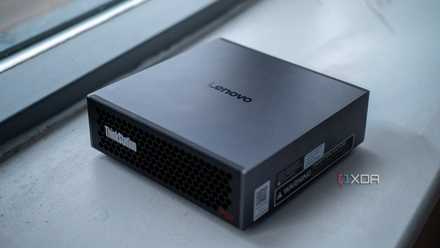
I served a 200 billion parameter LLM from a Lenovo workstation the size of a Mac Mini
This mini PC is small and ridiculously powerful.
Lemonade finally makes it so I can use one piece of software on everything
Nvidia’s strangest device was the last holdout

I’ve wanted to use Lemonade for a while, because the promise of abstracting hardware issues away was too good to pass up. But it wasn’t until recently that CUDA was supported, and even more recently that the GB10 ARM64 inside the DGX Spark was properly supported. That was the last piece of the puzzle, and I’ve moved all my local LLMs to use Lemonade.
Getting anything CUDA-shaped running on the DGX Spark used to mean reading through forums and GitHub comments to find the nightly Python builds that worked for individual projects, and pinning them so that I didn’t accidentally update Python and break the build. Almost every pip-installable ML package ships with CUDA 12.x, and the Spark refuses to work without CUDA 13. I’ve lost days of working time due to troubleshooting before.
The sales pitch for Lemonade’s abstraction layer writes itself. Now any messy edges around the sm_121 in the DGX Spark aren’t my problem anymore. I install the same software that runs on my AMD hardware; it detects the hardware and sets up the backend, and my agentic stack doesn’t know the difference.
Portability beats peak performance for everything I build
One server, four very different machines
I live for simplicity in my home lab. I don’t need the fastest server on every box; I want the same server on every box. One control plane to understand and manage. Everything I build — agents, MCP tooling, automations, half-finished weekend experiments — targets an OpenAI-compatible endpoint on localhost. When I can build to a single specification, a project I start on the DGX Spark can be moved to the RX 7900 XTX, or to the RTX 5090, or even to a mini PC running an Intel iGPU. The tooling outlives the hardware churn of my home lab, and I spend less time troubleshooting.
Lemonade allows me to do that more than any other software I’ve tried. Ollama gets close, but it limits the projects I can build. vLLM is an ever-moving target to hit, and LM Studio works well on my desktop but nowhere else. With Lemonade, the backend is decided by the software, based on what it’s installed on. ROCm or Vulkan on the AMD boxes, CUDA on the Nvidia ones, and Vulkan on Intel.
One installer, one process of getting up and running, independent of the hardware I wish to use. And the omni-modal extras like Whisper for transcription and Kokoro for TTS mean I don’t need to run multiple things to get to where I want to be.
Sure, a purpose-built stack will outperform in every benchmark. vLLM or TensorRT-LLM tuned to the RTX Pro 6000 will run laps around Lemonade’s llama.cpp CUDA path, but peak numbers were never my bottleneck: having to rebuild tooling was.
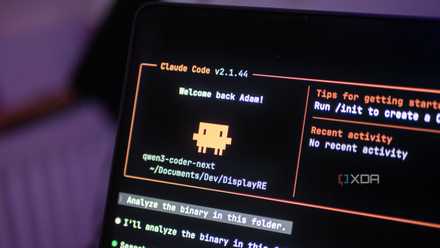
I finally found a local LLM I actually want to use for coding
Qwen3-Coder-Next is a great model, and it’s even better with Claude Code as a harness.
Ryzen AI Halo put that theory on the bench
Some real numbers to back up my point

The gap between Vulkan and ROCm on AMD hardware has narrowed significantly, and while CUDA-focused tooling still has the edge, it also breaks more often (in my use of the DGX Spark over many months). Lemonade makes it easy to determine which backend will be best for your chosen model and use case, as it ships with an inbuilt benchmark.
Qwen3 Coder 30B-A3B (MoE) was a revelation, showing how huge models using a Mixture-of-Experts design can generate tokens faster than smaller, dense models. That’s one of my favorite models for everyday tasks, and Lemonade runs it like a champ.
Model | Backend | TTFT (ms) | TPS | VRAM peak (GB) |
|---|---|---|---|---|
Llama 3.2 3B | Vulkan | 188 | 78.3 | 4.0 |
Qwen3 8B (Q4_1) | ROCm | 95 | 41.2 | 6.6 |
Qwen3 8B (Q4_1) | Vulkan | 141 | 43.9 | 6.8 |
Qwen3 Coder 30B-A3B (MoE) | ROCm | 173 | 69.5 | 19.0 |
Qwen3 Coder 30B-A3B (MoE) | Vulkan | 219 | 90.1 | 19.0 |
But Lemonade doesn’t only have backends for Vulkan, ROCm, and CUDA. It’s got Whisper.cpp for speech, StableDiffusion.cpp for image generation, Kokoro for text-to-speech, and FLM for NPU use. The NPU models need tweaking for the FLM backend, but running on the 20W NPU in the Strix Halo was genuinely useful.
Engine | TTFT | TPS | Notes |
|---|---|---|---|
ROCm | 95ms | 41.2 | best prefill |
Vulkan | 141ms | 43.9 | best decode |
NPU (FLM) | ~1,370ms | 11.0 | metronome consistency |
Trying to get most LLM servers to use the NPU is a pain, and I’ve tried and abandoned it many times before. With Lemonade, if the server detects your NPU, it just works. I did have to install the package manually because the Ryzen AI Halo I have runs on Linux, but it’s even easier on Windows, where Lemonade installs the NPU backend for you.
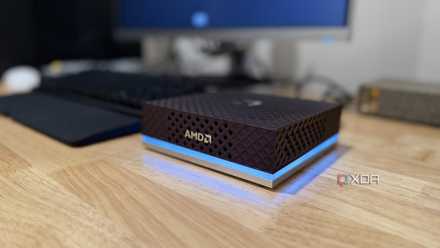
AMD’s tiny Ryzen AI box does what Nvidia’s DGX Spark does at a fraction of the power
Same price tag, very different electricity bill
The best local LLM server is the one I never have to think about
I came into this looking for the best local LLM platform and realized I’d been asking the wrong question. The best server for my home lab isn’t the one that tops any single chart; it’s the one that makes my raggedy collection of hardware feel like one machine. Lemonade trades a small slice of peak throughput on my Nvidia flagships to guarantee whatever I build runs anywhere. After years of running and maintaining parallel stacks, I’d make that trade again without blinking.
It doesn’t mean I’ve lost throughput either. Lemonade has a vLLM backend for the day a project outgrows llama.cpp. If your hardware looks like my assortment, it’s time to optimize for ease of use. Your future self has better things to do than rebuild tooling every time a breaking change comes in.