







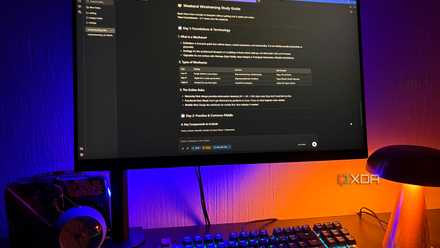
Started with just two stacks less than a year ago, and they had already grown over 20, and I was adding a few every week. The majority of them were permanent ones I used regularly, and some were experimental. And for most of them, I didn’t even remember the configuration I had done by hand in the first place because once deployed, I rarely visited them until they asked for my attention. Compose files could tell me how Docker was running it, but those files couldn’t tell me why I made those decisions in the first place.
For the last few weeks, I had been living with local LLMs like Gemma 4, Qwen 3.5, and DeepSeek-R1, all deployed on my RTX 4070 Ti gaming PC. I’d even fed Gemma 650k+ rows of DNS logs from my network before, just to see what it’d find. Those experiments were fruitful, so I decided to feed Gemma my Compose files, thinking it could reverse-engineer the setup into something usable.
Twenty-one containers in, and I still couldn’t explain half of them
The documentation already existed
Due to the nature of my work, I experimented with new services every other day. With every new project came new containers and their own compose files. I always understood the newly added Compose files, but the configuration for the older ones had faded from my memory. Nothing was broken, so I never visited those configurations intentionally, and eventually, I just forgot. That’s when I realized that documentation was a priority and decided to dump the Compose files into Gemma to reverse-engineer the setup.
Unlike the DNS logs experiment, it took me a lot more time to pull all the compose files. I thought that since I was using Portainer from the start, all the compose files would be neatly organized in a single Portainer volume. But at some point, when I upgraded Portainer, it had pulled a new image that initialized under a different volume name. So, in the end, I pulled 20+ Compose YAML files for two Portainer volumes and a few JSON files for the ones that weren’t Compose-managed.
I could easily just pull the running containers, but I also wanted to see how Gemma handled it and document a real homelab, not just a lab-simulated one. Removing everything confusing beforehand would have defeated the point. So, I pulled all the compose files, including the ones I retired, like Cloudflare, Watchtower, and Newt, and the ones I temporarily stopped for another experiment, such as Pi-hole, dnscrypt-proxy, and Meilisearch.
Once everything was gathered, I was ready to let Gemma 4 make sense of it. I just needed an interface to properly make it happen.
The first draft wasn’t perfect, but it was shockingly useful
Better than a blank page
I could have used already-established interfaces like Open WebUI, but for the type of UX I was thinking of, such as output in markdown and HTML, editable output, and contextual follow-ups, I decided to build a custom full-stack dashboard. If you have read my previous experiments, you already know I love React frontends and Python backends. It took me an afternoon to build a full-stack dashboard using Vite, Tailwind, and FastAPI.
The pipeline was simple: once I dropped all the files on the dashboard and clicked on the ‘Aggregate’ button, the FastAPI backend counted files, stacks, services, and networks for the dashboard and then bundled the raw file contents into a documentation-focused prompt sent to Gemma 4 via Ollama’s /api/chat. Once Gemma responded, the output was streamed back and rendered live through a shared Markdown component. All running fully locally, no data leaving my machine.
On the first run itself, it produced a structured Markdown wiki rather than just a wall of text. Surprisingly, the output was human-readable because the documentation was organized by stacks and services. It included service purpose, ports, volumes, dependencies, networking, startup notes, maintenance notes, etc., just like real homelab documentation produced by an experienced engineer. Even though some of the compose files had secrets hardcoded, it never printed the actual secrets, but it did call out which containers had them. It connected services rather than treating each Compose file in isolation. That was actually more than I expected without any iterations.
Not everything was perfect. I gave it 24 files. The backend acknowledged all 24, yet Gemma, on its own, decided to skip four of them without any warning or acknowledgment. They were just absent from the documentation. When I pointed out those missing services, it re-evaluated and gave me those four sections in the same format. There were also a few minor typos in the text, like “Omada” becoming “Omens”, easy enough to fix before downloading the actual MD or HTML file.
At that point, I was less interested in minor naming slip-ups and skipped sections and more interested in going through the whole document to check whether it actually reflected my homelab state.
Now my homelab finally has a memory
Future me is the real winner
Previously, I mentioned that I included all the compose files, including those that were running and those I retired or temporarily stopped. The first thing I checked was whether it knew the difference between what was running and what wasn’t, and it didn’t. The doc treated all the compose files as if they were running. It even recommended that I standardize on just one DNS tool because it believed that all three DNS servers, Pi-hole, AdGuard Home, and Technitium, were fighting for the same port 53. But in reality, only AGH was running alongside Unbound.
When I asked Gemma about it in the follow-up chat, it gave the exact answer I was expecting. Gemma correctly reasoned that docker inspect JSON carries an actual runtime “Status”: “running” field, while .yml files only prove something was configured, not the runtime status. It correctly identified the status of the services that had JSON files — Cloudflared and Jellyfin — and acknowledged that Compose files alone weren’t enough to prove the rest.
The “Maintenance & Operational Notes” section was actually interesting to read. Yes, I agree; it included things like multiple DNS solutions, multiple Cloudflared instances, and distinct networking types that weren’t right for my homelab. But it also pointed out real risks like hardcoded secrets and the specific PUID/PGID setup in qBittorrent and flagged genuine data-dependency issues, like how Jellyfin, Nextcloud, and Immich depended on the NAS mount.
I didn’t expect it to be perfect on the prompt, and it wasn’t. It took me several follow-ups and iterations to get a final output, and even that needed my explicit manual editing before I made it my official homelab documentation. The interesting part was that the reasoning capability was real, but it didn’t fully carry through to every judgment call, which meant the checking still had to be mine.
Regarding the liveness, the tool didn’t fail to reason. It just never volunteered that reasoning unless explicitly asked. That’s a prompt-design gap in the tool, not a hard capability ceiling. I still don’t trust it for full-fledged documentation, but it gave me something I never had: a starting point. Now I have a first place to check when something goes wrong, before even touching the stacks.
The wiki I never would have written myself
Gemma didn’t magically understand my homelab, and I never expected it to. All Gemma really did was organize information that was already scattered across dozens of Compose files. Despite the limitations, it gave well-written documentation in under an hour, a first draft that would’ve taken me a full weekend to write by hand. For an evolving homelab, an imperfect but editable wiki is far better than having nothing at all.


