






Summary
- WSL containers are in public preview, bringing native container support to WSL.
- The feature adds wslc.exe and a container API (NuGet) for C, C++, C#, plus MSBuild/CMake integration.
- Download the preview from the WSL GitHub and follow the blog for usage examples.
WSL is great, but there are some areas where it currently lacks. For example, if you want to use it to run a Linux app in a container, you can’t; you have to rely on third-party apps like Docker instead. However, Microsoft has been working on an official solution for this problem for a little while now, offering a way to run containers through WSL without the need to download anything extra.




Well, the company has finally gotten WSL containers in a presentable state and has now released them in public preview. And while you need to manually download the pre-release build yourself, containers will eventually become a core part of WSL, essentially removing the need to download third-party apps; that is, unless you want them.
WSL containers have arrived in public preview
You can give them a spin right now

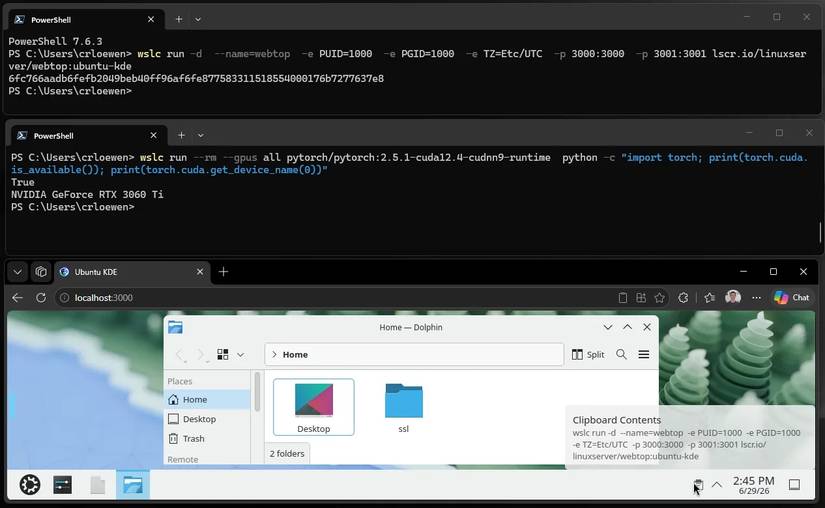
As announced over on the Microsoft Devblogs, the company has pushed WSL containers into public preview. This tool adds the wslc.exe binary to your path, and it uses familiar formatting and abilities so you can use the same commands you’ve grown used to over your time of using WSL.
Microsoft says that you can also make use of the WSL container API by grabbing a NuGet package that supports C, C++, and C#. Once installed, your Windows apps can now use your containers as part of their workflow, which is great when you need to briefly dip into the world of Linux. Microsoft says the API also works with MSBuild and CMake, so you can write a few lines and add your container as part of the build and deployment steps of your app.
Be sure to check out the full blog post for examples on how to use WSL containers in your project. If you want to get started with them, head over to the WSL GitHub page and download the preview today.
I tested dual-boot, WSL2, and VMs to run Linux apps on Windows, and only one was worth keeping
Dual-boot, VMs, and WSL2 walk into a Windows PC…