








Obsidian has been the center of my note-taking and productivity workflow, but one thing was always missing: a proper way to organize notes like a database. I tried building my own system with Dataview, and while it worked, it took time to set up and wasn’t always as intuitive as I wanted.



I still relied on a separate database app to manage projects, article ideas, and trackers. That changed when Obsidian introduced Bases. After spending a few weeks with it, I realized it covered everything I actually needed, so I canceled my database app subscription altogether.
Bases feels like spreadsheets built on top of markdown
Every note became a row without changing a thing

The first time I opened a Base, it looked just like a spreadsheet with rows, columns, and sortable headers. The difference is that every row is actually a markdown note. That’s the moment it clicked for me.
Instead of creating a separate database, I simply pointed Bases to a folder that already contained my notes. Obsidian instantly turned them into a structured table using the metadata I was already adding, such as status, tags, dates, and categories. There was nothing to import or sync because the data was already there. From there, I could filter notes by any property, sort them by date, group them by status, or switch between table, list, and card views. It gave me the flexibility of a lightweight database without moving my information out of markdown.
What I liked most is that every entry remains a normal note. I can still open it, edit it, and link it to other notes just as before. Bases doesn’t create another copy of my data, it simply gives me a smarter way to organize and view the notes I already have.
The biggest advantage is that nothing lives outside my notes
My notes became the single source of truth

The biggest change for me wasn’t the table view or the filters. It was knowing that all my information still lived inside my markdown files. With the database app I was using before, my notes and structured data were tied to the platform. If I ever wanted to switch, I always had to think about exporting everything cleanly.
Bases completely changed that. Every article idea, project, reading list, and research note is still just a markdown file stored in my vault. The metadata lives right alongside the content, so nothing is hidden away in a proprietary database or stored on someone else’s servers. Bases simply reads that information and presents it in a more useful way.
That makes my entire workflow feel much more future-proof. If I stop using Obsidian tomorrow, I still have every note exactly as I wrote it. I can open those files in any markdown editor, back them up however I want, or move them somewhere else without losing anything. For me, that sense of ownership and flexibility is what truly replaced my old database app.
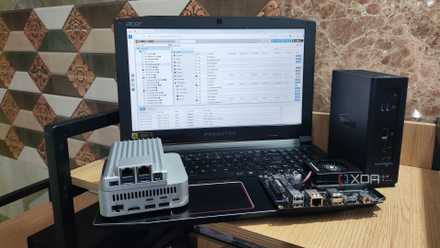
I use Obsidian to document my home lab and self-hosted services, here’s how
There are tools built for documenting your home lab, but I love using Obsidian for it instead.
I stopped maintaining two different systems
The second app quietly disappeared

The hidden cost of using a separate database app wasn’t the subscription fee. It was the constant upkeep. Every time I finished an article, changed a project’s status, or saved a useful resource, I had to make sure both my notes and my database stayed in sync. It felt organized, but much of my time went into maintaining the system rather than actually using it.
Bases got rid of that extra work. Now I update information at the source: the note itself. If I change a status, add a tag, or update a category, every Base that relies on those properties automatically reflects the change. There’s no second app to open and no tracker waiting to be updated later.
I also stopped wondering where new information belonged. Before, I had to decide whether something should go into Obsidian or my database app. Now everything starts as a note in my vault, and Bases organizes it however I need. Having one system to maintain has made my workflow simpler, faster, and much easier to trust.
It is more than just a databases
The same notes, a completely different experience
With this new setup, I no longer think of Bases only as a database feature. I use it as a different way to interact with my notes depending on what I’m trying to do. Sometimes I need a simple table of article ideas. Other times, I want a board grouped by writing status or a filtered view that shows only active projects. Instead of reorganizing my notes, I simply switch to a different view.
That flexibility has changed how I use Obsidian every day. The same collection of notes can support planning, tracking, research, and writing without creating separate workspaces for each task. I don’t have to build complicated systems or learn advanced database features to get useful results.
4 ways to host Obsidian online
Turn your local Obsidian vault into an online knowledge hub — here’s how.
One small feature, one less subscription
Obsidian Bases didn’t make me rethink how I take notes; it made me rethink why I needed a separate database app in the first place. Once I realized my notes could also organize, filter, and track my work, paying for another tool stopped making sense. While dedicated database apps still offer more advanced features, I simply wasn’t using most of them. Bases gave me everything I needed in the app I already used every day.

- OS
-
Windows, macOS, Linux, iOS, iPadOS, Android
- Individual pricing
-
Free normally; $4/month for Obsidian Sync
Obsidian is a feature-rich note-taking app that’s available on different platforms and offers a neat and clean interface. It’s also free-to-use for individuals.


