







Summary
- Local LLMs work for brainstorming and tinkering but can fail at reliable file/vision tool integration.
- Claude quietly sorted, renamed, and deduped hundreds of screenshots in minutes, justifying my subscription.
- I keep local models for quick tasks, but for automated desktop housekeeping, cloud Claude wins for now.
Despite spending almost twelve hours (or more) every day on my PC, there are certain PC tasks that I’ve never been inclined to do. Stuff like organizing screenshots, renaming files, or actually bothering to categorize all my documents over the years has never felt important enough, so I’ve kept putting it off because the Steam icon is right there on my taskbar.
While self-hosting local AI through Ollama and Open WebUI, I began wondering if I could use my local instance of Qwen to help me out, just to keep my screenshots, receipts, and documents private. After using multiple local models for this menial housekeeping, I realized that things weren’t nearly as straightforward as I expected.
I started with the local setup I actually wanted
Open WebUI made local AI surprisingly easy, but the model didn’t
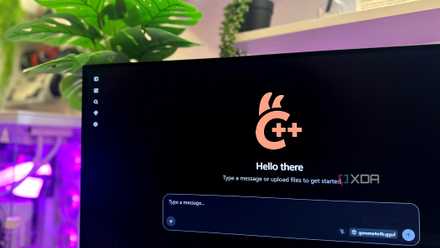
I started by spinning up a local MCP server with Filesystem access to my C:\Pictures\Screenshots folder, then pointed Open WebUI’s native Windows desktop app at it. That last part deserves some credit on its own, since, instead of wrestling with Docker, I was able to run everything natively, connecting to a localhost mcpo instance as a tool. Open WebUI’s desktop app even definitely earns its flowers for its polish and plethora of settings and menus it lets you tweak.
My first choice was Qwen 3.5:9B. It’s my go-to local model, so I expected it to breeze through a simple request like reading the filenames in the Screenshots folder. Sadly, it never did. No matter how I phrased the prompt, it hallucinated the results, counting more files than there were, and then later flatly denying ever having called the tool, even after doing so successfully moments earlier!
Open WebUI’s native Windows app eliminates Docker entirely, making local AI agents far easier to set up and experiment with.
Naturally, I assumed the model was too small to work well. Since 12GB of VRAM is all my RTX 4070 Ti has to work with, I reluctantly downloaded Qwen 3.5:27B, fully expecting most of it to spill into system memory. As expected, every response took around 10 to 13 minutes, but the actual response I did get is what surprised me the most.
While the larger 27B model retrieved real data accurately, it choked the moment vision entered the picture, and I asked it to describe just the first file in my Screenshots folder. Clearly, the problem wasn’t Qwen at all. Somewhere between my MCP Filesystem server reading real bytes off the disk, and Open WebUI handing those bytes to the model, the image data never survived the trip. The tool definitely succeeded, but the model never saw a single pixel.
I had to let Claude take over from Ollama
I finally justified my monthly subscription

As I quit Ollama and went right into Claude, all it took was a minute of Filesystem setup to point the Claude Desktop app to my Screenshots folder. The first thing I did was look at each of the images and categorize them into no more than four categories. Now, this did take a while, but the result I got from it was nowhere near compared to the subpar and disappointing responses I received from Open WebUI and Qwen’s models.
All it took was 20 minutes in the background — the time it took for just two responses from Qwen 3.5:27B — to read all my screenshots and organize them cleanly into four separate folders. Plus, Claude did it all in the background while I merrily had all my system resources to myself for gaming or work, without my PC case becoming louder than my air conditioner.
While I was at it, I asked Claude to rename each screenshot file, too. All I had to do was tell it to look at every image and rename it as per an “app-screen.png” format, and rename the rest with an “unknown-” tag at the beginning of the file name so they’d all be clumped together. Thankfully, only a handful made it to the Unknown category, and they all just happened to be those I needed removed. The rest were so impressively and cleanly renamed that I’ve decided to make this a part of my weekly routine.
Claude became the Windows AI I always wanted Copilot to be
It has turned file management into something I don’t have to think about

Once I saw Claude reliably sort, rename, and categorize hundreds of files on its own, I immediately started looking at the rest of my PC differently. My Claude subscription has been going away monthly for a while now, and now, I’ve finally found a reason to use it every other morning when I boot up my PC. It’s now the desktop assistant Windows has been missing all along, and what I always hoped Copilot would eventually become.
Now, every few days, I can simply ask Claude to rename any new screenshots I’ve taken, organize my loose documents into sensible folders, read my PDFs and give them meaningful filenames, and even go through my article drafts to spot topics I never fully explored. It also detects any duplicate screenshots and photos before removing them. None of those jobs are particularly difficult, so there’s no reason I couldn’t do it myself, but that would also mean hours gone from my time. However, it’s repetitive housekeeping, and since I’ve been paying Anthropic for a while now, I might as well get those tasks done regularly.
All I do is ask give Claude one instruction, get back to work, and by the time I remember I asked, my digital mess just sorts itself out without me lifting another finger.
I’m still using Ollama, but automation is still Claude’s wheelhouse
Self-hosting AI is a rabbit hole I still very much enjoy tinkering with.
No, none of this has convinced me to abandon Ollama. If anything, I still use my local models more often than Claude for quick brainstorming, vibe-coding, and the countless little jobs that don’t require access to my files. My local instance of Gemma 4 triages my email every three days, and self-hosting AI is a rabbit hole I enjoy tinkering with just as much as building the rest of my PC.
However, when it comes to turning hours of repetitive desktop housekeeping into a single prompt, Claude is simply playing a different game today. If open-source tooling keeps improving at its current pace, I don’t think things will stay this way for long. Until then, though, the automation of my PC’s housekeeping is one task I’m perfectly happy letting the cloud handle.