





I have several Echo smart speakers in my home. Amazon has continued to make the prices of these devices relatively cheap in order to try to lock people into its smart home ecosystem. I no longer really trust my Echo speakers, so I wanted to see if I could put them to use in another way.




I finally discovered just how much my Echo devices call home
Endless calls to ad services were the final straw

I have Pi-hole set up on my home network to help stop ads and trackers. I was curious to see how often my Echo devices tried to call home and I was fairly shocked by the results. My Echo Show 5 was constantly making DNS requests to ad services, even when it was idle.
I’d already started to move away from using Echo devices. Amazon’s poor privacy record, the locked-down Alexa ecosystem, and the awkwardness of using voice commands meant that Echo devices weren’t the ideal smart home control system I’d hoped they might be when I first bought them. The results from Pi-hole only confirmed my decision to cut them out of my smart home.
I’d managed to jailbreak a couple of my Echo Show 5 devices and repurpose them as Home Assistant dashboards, but I also had several Echo Dot smart speakers in various rooms. I wondered if there was a way I could disconnect them from Amazon while still being able to get some use out of them.
An Echo makes a reasonable Bluetooth speaker
I was mostly using them for music anyway
I can’t remember the last time I’ve used any of my Echo devices to control my smart home devices. I’m a firm believer that smart home automation is preferable to control, and using voice commands always feels a little weird. I’d rather have the lights turn on automatically than have to speak a request out loud.
The only real use that my Echo devices get any more is playing music. While an Echo Dot is fairly small and the sound quality isn’t the best, it’s fine for listening to music while you’re cooking or in a kid’s bedroom. They’re connected to Apple Music, so I can play anything from the extensive Apple Music catalog, as well as my own custom playlists.
While playing music this way relies on streaming music from the cloud, my Echo Dot smart speakers can also be used as Bluetooth speakers. You can pair an Echo with your phone or laptop just by saying “Alexa, pair Bluetooth” and then using discovery on your device. I wondered if I could continue to use them as Bluetooth speakers without them being connected to the cloud.
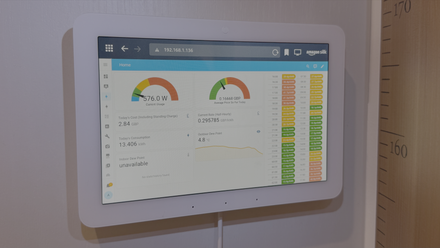
I Only Use My Echo Hub for One Thing (and It’s Not Controlling My Smart Home)
Amazon’s smart home control panel is a good idea in theory, but not in practice.
Pair Bluetooth before you block internet
My phone stayed paired even though the Echo is offline

My router gives me the option to block specific devices from internet access, so I knew that I would be able to disconnect each Echo Dot from the cloud so that it couldn’t communicate with Amazon’s servers, rendering it a dumb device. I wasn’t sure whether doing so would stop my Echo devices from being able to work as Bluetooth speakers.
After a little research and experimentation, I discovered that it is possible to use my Echo Dot smart speakers as Bluetooth speakers, even when they’re disconnected from the internet. The trick is to pair the Echo with the device you want to use to play music before you disconnect it from the internet.
With the Echo disconnected from the internet, I wasn’t able to get it to pair with my phone or laptop over Bluetooth. However, if I paired it first, the pairing was remembered even when the internet was cut off. I could then connect my phone or laptop to the Echo Dot and use it as a standard Bluetooth speaker whenever I wanted.
It means that I can now play Apple Music or any other audio source through my Echo Dot devices over Bluetooth. They’re cut off from the internet, so I don’t have to worry about Amazon listening to everything I say or being bombarded with ads, but I can still use them to play music.
A Bluetooth speaker is better than e-waste
It beats throwing the Echo away

An Echo Dot isn’t a great speaker, but using one as a dumb Bluetooth speaker is a better option than just throwing it away. I already own the devices, so being able to put them to use is preferable to just adding the mountain of e-waste.
Since I only really used them for playing music anyway, I’m certainly not losing anything, and I no longer have to worry about Amazon’s ads and trackers. I don’t even have to worry about relying on Alexa skills to be able to play music from various streaming services. Whatever audio I can play on my phone or computer I can play through the Echo Dot.
My smart speaker is dumb
Turning a smart speaker into a dumb one may feel counterintuitive, but I wasn’t getting any real benefit from the smart features of my Echo devices. I’ve built my own smart speaker that can run locally, so I don’t need Alexa anymore. This way, I can still get some use of the speakers I already own.