




Your 3D printer can literally help you build a homelab, and that homelab can support your printer in return with some incredible self-hosted projects. Use these to free your printer from the cloud, archive models, and manage your filament—all for free.
OctoPrint
The quintessential self-hosted 3D printing tool

OctoPrint adds a powerful web interface to your 3D printer so that you can control and monitor it using any computer on your network. It rose to prominence during an era where modern web interfaces were not included with most 3D printers. Even though most new printers now include this, there are still some good reasons to use OctoPrint.
OctoPrint typically runs on something lightweight like a Raspberry Pi. It allows you to control your printer, upload your own G-Code, and monitor print progress and data points in real-time. You can access webcam feeds and even add your own webcams, allowing you to see the print for yourself and generate snazzy time-lapse videos.
Not every printer has network access, and not every printer does network access well. Carrying SD cards and USB sticks around gets tedious, and OctoPrint eliminates that problem. You can even add remote access and AI failure detection with OctoEverywhere. That said, if you have a Bambu Lab printer, then you might want to consider another option.

- Brand
-
Raspberry Pi
- Storage
-
8GB
It’s only recommended for tech-savvy users, but the Raspberry Pi 5 is a tinkerer’s dream. Cheap, highly customizable, and with great onboard specs, it’s a solid base for your next mini PC.
Bambuddy
Like OctoPrint but for Bambu Lab printers

Like it or not, Bambu Lab has cornered the 3D printing market with its ease of use and aggressive pricing strategy. While these printers are approachable, the company has put its foot in it numerous times when it comes to consumer freedom. This came to a head in 2025 when Bambu Lab switched off cloud services for anyone using their printer’s offline “LAN mode.”
One solution to this is Bambuddy, a self-hosted alternative that frees your Bambu Lab printer from the cloud by providing a local web interface from which to control your 3D printer. Use it to bypass Bambu Lab’s cloud, initialize and control prints, monitor your printer’s vitals, schedule maintenance, keep an eye on filament, and keep an archive of the items that you print.
You can even do things that Bambu Lab doesn’t support natively, like schedule prints in advance. Bambuddy works remotely via proxy mode, and supports a whole fleet of printers (something that OctoPrint lacks).
Manyfold
Keep your models organized

I’ll be the first to admit that my Downloads folder is a wasteland, but it also happens to be where all the models I download to print end up. A much better idea is to use a solution like Manyfold, a 3D print file indexing tool that allows you to browse, categorize, share, and clean up your collection.
There are many ways to self-host Manyfold, starting with the predictable Docker container and extending to a Home Assistant app and even an Unraid plugin. Get fully interactive 3D previews of your files, link them together, analyze them for problems, decide who can access what, and connect Manyfold to OctoPrint or other print servers for seamless item duplication.
Future versions of Manyfold are planned to include a basic built-in slicer, version control, and model assembly for multiple parts.
Spoolman
Index your filament and stay on top of what’s left
Spoolman is a tool for keeping track of your filament collection, which can be a real challenge once you catch the 3D printing bug. You don’t need all those different colors, finishes, and blends of filaments, but you’ll definitely want them, and keeping track of your collection can get a little difficult. Now you can track what you have “in stock,” so you can save money on filament by bulk ordering the rolls you need.
Spoolman integrates with other services including OctoPrint and Bambuddy (which automatically records filament usage) and supports multiple printers.
Home Assistant
Yes, really

Adding my Bambu Lab P2S to Home Assistant was a game-changer. Not only is it nice to have a single interface from which I can manage an entire house full of devices, but I can also use the printer to trigger other devices and notifications. It might not be the main reason to set up a Home Assistant server, but if you have one running and you haven’t added your 3D printer yet, then you’re probably missing out.
There are integrations for most major brands including Bambu Lab, Prusa, Elegoo, Creality, and Snapmaker. Once added, you can do things like trigger air purifiers and ventilation, get custom notifications when something goes wrong, or just monitor the humidity levels in your filament storage.
- Brand
-
GEEKOM
- CPU
-
AMD Ryzen 5 7430U
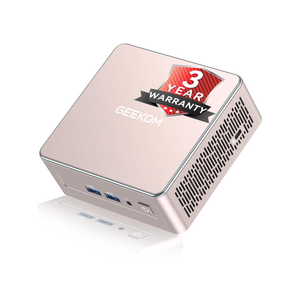
The GEEKOM A5 mini PC packs 16GB of user-replaceable RAM, a user-swappable NVMe SSD, plus two other storage slots, giving you plenty of user-upgradability in this compact system. The Ryzen 5 processor packs plenty of power for general tasks, and it’s even great at lightweight gaming and CAD work too.
Looking for more services to host yourself? Here are some more self-hosted apps that are worth the effort.