




When most people think about running a local LLM, a lot of people probably visualize something like LM Studio or Open WebUI. You type something, it types back, maybe you use it to help write an email or summarize a document, but the approach is to essentially treat it as “text in, text out” and nothing more. However, tools let a model open a browser, search the web, scrape a page, or remember things across sessions, and they’re often seen as what you trade away when you leave the cloud. That hasn’t been the case for a long time, though.
My local setup has browser automation through Playwright, web search through a self-hosted SearXNG instance, web scraping through Crawl4AI, and persistent memory through Qdrant and mem0. Those are the same types of tools that Claude can use, and my models can call all of them, too. The whole thing runs on hardware sitting at home: an AMD Radeon RX 7900 XTX and a Lenovo ThinkStation PGX, plus an M4 Pro MacBook Pro when I’m away from my desk.
It isn’t as polished as a cloud-based setup, obviously, and a significant part of the tool-calling reliability comes down to which model you pick. Yet, still, the gap is closing between cloud-based models and local models when it comes to tool calling.
Pi is the harness that makes it work
Pi doesn’t try to be Claude Code, and that’s why I use it

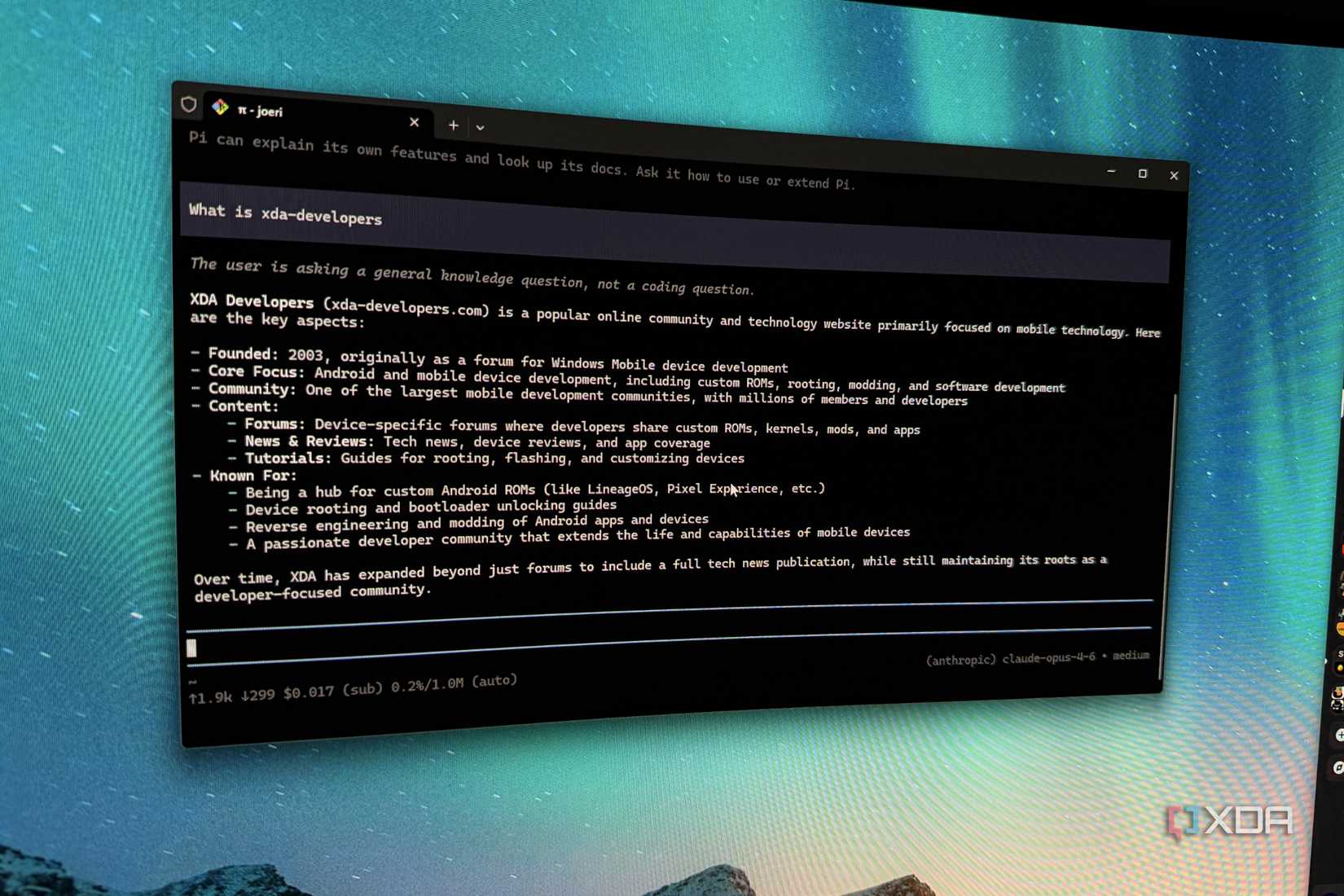
Pi is a minimal agent harness; it ships with four tools (Read, Write, Edit, and Bash) and that’s it for what you get out of the box. It’s built to be extensible, so you don’t get sub-agents, a plan mode, MCP, permission popups, or any of the other things you may be accustomed to from Claude Code. It has the base features that everyone needs, and then you extend on that from there. There are plenty of extensions you can download and use, but the idea is that the agent can access its own documentation, so you can ask it to extend Pi for you. Because it’s minimal, it also has a much smaller system prompt out of the box when using a local model.
For my setup, I use just two extensions: MCP and pi-subagents. The MCP extension is how the model talks to Playwright, SearXNG, Crawl4AI, and Qdrant, and it’s the bridge between the harness and every external tool I’ve wired up. pi-subagents lets the model spawn worker processes for longer tasks that would otherwise clog the main context window.
The rest of Pi is built around the idea that the harness should adapt to you, not the other way around. Sessions are stored as trees, so I can rewind to any prior message, branch from there, and share the whole thing. As well, mid-run steering lets me drop in a correction while the model’s mid-task without waiting for it to finish. I can hit Ctrl+L to switch models mid-session, like from Qwen 3.6 27B to Qwen 3.6 35B A3B, and the context carries over. Finally, it also supports AGENTS.md files for project-level instructions, which means the model picks up conventions and preferences automatically when I’m working inside a repo.
Claude Code is good at what it does, but Pi’s extensibility is, hands-down, significantly better. In the case of Claude Code, it’s an entirely sealed system, and you have to use it the way Anthropic built it. Pi, though, is just a mixture of primitives where you wire it up yourself. Those primitives enable you to build the same capabilities on your own terms.
Search, browse, scrape, and remember
Similar to what Claude has, but running locally

The tool suite I’ve put together covers four things: finding information, interacting with web pages, extracting content, and remembering context across sessions. Each one contributes to the feeling of my local LLM being a “tool” rather than just a chatbot.
Playwright MCP is a tool I use often with my local LLM, and it’s incredibly useful. It’s Microsoft’s browser automation stack with tools covering the likes of navigation, form interaction, network mocking, screenshots, and console access. If something is broken on a webpage and I’m trying to daignose the issue, it makes it possible for me to share the problem with my model and have it interact with the page. It can look at the browser console, see what’s actually happening, and try to work out what’s going wrong. It uses Playwright’s accessibility tree rather than pixel-based screenshots, so your model doesn’t need vision capabilities, eihter.
SearXNG is the search backend, and I’ve talked about it quite a lot before. It’s a self-hosted metasearch engine that aggregates results from multiple search engines, and the MCP server exposes it as a tool the model can call. For a local LLM, search enables models to overcome the lack of knowledge about things that occurred after the training data was prepared.
Crawl4AI, meanwhile, handles content extraction. You can point it at a URL and it returns clean markdown, stripped of navigation, ads, and other stuff, formatted in a way the model can actually parse it. When the model searches for something and needs to read the result, Crawl4AI scrapes the page and hands back structured text. Without it, the model might be working from search snippets or trying to parse raw HTML, which can massively inflate your context window.
Qdrant and mem0 handle persistent memory. mem0 is a memory layer that stores facts about preferences, projects, and past interactions in a local Qdrant vector database, and the model can query it across sessions. These two are the ones I use the least, but I still get use out of them from time to time depending on what I’m working on.
Many models are trained on tool-calling these days
The thing is that none of this works if the model can’t reliably pick the right tool with the right arguments, and I’ve made the case before that tool-calling reliability matters more than parameter count for agent workflows. A 14B model that calls the right function every time beats a 70B model that gets it right half the time, and as I outlined at the time, Docker even built a test demonstrating tool calling capabilities across 21 different models.
On my 7900 XTX, I run Qwen3.6-27B-UD-Q4_K_XL.gguf, a 27-billion-parameter model quantized to fit in 24GB of VRAM. With MTP (Multi-Token Prediction) enabled and a 100,000-token context window, I get anywhere from 40 to 60 tokens per second. That’s fast enough for interactive work, and the model reads inputs, decides on a tool, calls it, and generates a response quickly.
On the PGX with its 128GB of unified memory, I run Qwen3.6 35B-A3B, a Mixture-of-Experts model that activates a fraction of its parameters per token, overcoming the limitations of its slower memory bandwidth. When I’m away I can reach it remotely through Pangolin, and if I don’t have internet, the same model runs on my M4 Pro MacBook Pro where Apple Silicon’s unified memory handles it well. Across all three machines, I use the same harness and same tools, and the hardware really only dictates the speed.
Many models nowadays, Qwen 3.6 models included, are trained with tool use in mind, meaning that it doesn’t do the thing where it acknowledges it needs information, decides not to call the tool sitting right there, and hallucinates an answer instead. Quantization doesn’t degrade that, either. Nowadays, models typically holds their tool-calling abilities across Q4 and Q8 quants without any meaningful drop.
Qwen3.6 27B isn’t the best model out there or anything, but it is a model you can run on a consumer GPU, paired with a harness that gives it the same tool categories Claude has, and the resultant product is an agent that can do many of the same things. Maybe not as smoothly or reliably, and not without the occasional tool-calling misfire, but it still can do those things.