
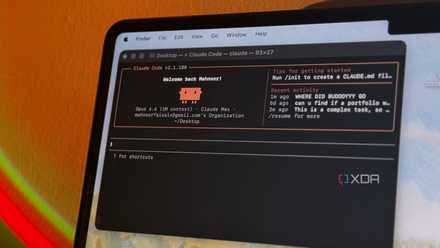



Lately, I’ve been experimenting with Claude Codeon a few personal projects. I’ve been out of the software development world for many years, but that doesn’t mean that I don’t have some interesting ideas to work on. So I’ve started using Claude to build small personal projects and automate repetitive tasks. I also often use it to understand code beyond my skill set. It’s been a really powerful tool, but it’s also made me aware that I can very quickly run out of my session limits.
I wanted a simple way to track my usage so I wouldn’t waste tokens unnecessarily. I certainly don’t have the budget of multi-million dollar operations to spend on Claude for weekend projects. So, I installed this open-source app called Claude Pulse. It gives me an easy-to-use dashboard that gives real-time analytics on my usage. But as it turns out, it solved another problem that I was facing. When Claude is working on a larger task, he can often spend several minutes exploring files, editing code, or going back and forth on changes. Sometimes it’ll stop and wait for approval before running a command. Now, if I’m away from my desk, the session just sits there doing nothing until I come back. This dashboard lets me grant permissions directly from my phone. In my opinion, between approving tool calls remotely and keeping an eye on how much of my quota I’m using, Claude Pulse is a must-have tool for anyone working with Claude.
Mobile approvals keep your projects moving
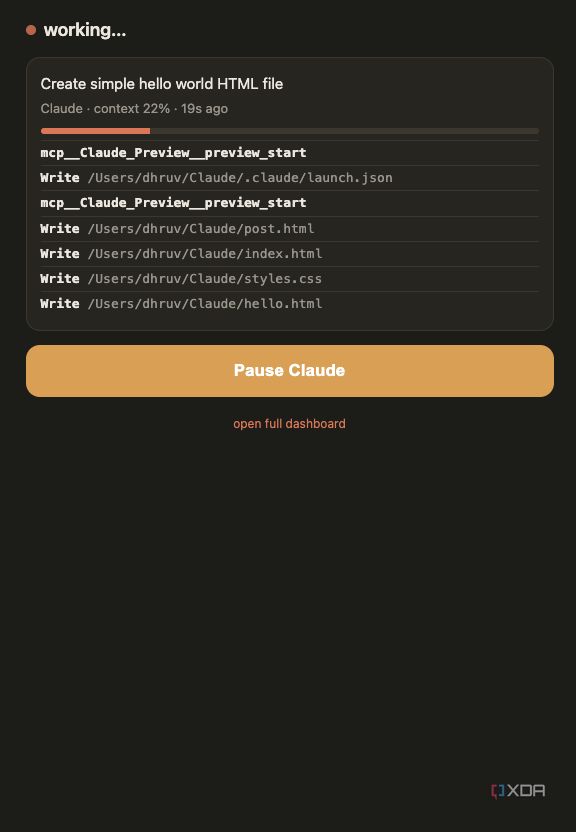
Claude Pulse lets you approve tool calls from anywhere

While seasoned devs would already be aware of it, if you’re new to Claude Code, it’s important to know that it isn’t the same as chatting with a regular AI assistant. My workflow, admittedly imperfect, involves defining the larger scope of the project and then breaking it down, coding small segments at a time using Claude Code. These jobs often take much more time and use many more tokens than a standard chat. Claude searches through directories, reads files, proposes changes, tests them, and often enough asks for permissions before executing a command. That pause is intentional because sometimes it needs to access local folders or make major changes to files, and you need to approve those changes before it can make them. But it’s also where the workflow can break down. If you’re not actively paying attention, Claude will just sit around waiting for your input.
Often enough, when I ask it to migrate a large database or code a frontend, a task which I know is going to take a fair amount of time, I’ll step away to grab a quick lunch or make coffee, only to discover that it has been waiting for my approval for the last twenty minutes. Nothing actually happened.
Claude Pulse solves that by connecting to your Claude Code session and, on the one hand, providing a live dashboard showing exactly what’s happening and, on the other hand, offering support for mobile-based approvals. You can set up ntfy notifications for any time Claude needs your input, and tapping one brings you straight to the Claude Pulse dashboard. Conversely, and what I prefer to do, you can just keep the Claude Pulse dashboard open while you go around your home. You’ll get an overview of what Claude is doing at that very moment, and if it needs approval, you can give it that right from the dashboard. Moreover, if you have multiple sessions running simultaneously, the dashboard is an excellent way to keep an eye on what Claude is up to.
Keep an eye on your Claude usage
I can see when Claude is about to burn through your tokens

Credit: 
Credit: 
Credit: Credit: Credit:


Credit: 
Credit: 
Credit: 
Credit: 
Credit:
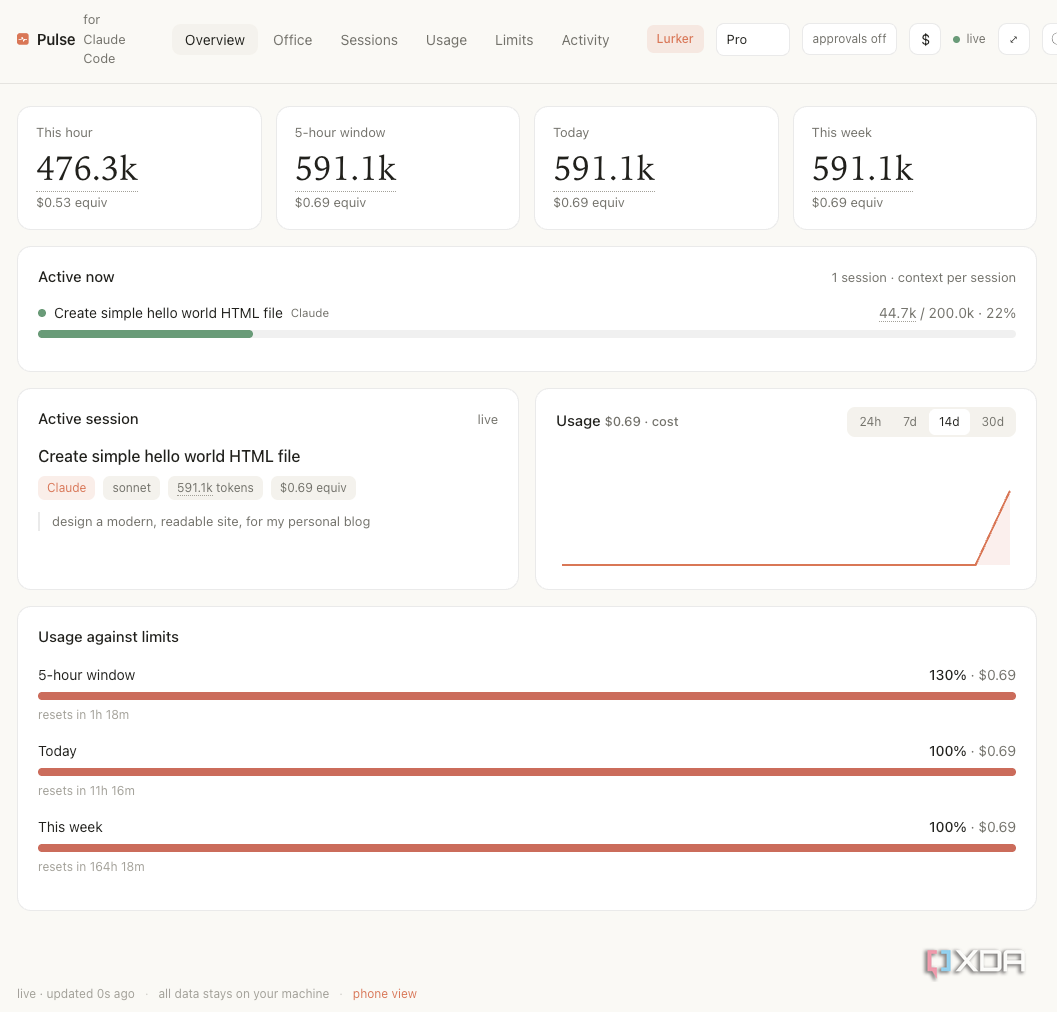
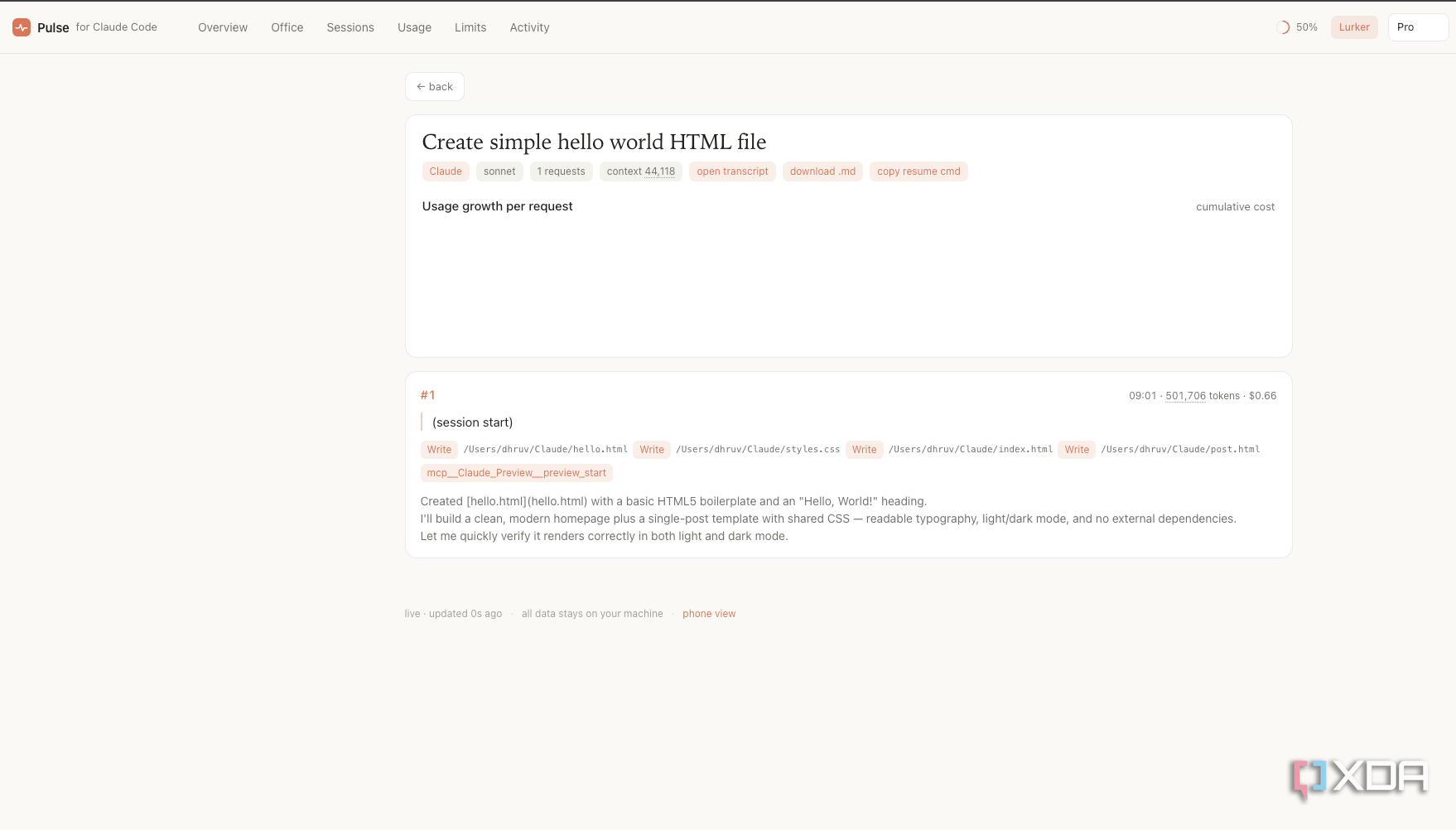
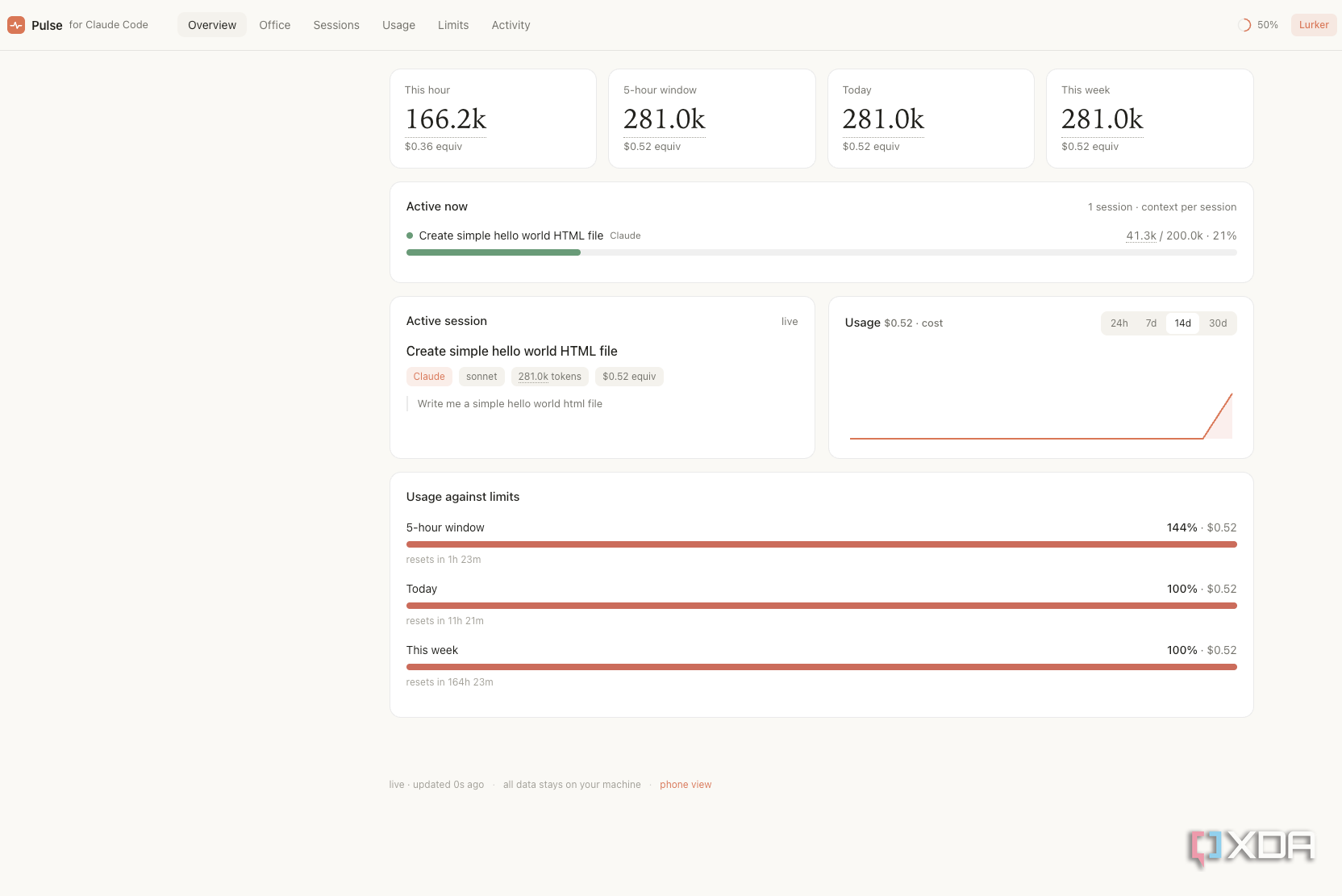
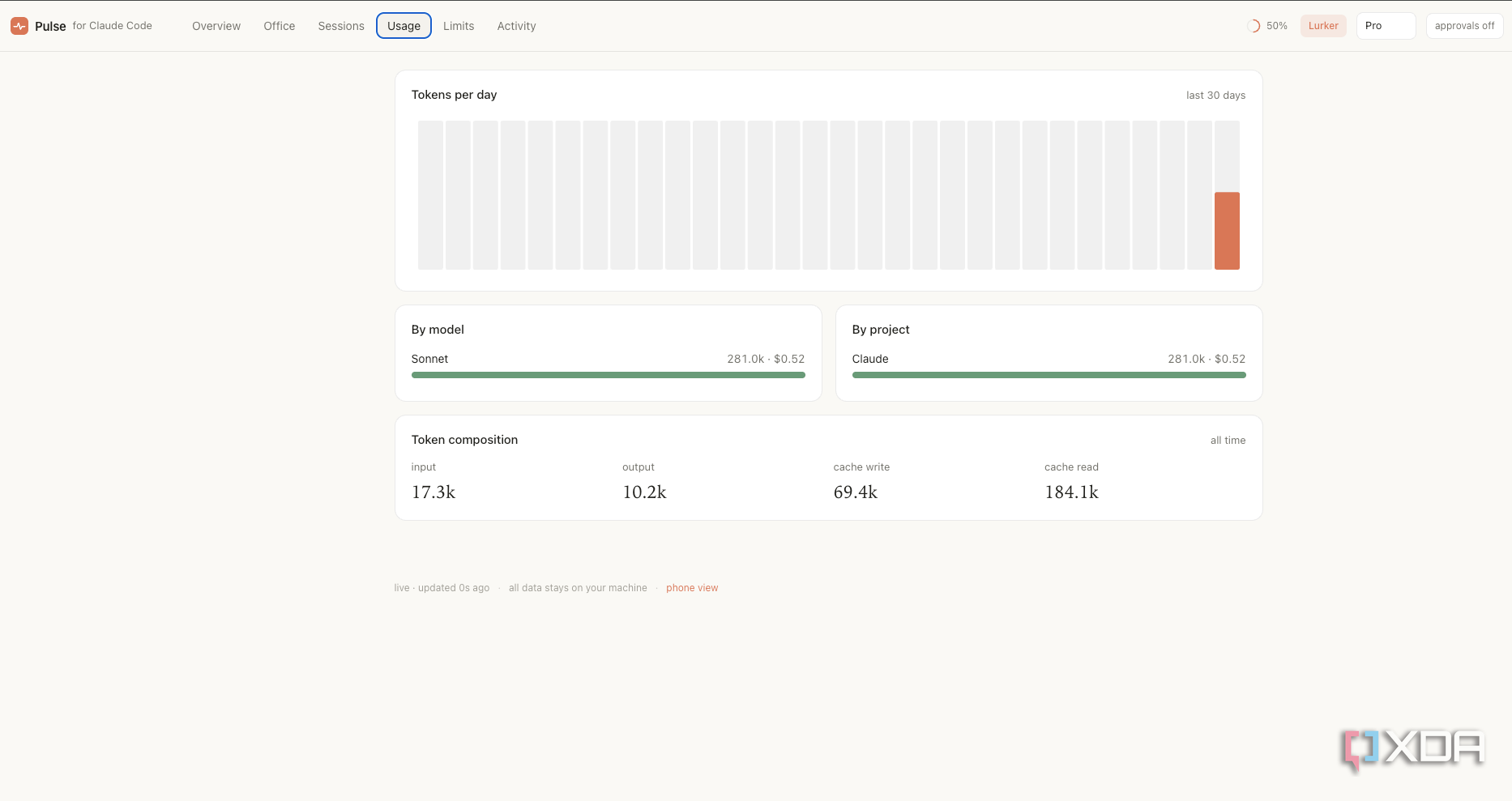
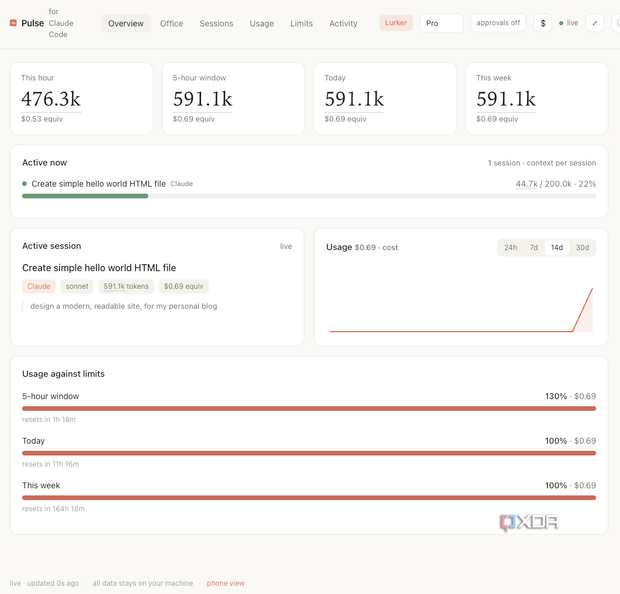
The other reason Claude Pulse is such an excellent addition to any stack is its ability to track usage. Since I’m still figuring out how to use Claude efficiently, I often don’t know how demanding a task will be before I ask Claude to do it. That can quickly become a surprisingly large job once Claude starts expanding the project and making changes across the entire codebase. It’s a cinch to blow through your daily usage allowance in minutes.
Claude Pulse gives you a clear picture of what’s happening. It tells you exactly how many tokens you’ve used, the approximate cost of those tokens, and how long it’s been active, alongside standard dashboard tasks that show what it is doing and whether it is waiting for your input.
That visibility has obviously impacted my use of Claude Code as well. Since I’m on a pro plan, my token limits are fairly limited, and I’d keep running out halfway through the day. Keeping an eye on Claude Pulse, I’ve become much more deliberate and specific about what I’m trying to do so that Claude doesn’t burn through all its tokens on a single prompt.
As someone who has been out of the coding world for a while, I find a clear overview of what the AI is doing reassuring. I don’t always know whether Claude is taking an efficient path or the most inefficient one. If I can clearly see what it is doing and how many tokens it is using, I can now decide whether to hit the stop button.
Claude Pulse focuses squarely on the features that matter most
Claude Pulse isn’t an all-encompassing dashboard, and that makes it better in my opinion. It lets me monitor long-running sessions and approve tool calls from my phone. In addition, it lets me see my token use and the approximate value of those tokens. That’s it. Three simple tasks, but they’re big enough to tangibly improve your usage experience. Now, I always know what’s happening, and as I continue experimenting with Claude Code on personal projects, it’s become a feature I wouldn’t want to give up.
Claude Pulse — This open-source dashboard for Claude Code lets you monitor active sessions, token use, and approve tool calls from anywhere.