






I have always had a rocky relationship with smart bulbs. I never really saw much benefit beyond the initial novelty, which wore off rather quickly.
However, after discovering a feature that works with the smart bulbs I already own, I realized I made a mistake removing them and have been convinced to fully embrace smart bulbs as part of my smart home once again.
I fell out of love with smart bulbs
They only lasted a few months until I switched them out
When I first started setting up my smart home, I added a smart plug to turn the lamp in my room on and off remotely. From there, I expanded to smart bulbs, installing them in the light sockets connected to my ceiling fan.
To give a snapshot, I started my smart home journey in May 2020, during the early months of the COVID-19 pandemic, so I was looking for ways to make staying at home more enjoyable. That included adding smart bulbs to illuminate my room in different colors.
However, while they were fun at first—especially because I could sync them to the music playing from my phone—they quickly lost their appeal. As a result, I ended up using them as regular light bulbs until I replaced them with standard bulbs a few months later.

- Colors
-
Multicolor
- Connectivity
-
Wi-Fi & Bluetooth
- Brand
-
Govee
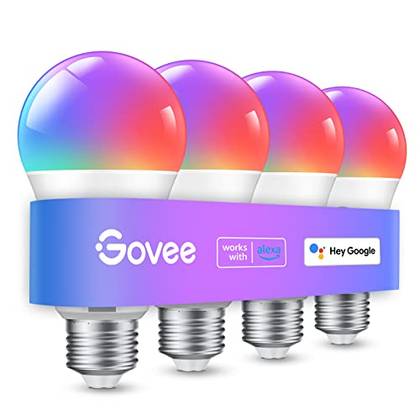
For inexpensive but reliable color changing bulbs, it’s tough to beat Govee. The bulbs are bright and colorful, and the Govee app has a ton of fun patterns for every mood and season.
-
- Brand
-
Eve
- Connectivity
-
Matter
- Integrations
-
HomeKit, Alexa, Assistant
- Schedules
-
Yes
- Current Rating
-
15A
Enjoy multi-platform functionality with this Matter-enabled smart plug, while keeping your data secure. With energy consumption tracking for Apple HomeKit users, the Eve Energy Matter Smart Plug makes a great choice for seamless smart home integration.


Now, I did not replace them because they were bad; rather, I ran into many drawbacks that didn’t justify keeping them installed.
One issue was that if I flipped the light switch too many times in a short period, the bulbs would reset. While that may sound like a rare occurrence, it happened more often than I expected.
Another drawback was that they took a few moments to reconnect after the light switch was turned on. I could have left the wall switch on and controlled the bulbs exclusively through the app, but that would have confused other members of my household who were used to using the light switch.
From that point on, I preferred smart switches over smart bulbs because they could be used like a traditional light switch while always remaining connected and accessible through an app. They also fit my setup much better and are aligned with how I use my smart home daily.
Even so, I never completely forgot about smart bulbs. They stayed in the back of my mind as I continued to think of ways to re-incorporate them into my smart home, which had changed significantly over the past six years.

Finally, after going back and forth on whether to use them again, I took the smart bulbs out of the box and reinstalled them in the ceiling fan in my office.
Adaptive Lighting pulled me back
The feature changes the bulb’s warmth, not the overall color
Adaptive Lighting is nothing new. It was introduced alongside iOS 14 in 2020, but it took until 2026 for me to incorporate it into my daily routine—more specifically, my workday.
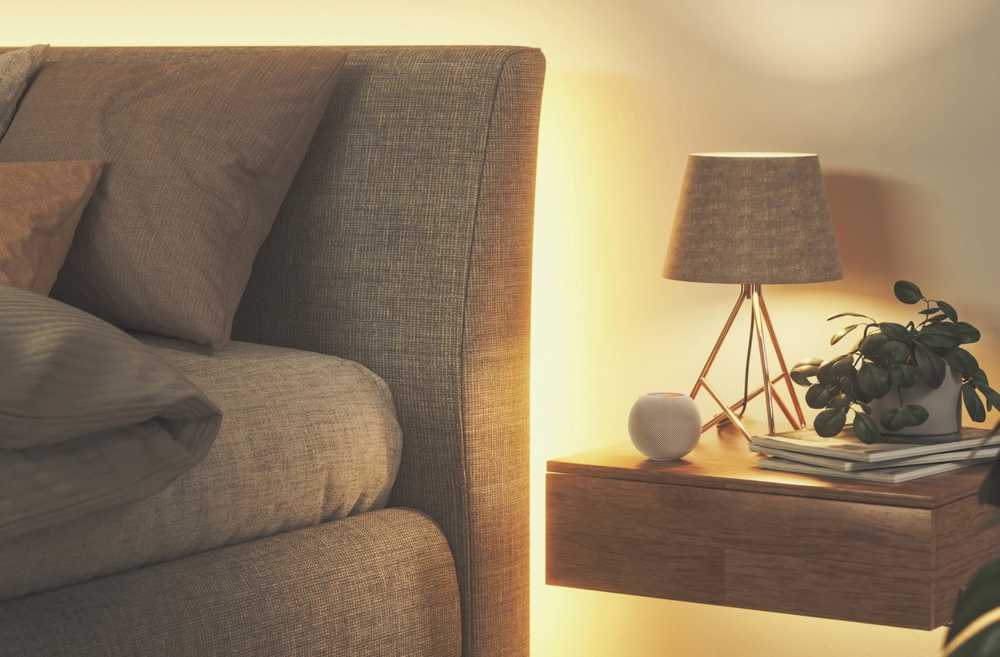
With Adaptive Lighting enabled, it will automatically adjust the color temperature of compatible smart bulbs throughout the day to mimic natural light. The bulbs shift to warmer tones in the morning, cooler tones around midday, and then back to warmer tones in the evening.
Yet, these changes are not random, but are designed to promote focus during the day and relaxation later in the evening. That is exactly why I installed the bulbs in my office, since the changing color temperature better matched natural lighting, which is especially helpful because my office does not get much daylight.

There are many benefits to Adaptive Lighting, but the one that convinced me was its ability to reduce eye strain and fatigue. It adjusts the lighting throughout the day to better match natural outdoor light, which can help reduce headaches, eye fatigue, and glare.
Another benefit is improved productivity and focus. As the day progresses, Adaptive Lighting shifts to cooler, crisper tones around midday, which can help improve concentration and reduce afternoon drowsiness.
However, this feature is not available on every smart bulb. For example, the smart bulbs above my front door—even though they are HomeKit-compatible—do not support Adaptive Lighting. Yet, I use Meross smart bulbs in my office, and they have worked well with the feature since I first got them.
To see whether your current smart bulbs support the feature, open the Home app, select the bulb, and look for the sun icon to the left of the color options. Tapping it enables Adaptive Lighting.

Yet, Adaptive Lighting is not exclusive to Apple Home. It is also available through Home Assistant, where it similarly adjusts your lights based on the sun’s position.
On the flip side, I could create automations to change the color and temperature of my smart bulbs at specific times, but that would require manual setup and would not account for seasonal changes. For example, the lights would change color and temperature at the same time year-round, even though it gets dark much earlier in the winter than in the summer.

The only way to account for that would be to manually adjust the automations. While that is not difficult, Adaptive Lighting eliminates the need by automatically adjusting the color temperature based on the sun’s position and the current season, so I don’t even have to touch the bulbs.
I have been using Adaptive Lighting in my office for a few months now, and it has genuinely improved my productivity. I do not find myself getting as tired in the middle of the day, and as evening approaches, my office feels calmer thanks to the warmer, less intense lighting.

Furthermore, I have enjoyed Adaptive Lighting in my office so much that I have expanded it to other areas of my home, including my living room and bedroom. For the living room, I had to install new compatible smart bulbs; however, the smart lamp in my bedroom already supported the feature—I just had never enabled it until now.
Pulling me back in
Adaptive Lighting has truly brought me back to using smart bulbs, even though I stopped using them years ago. While the bulbs still have some of the drawbacks I experienced before, Adaptive Lighting has largely made up for them.
That said, my smart bulbs are installed in fixtures connected to smart switches, so I can still turn the lights on and off the traditional way if needed while also controlling them from my devices.
As I have used Adaptive Lighting over the past few months, I have come to realize that it is a feature you really have to experience to appreciate its full benefits. With that said, I have concluded that I will not let history repeat itself, and I will not be removing my smart bulbs anytime soon because of it.


