

For a long time though, multimodal AI has had a pattern where all the impressive stuff would usually happen in the cloud. Your screenshots, voice notes, and documents would have to travel to a third party’s server, get processed by someone else’s model, and return with a response. The privacy implications were just the price of the convenience you’d get. All of that is fair when you’re just organizing a few haphazardly arranged notes that you want to make sense of, but for anyone working with intellectual property, health information, and personally identifiable data, cloud AI presented a risk they did not have the appetite for.
The latter are specifically the group of people I recommend the Gemma family of models to. Google’s open models can do almost everything you expect an LLM to. They can see images, understand speech, parse and scan documents, and perhaps most impressively, they come in varying sizes, which means they can be used almost regardless of whatever device one owns. Here’s why Gemma 4 is my personal “jack of all trades”.
Gemma 4 may be the only local model you need
For most users, it does everything, and it does everything well

Google has made a lot of progress in the AI space in the past few years. From NotebookLM, then the first Gemini model, then Google Opal, followed by Gemini Omni. Building on these milestones, the Gemma family seems to take the core DNA of each innovation and package it for local execution, which, in my books, makes it the most interesting development from Google.
When I say Gemma 4 excels at most tasks you throw at it, I primarily refer to its vision capabilities, which is a pain to not have in any language model in this day and age. When I say it does most tasks well, I am, of course, referring to its capabilities and also the resources it demands from a user. Conventionally, a model that comes with vision capabilities needs to occupy memory in your VRAM while adding latency to every image you drop in the chat, because it needs a vision encoder to be able to “see” what you’ve shared. Gemma 4 doesn’t really need that overhead at all, and the reason behind that is a smart architectural decision.
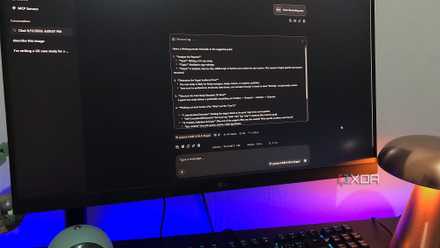
Images can flow directly into the model’s backbone through a lightweight embedding layer, which saves you from the memory tax other equivalent models levy. The lack of this overhead allows me to run the model on my Lenovo Legion 5 that comes with a mobile RTX 3070 with 8GB of VRAM, which, as you may have guessed, leaves little breathing room for any overhead. In my use, I feed it screenshots of BIOS pages, benchmark data, performance graphs, and leave it to the model to fetch numbers as clean tables that I can feed to another model to export as Excel spreadsheets. But of course, with the added privacy factor of all the data being on your PC, you’re welcome to add anything that you wouldn’t want on a cloud server.
It’s a local model that hears you
And I don’t just mean metaphorically

Everyone has their own preferred way of using a language model that ties directly to their workflow. Sometimes it’s PDFs, sometimes it’s spreadsheets, and sometimes it’s several hours of recorded conversations that nobody wants to replay from beginning to end. This could be meetings, interviews, university lectures and voice notes that often contain more information than we remember, but manually transcribing them into something searchable and indexable is where the workflow often meets a dead end.
That’s precisely an issue that Gemma 4’s audio capabilities can now address. Instead of treating speech recognition as a separate step that forces you to switch to another model or pay a sum to an online transcription service, it can listen to recordings directly and reason about what it hears. You can ask it to summarize information, recall actionable items, identify major or recurring themes or answer questions about a recording without first translating it into text first.
Although I discovered this feature only recently, it’s what prompted me to dub it the “Swiss army knife” of models. Sure, I could have just as easily used a cloud model to solve this problem, but that would mean exposing recorded briefings to someone else’s cloud servers and possibly ending up in the grey area of breaching data compliance policies, so it isn’t really an option for anyone in highly regulated sectors. Even if you overlook the legal obligations, you’ll still find users who just aren’t willing to let their private data to be used to train other models. In that sense, Gemma provides convenience without cost.
When it comes to Gemma 4 models, only the E2B and E4B models offer native automatic speech recognition at the moment.
Its memory changes how I work
A 256K context window makes local AI highly practical

The 12B variant of Gemma 4 comes with a 256K context window, which means that I can hand it the entire works of William Shakespeare, a year’s worth of meeting notes and even a small code repository and expect answers grounded in all of it. It’s hard to believe that, not too long ago, laptop-friendly local models were still stuck juggling 8K windows and forgetting your first question by the third.
It’s also where my Legion 5 proves itself to be relevant in my workflow, at least six years after its release and five years after its purchase. A 7.6GB model isn’t too heavy for the RTX 3070’s 8GB of VRAM. On usage, it becomes clear that Google sized this model for laptops, and the claim holds no matter what your workload is. The reading tasks that I normally go to the model for are basically just summarization and pattern discovery, especially when it comes to data or manuals that I can’t be bothered to read line-by-line. All of those tasks seem to be well within the model’s capabilities, and it becomes convenient when I’m stuck in an airport with no internet access or in a taxi on the way to it.
Gemma 4 12B was crafted for the laptop experience
There’s an odd sense of power that comes from being able to pack up a powerful large language model that respects your privacy and does the things you ask it to (across a variety of different inputs) in a backpack or a suitcase. Perhaps that’s exactly what Google sought to achieve with its Gemma models. It’s easy to run, doesn’t require you to be tethered to a shaky Wi-Fi or personal hotspot, and helps you navigate your workflow even on the go. It’s truly the Steam Deck of large language models, and I couldn’t put it better.