


If you were in the early wave of people who bought a 4K TV, you probably felt secure for a long time. For years, there wasn’t much in the way of 4K video to watch, and even now a lot of people aren’t experiencing native content, just upscaled 1080p. Moreover, since 4K was inherently high-end, your TV probably shipped with other cutting-edge specs as well.
Tech is constantly evolving though, as I’m sure I don’t need to tell you. We’re at a threshold where, if you own a TV made in 2014 to 2020, you might want to seriously consider upgrading for performance reasons. Your TV may also be nearing the end of its reliable runtime, as you’ll see in a minute.
Why would I want to upgrade a TV that’s already 4K?
New devices, new software, and more

Perhaps the easiest way to explain this is by focusing on the devices you might connect. In 2016, when 4K TVs were finally becoming affordable, the most advanced peripherals you were liable to own were a Blu-ray player or a PlayStation 4 Pro. And there was no issue — HDMI 2.0 (launched a few years earlier) supported not just 4K at 60Hz, but every HDR standard at the time. TVs were built to match, although only the high-end sets offered Dolby Vision instead of HDR10. The PS4 Pro was hard-locked at 4K60 output, and realistically, the console didn’t have enough GPU power to sustain that for detailed 3D graphics.
In 2026, 60Hz isn’t enough. The PlayStation 5, Switch 2, and Xbox Series X all support refresh rates up to 120Hz. In some games, they might legitimately need it, since their processors are substantially more powerful than their predecessors. When a TV’s refresh rates can’t keep up with framerates, the result is visual artifacts like screen tearing, in which multiple frames are smashed together.
Crucially, people are connecting a lot more than just consoles and Blu-ray drives these days. It’s increasingly common to hook up a laptop or mini-PC, for which 4K at 120Hz can be non-negotiable. On a TV, 1080p resolution is too low to do much in Windows or macOS. Meanwhile, it’s increasingly common for computers to operate at 120Hz or higher.
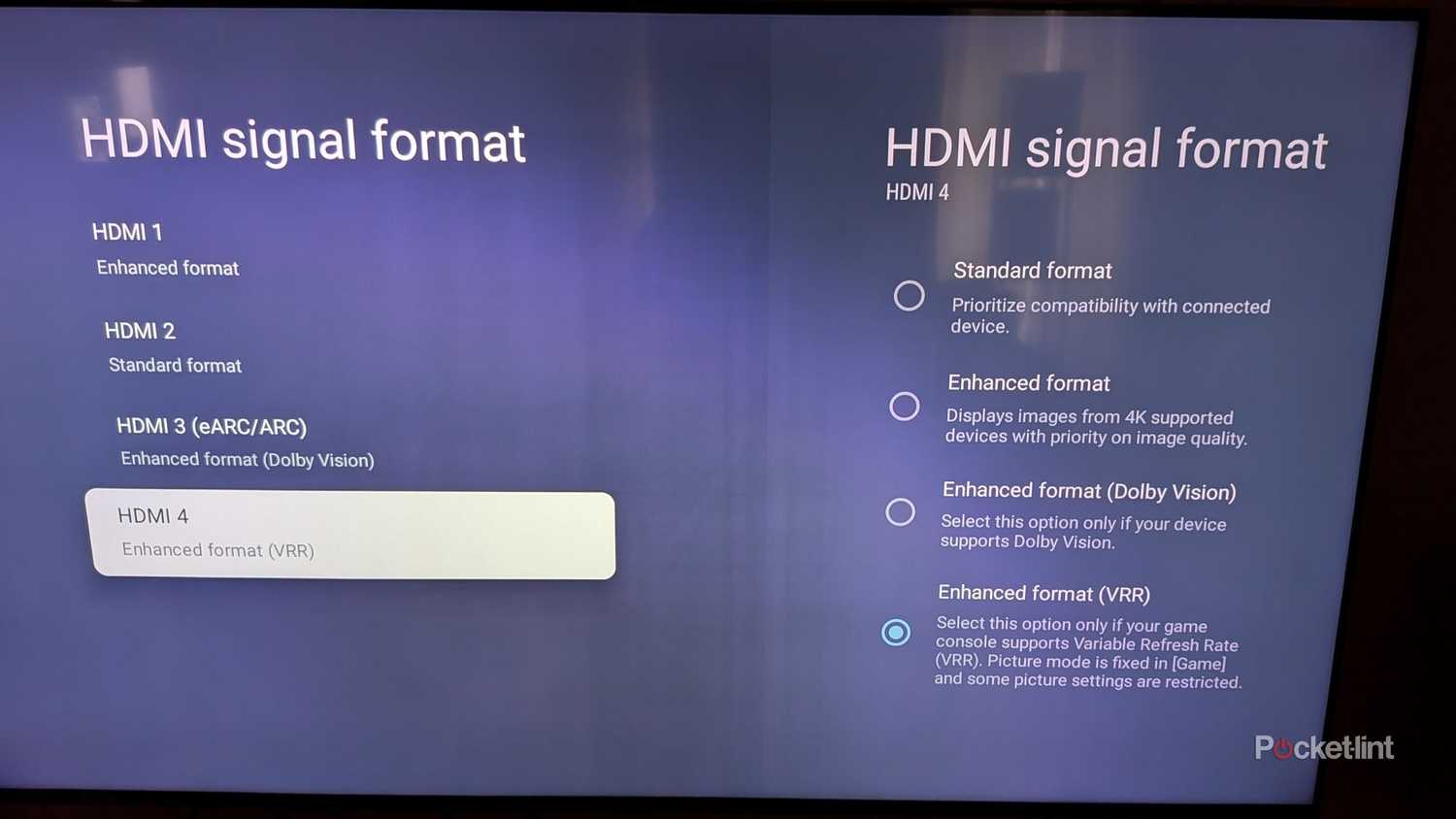
One of the additions in later sets is HDMI 2.1, officially available since 2017. This enables 4K at 120Hz and beyond, as well as something called VRR, which allows panel refresh to sync with framerates on the fly. It’s particularly useful with games and advanced productivity apps, as their framerates can bounce back and forward constantly. If you’re an audiophile, 2.1 is required for eARC, which supports the lossless versions of formats like Dolby Atmos and DTS:X.
There are reasons to upgrade regardless of whether you’re connecting any peripherals. Older TVs naturally feature older processors, which means they can’t always keep up with the latest software, if they ever ran smoothly. Newer interfaces are graphically rich, and increasingly incorporating generative AI in the form of Amazon Alexa+ or Google Gemini. Having tested both assistants, entertainment and smart home control may be two of their more practical uses — and there’s no way a TV from 2020 can handle them, let alone something earlier.
Let’s talk HDR standards too. If you own a TV limited to HDR10, you’re missing out, because Dolby Vision and HDR10+ (another 2017 invention) use dynamic metadata. That allows creators to adjust settings on a scene-by-scene or even frame-by-frame basis. The tech isn’t perfect — Vision is sometimes too dark — but HDR10 runs a higher risk of crushed shadows or blown-out highlights.
You’ll absolutely need an upgraded TV if you want to exploit two new standards, Dolby Vision 2 and HDR10+ Advanced. Those have tougher processor requirements, and you just won’t get much out of them without HDMI 2.1 or 2.2. Let’s not forget that newer TVs tend to be brighter and have more advanced image processing. While there isn’t any Vision 2 or HDR10+ Advanced content to watch at the moment, that’s likely to change rapidly in the next few years.
The reliability question
Old OLED owners, beware

If you’re not particularly concerned with performance, you may still be venturing into risky territory in terms of breakdowns. Don’t get me wrong — if you bought an LCD TV several years ago, it’s probably running just as well now as it did when you unboxed it. The issue is that while many LCDs can last over a decade, some will fail far sooner, depending on build quality and how intense your usage is. A 2020 LCD might already be on its deathbed if you’re leaving it on most of the day, the most likely killer being backlight failure.
The situation is dicier with OLED sets. Those are vulnerable to burn-in, caused by the accelerated degradation of organic material (the “O” in OLED). TV makers have implemented a number of technologies to counteract burn-in, such as pixel-shifting and logo brightness adjustment, yet it’s a losing battle. A set you bought in 2022 could already be displaying “ghost” images, mainly if you’re the sort of person who enjoys marathon gaming sessions or leaving your TV on a 24-hour news channel. You have to be careful if you want to match (or beat) the lifespan of an LCD.
The gist is that if your TV is healthy, you could be running out of time to resell it instead of recycle it. I wouldn’t necessarily expect a lot of cash for a TV from 2020 or earlier, but simply getting $100 towards the cost of a new TV is better than zero.

- Display Type
-
Hi-QLED MiniLED Pro
- Refresh rate
-
165Hz
- Speakers
-
2.1.2 multi-channel surround
- Processor
-
Hi-View AI Engine Pro