
Related Products


Canon PIXMA TS6520 Wireless Color...

Nilone Hidden Camera Detector for...





Product description

Anyeast Wireless 2D Barcode Scanner with Stand
Anyeast AT003 barcode scanner is a handheld 2D barcode scanner with a stand.
Advantages:
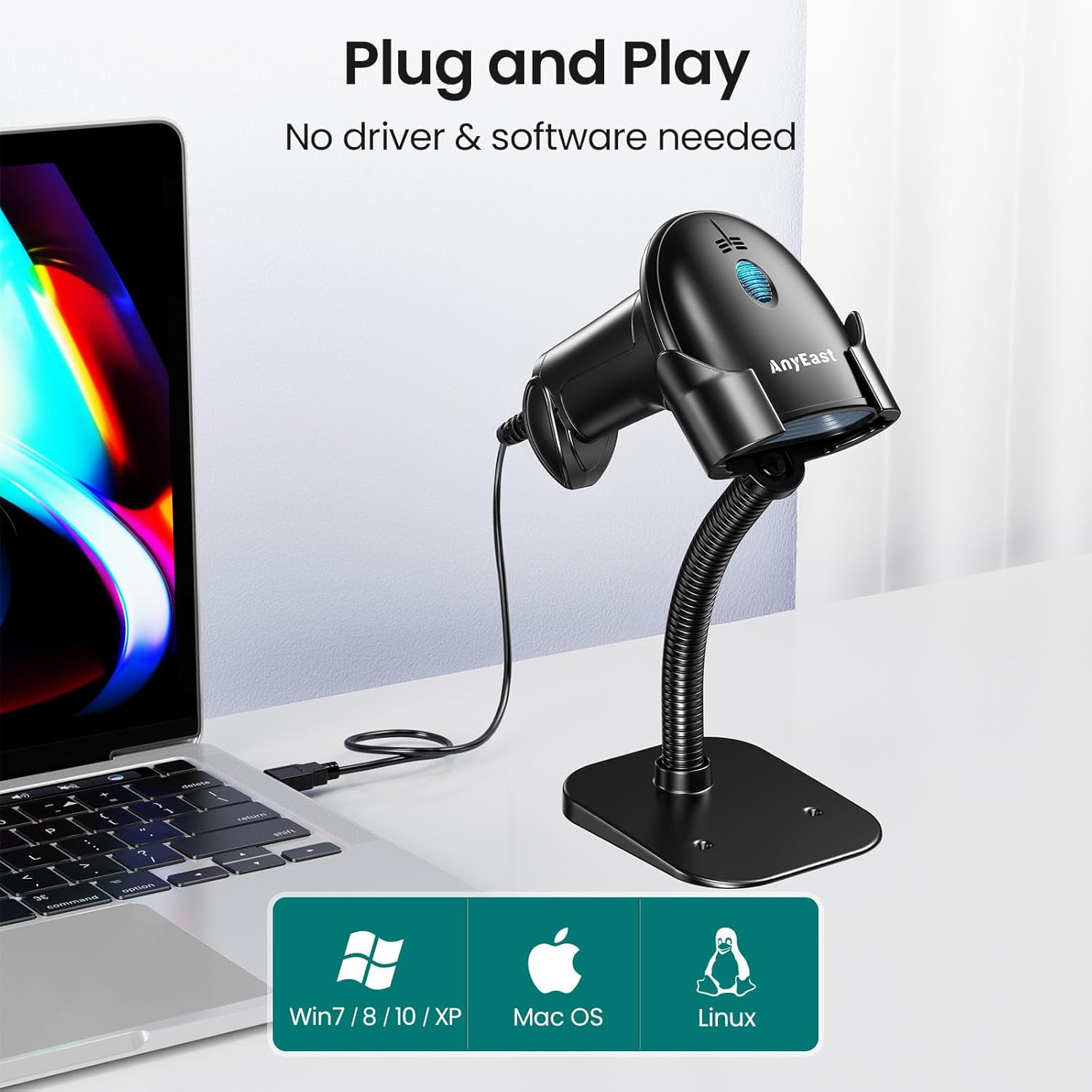
1. plug and play, no need to install any driver and software, easy to use.
2. works with laptop, desktop, PC, and POS, and is compatible with Windows XP/7/8/10, MAC OS, Linux, and Android system.
3. handheld and hands-free freely switch, with adjustable stand, you can freely adjust it.
4. with 3 types of scanning modes – key trigger scanning, auto-sensing scanning, and continuous scanning mode.
5. support scan 1D barcode like: EAN, UPC, Code 39, Code 93, Code 128, UCC/EAN 128, Codabar, Interleaved 2 of 5, ITF-6, ITF-14, ISBN, ISSN, GS1 Databar, Code 11, Industrial 25, Standard 25, Plessey, Matrix 2 of 5, etc
support scan 2D barcode like: Data Matrix, PDF417, Aztec, Maxicode, etc.
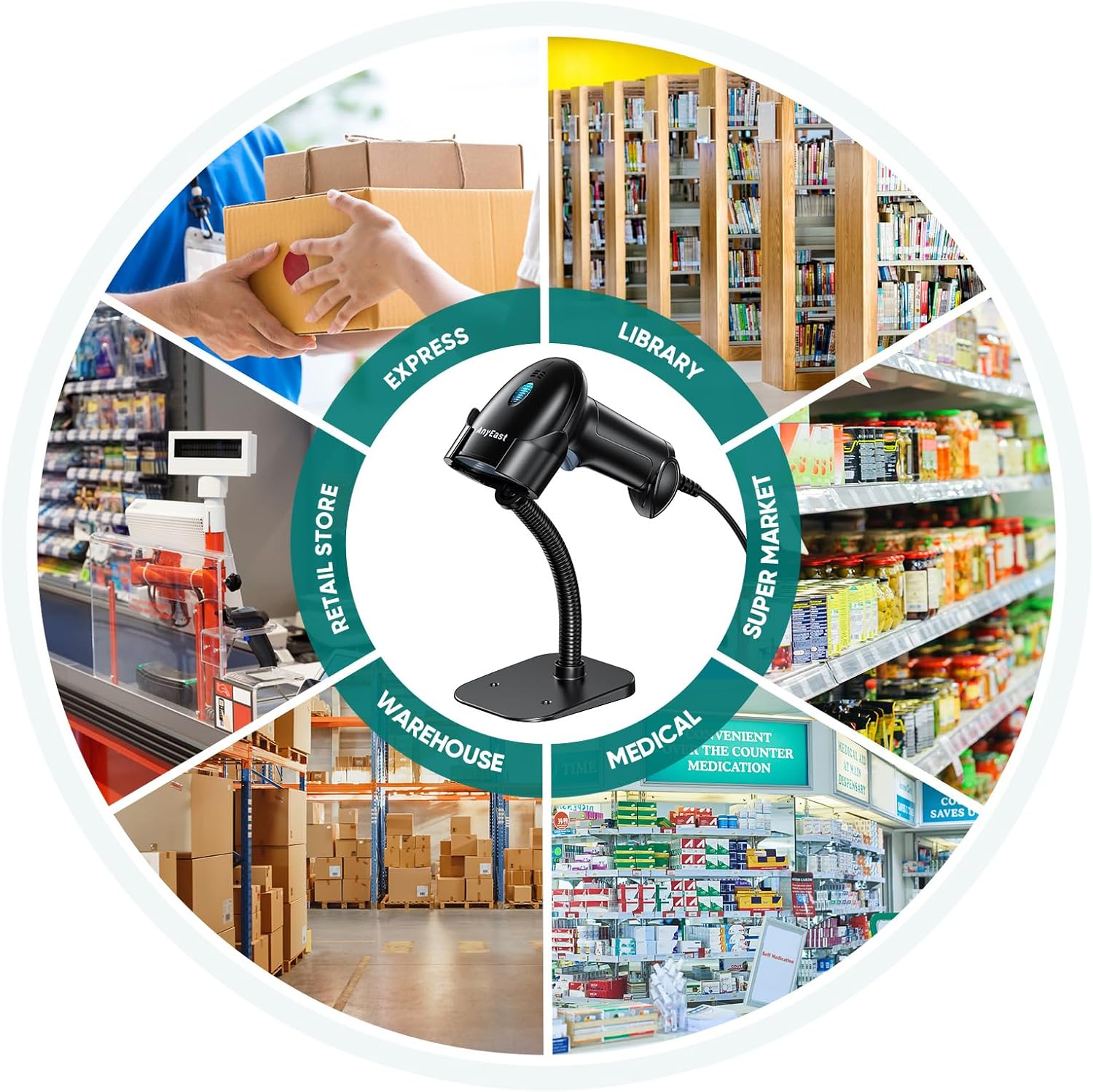
6.Can according to our needs choose different scanning ways. Widely used in supermarkets, bookstores, shopping malls, retail, logistics, warehouses, and others for file management, inventory tracking, and point-of-sale.
7. If you want to pair to the POS, Please make sure it supports the USB keyboard protocol. Support with iZettle/ Shopify/ Sum up only if they support the USB keyboard protocol.
8. NOTICE: THIS BARCODE SCANNER WILL NOT SCAN Driver License 2D Barcode.


Support scan barcode for paper and digit screen.
Compatible Barcodes
1D: Codabar、Code 39、Code 32、Interleaved 2 of 5、Industrial 2 of 5、Matrix 2 of 5、Code 93、Code 11、Code 128、UPC-A、UPC-E、EAN -8、EAN -13、MSI、ISSN、ISBN、GS1 DataBar
2D: PDF417、Micro PDF417、Micro QR、Aztec、Data Matrix

With a high-pixel camera and high-precision chip, with a faster scan speed and stronger decode ability. Even for decoding some special codes, like broken barcodes, reflective barcodes, colorful barcodes, and so on

Add/Hide custom prefix or suffix digits.
Enable or disable barcode type
Add keyboard keys (TAB, CR, etc.) to the scanning operation
Change the capital/lowercase

Anyeast barcode scanners are widely used for supermarket, bookstore, library, drugstore, retail store, boutique, catering services, and so on.
QA:Why can’t the product be scanned?
A. The barcode may be of a disabled barcode type that is the factory default.
B. The USB port of the linked device may have poor contact.
C. Barcode types may be incompatible or barcode quality may be poor. Please refer to the user manual to confirm if the barcode type is supported and scan the appropriate setup code to enable it. Be sure to print the bar code legibly.
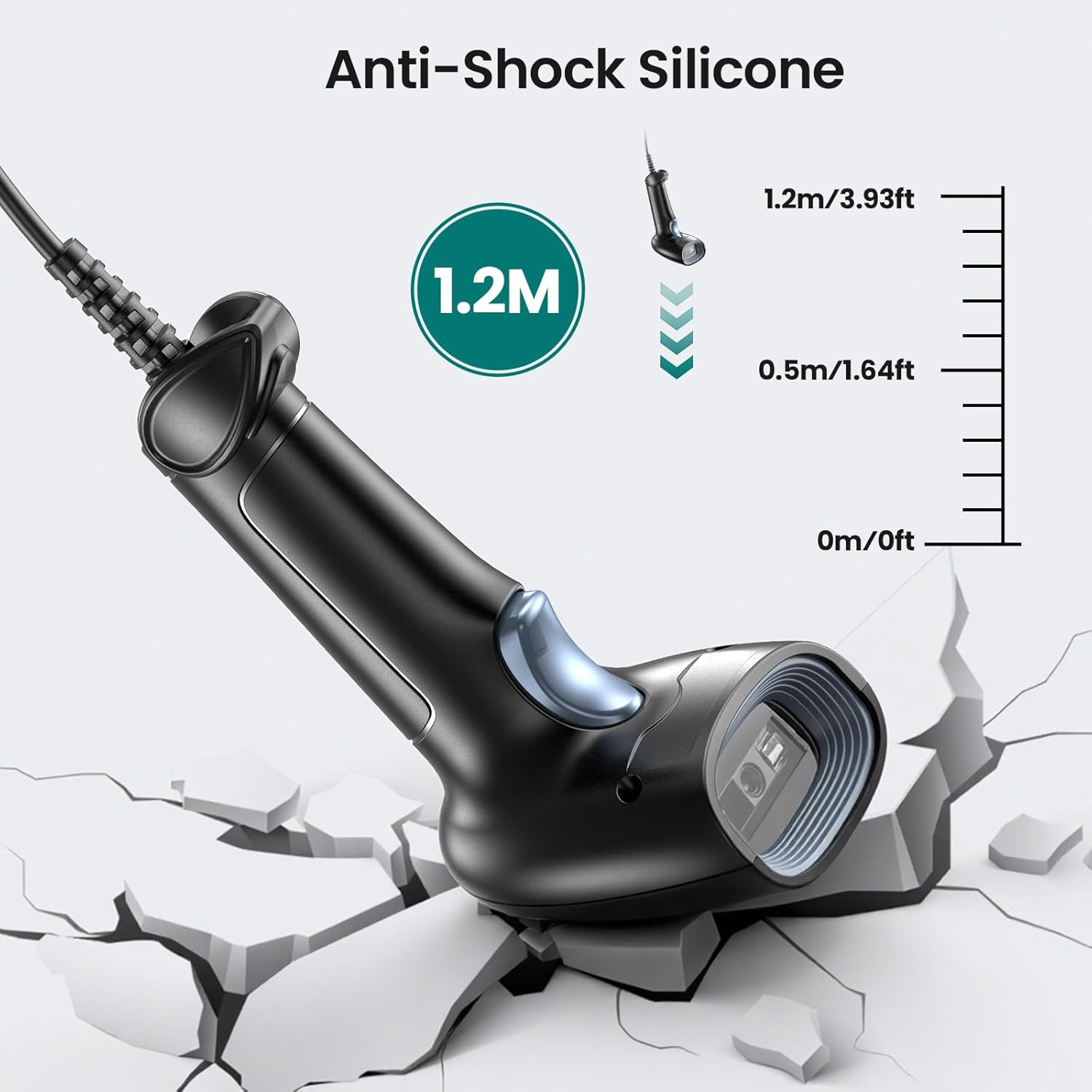
D. The internal components of the scanner (scanning head) may have become loose or damaged during shipment. the USB cable may have poor contact. If the device has been subjected to strong shock, contact Anyeast Support or consider replacing the scanner.
-How to install the stand

Add to Cart
Add to Cart
Add to Cart
Add to Cart
Customer Reviews
4.3 out of 5 stars 105
4.1 out of 5 stars 61
4.3 out of 5 stars 105
4.3 out of 5 stars 105
4.4 out of 5 stars 17
Price
— no data
$59.99$59.99 $49.99$49.99 $49.99$49.99 $34.99$34.99
Barcode Type
1D 2D QR 1D 2D QR 1D 2D QR 1D 2D QR 1D 2D QR
Connection Ways
Bluetooth, 2.4 G Wireless, USB Wired Bluetooth, 2.4 G Wireless, USB Wired Bluetooth, 2.4 G Wireless, USB Wired Bluetooth, 2.4 G Wireless, USB Wired USB Wired
Compatible Device
Smartphone, Tablet, Laptop, Mac, PC, POS Smartphone, Tablet, Laptop, Mac, PC, POS Smartphone, Tablet, Laptop, Mac, PC, POS Smartphone, Tablet, Laptop, Mac, PC, POS Laptop, Desktop, and POS
Compatible System
Windows XP/7/8/10, Mac OS, IOS, Android, Linux, Unix Windows XP/7/8/10, Mac OS, IOS, Android, Linux, Unix Windows XP/7/8/10, Mac OS, IOS, Android, Linux, Unix Windows XP/7/8/10, Mac OS, IOS, Android, Linux, Unix Windows XP/7/8/10, Mac OS, IOS, Android, Linux, Unix
Scanning Modes
Key trigger scanning , Auto-sensing scanning and Continuous scanning Key trigger scanning , Auto-sensing scanning and Continuous scanning Key trigger scanning , Auto-sensing scanning and Continuous scanning Key trigger scanning , Auto-sensing scanning and Continuous scanning Key trigger scanning , Auto-sensing scanning and Continuous scanning
More Functions
Add/Hide prefix or suffix Add/Hide prefix or suffix Add/Hide prefix or suffix Add/Hide prefix or suffix Add/Hide prefix or suffix
Plug and play, Easy Use(Not compatible with Square system): Anyeast USB barcode scanner does not require installation of drivers or software. Just connect the device via one USB cable, and this barcode reader will be ready to work. It supports laptops, desktops, and POS and is compatible with Windows XP, 7/8/10, MAC, Linux, and Android systems
Adjustable Stand: This QR code scanner is equipped with an adjustable stand, so we can freely adjust the best scanning angle as needed. What’s more, with an auto-sensing scanning sensor, we can easily realize handsfree scanning, no need to hold the linear barcode scanner, release our hands
Stronger Decoding Ability: With an advanced CMOS sensor, the handheld inventory scanner can easily decode most 1D 2D QR barcodes on labels, paper, and screen more accurately. 1D like: UPC/EAN, Code39, Interleaved 2 of 5, Code93, Code 128, Codabar etc. 2D like: QR, Datamatrix, PDF417, Aztec, etc
3 Types of Scanning Modes: This USB wired barcode scanner with key trigger scanning, auto-sensing scanning, and continuous scanning mode, we can according to our needs choose different scanning ways. Widely used in supermarkets, bookstores, shopping malls, retail, logistics, warehouses, and others for file management, inventory tracking, and point-of-sale
More Customer Function: Anyeast bar code scanner supports custom settings, like adding/hiding prefixes or suffixes, hiding characters from the front/back, adding keyboard keys (TAB, CR, etc.) to the scanning operation, changing the capital/lower case, etc. Also, it can freely enable or disable barcode type, easily suiting our specific need
$35.99