





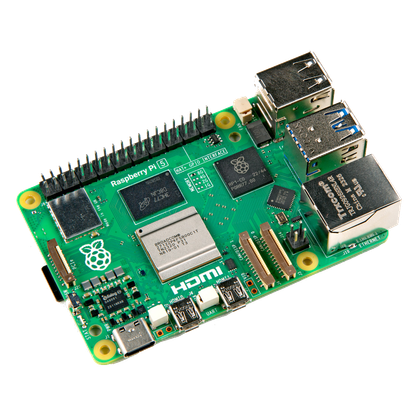



When you think about your Raspberry Pi, the issues that come up are probably quite lofty. Like what programming language you’ll use or figuring out what projects you’d like to do with the GPIO pins.
But all those dreams can quickly go up in flames if you don’t spare at least a little thought for how you’ll be powering your Pi. While it’s true that Raspberry Pis use USB for power, you really have to carefully consider the source of power you’ll use for your Pi before you plug it in for the first time.
Undervoltage silently causes instability
It’s only slightly better than too many volts
You might think the biggest issue would be putting too much power into your little Single-Board Computer (SBC), but not having enough voltage can be just as much of an issue and is a much more likely outcome unless you’ve really plugged something strange, nonstandard, and unsafe into your Pi.
WIth the last two generations of Raspberry Pi, the Raspberry Pi 5 in particular, it’s easy to underestimate just how much power the little machine will need. The Raspberry Pi 5 is designed to use a 5.1V/5A (27W) USB-C power supply. Using the recommended supply allows the board and its USB ports to operate without power restrictions.
While you can boot it with a 5V/3A supply, that’s going to limit your USB ports to just 600mA, which means plenty of USB devices either won’t work at all, or will be unreliable. Once you start adding AI and NVMe HATs, you better be sure you have enough power to run it all.
Remember, even if your power supply meets the requirements, the cable must also be up to the task. That’s not always easy to confirm, since two cables can look identical but have different power ratings. At least the Pi can warn you if it’s experiencing undervoltage, and the OS can also report when USB current has been limited.
Keep in mind that you also have the option of using a powered USB hub, in which case it doesn’t matter all that much if the Pi itself doesn’t get maximum power itself. The hub can handle the power requirements of your USB peripherals.
Bad power doesn’t just cause crashes—it can permanently damage hardware
The wrong kind of roulette
Any power supply might have inadequate power to run your Pi setup. This can lead to data loss or corrupted SD cards. If the Pi reboots or switches off unexpectedly, it can have a negative impact on whatever job you’ve given the computer to do. Whether it’s your Pi-Hole, or a DIY NAS, you need it to be reliable, and you’ll want to avoid unnecessary wear and tear from repeated power cycling.
Now, overvolting that can toast electronics permanently isn’t something that should be possible with a USB power supply that complies with the USB standard. However, there are plenty of no-name phone chargers, power banks, and other potential sources of USB power that have poor voltage regulation, an issue known as “ripple,” and an inability to sustain the rated current.
None of this is good for the long-term life of your little computer, and even if it doesn’t cause issues in the first five minutes, it doesn’t mean everything is OK.

- Brand
-
Raspberry Pi
- Storage
-
8GB
It’s only recommended for tech-savvy users, but the Raspberry Pi 5 is a tinkerer’s dream. Cheap, highly customizable, and with great onboard specs, it’s a solid base for your next mini PC.
Buying the right power supply is cheaper than replacing your Pi
It’s really not that expensive
Damaging your Pi, especially given how expensive they’ve become, really isn’t worth saving a few dollars by re-using (or buying) a power supply with poor power regulation, or that doesn’t properly negotiate things with the Pi’s USB port.
The simplest and best advice is to use the official Raspberry Pi power supply, which is 27W with exactly the right voltage and amperage your Pi needs. It is, however, a little expensive, so failing that there are other options from reputable third-party brands. For example, RasTech has a purpose-built 27W Pi supply for half the price.
Personally, I run my Pi 5 using an 18W Samsung USB supply, and my Pi 4B with an 18W iPhone USB-C iPhone charger. Samsung and Apple both make power supplies that conform to USB specifications, and 18W is plenty for my needs in both situations.
Treat power like part of the build, not an accessory
Because you can buy a Raspberry Pi as just a naked board with literally nothing else in the box, it’s easy to think of the USB adapter you need as an accessory. But you wouldn’t think of the PSU in a PC build as an “accessory.” Instead, you’d rightly think of the PSU as the bedrock of your whole system.
Choosing the correct PSU for your SBC is no less impactful, and you even have to think about the same general issues. Does it offer as much continuous power as you’ll need? Is it from a reputable brand? Does it deliver clean power and conform to the safety standards it should?
Simply grabbing the first wall-wart you see and plugging it into your brand new Raspberry Pi could be a recipe for disaster, and when it’s so easy to avoid, why even take the chance? So check the specs, and confirm its quality before you use it.


