







ESP32 boards have become a popular choice for hobbyist projects and smart home sensors. For many projects, they can be a better choice than a Raspberry Pi, since they’re cheaper, use less power, and are still very capable. For some things, however, the Raspberry Pi still wins.
Running multiple things at once
An ESP32 is best for focused tasks

An ESP32 is a great choice if you’re trying to build something that can do a single job well. You can flash firmware that makes an ESP32 perform a specific task such as acting as a Bluetooth proxy, passing on the data from connected sensors, or controlling LEDs. Most ESP32 boards can’t run multiple independent services in the same way that a Linux computer can.
In comparison, a Raspberry Pi running Linux can host multiple services without too much effort. You could be running Pi-hole, Home Assistant, an MQTT broker, and more all on the same device, with each service running independently. A single Raspberry Pi can do multiple different jobs at once, whereas an ESP32 is usually better suited to a smaller set of closely related tasks.

- Brand
-
Raspberry Pi
- Storage
-
8GB
It’s only recommended for tech-savvy users, but the Raspberry Pi 5 is a tinkerer’s dream. Cheap, highly customizable, and with great onboard specs, it’s a solid base for your next mini PC.
AI object detection
An ESP32 will struggle to tell you who is at the door

Some of the things you can do with an ESP32 are insanely impressive. You can use an ESP32 combined with a camera module to build your own video doorbell. Despite the chip’s low spec, you can perform simple image classification and person detection using very lightweight models.
Incredibly, even with the small amount of RAM on these chips, you can use a platform such as ESP-WHO to do simple facial recognition, allowing your ESP32 to recognize different faces. Its accuracy and speed are fairly limited compared with more powerful hardware, and results can vary depending on the ESP32 model, camera quality, lighting, and viewing angle.
While simple facial recognition is possible on an ESP32, a Raspberry Pi can do a much better job. Rather than relying on highly optimized models designed for a tiny microcontroller, a Pi can run the full version of Python and deep learning frameworks. You can connect a device such as a Coral TPU for faster local AI detection, use a much larger database of enrolled faces, and facial recognition won’t be fooled if you decide to grow a mustache or wear a hat.
Running your smart home
A Pi can be far more than just another sensor
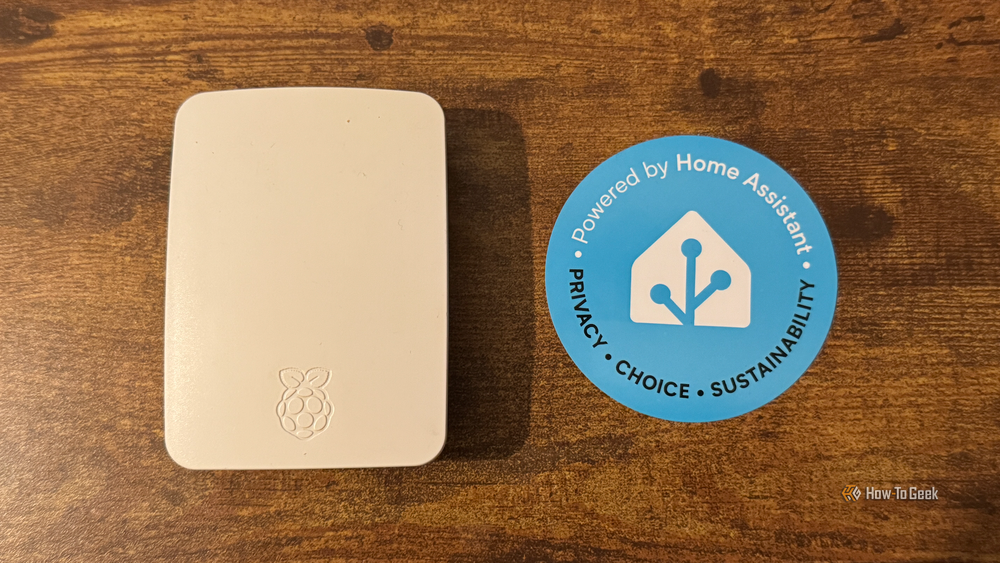
If you want to make sensors for your smart home, an ESP32 is a great option. You can find cheap modules to create things such as motion sensors, temperature and humidity sensors, voice satellites, and more. While an ESP32 can help you make smart home devices, it can’t run your smart home for you.
A Raspberry Pi has long been recommended as a great option for people looking to set up their first Home Assistant server. The single-board computer has always been relatively cheap but capable enough to run a modest smart home. I ran my smart home using Home Assistant on a Raspberry Pi 3B+ for several years.
Raspberry Pi prices have increased in recent times, so it’s no longer as affordable an option as it once was. If you have a Raspberry Pi that you’re not using, or you find one going cheap, then it can still make a great smart home server.
USB peripheral support
You can plug more into a Pi
One of the biggest benefits of a Raspberry Pi isn’t to do with what’s going on inside the device; it’s what you can connect to it. Many Raspberry Pi models include multiple USB ports that you can use to connect a whole range of peripherals such as keyboards, mice, microphones, storage drives, Zigbee coordinators, TV tuners, game controllers, and more. This makes a Raspberry Pi incredibly versatile, as you can use one for anything from building a retro gaming device to a Plex server with all your media on a USB drive.
In comparison, an ESP32 is far more limited. Many boards only expose USB for programming and power; you can’t just plug in a controller and expect it to work. Some models can act as USB hosts for certain devices, but it depends on firmware or library availability and is far less mature than the Linux driver ecosystem.
Retro gaming and beyond
Don’t expect to play Super Mario 64 on an ESP32

Despite the very limited RAM on ESP32 boards, it is possible to run older games surprisingly well, using highly optimized emulators. If you want to play NES or Game Boy games, you can build tiny gaming consoles using ESP32 chips. 8-bit games can often run at near-native speeds.
If you’re hoping to be able to play PS1 or N64 games on an ESP32, however, then you’re out of luck. Even with serious optimization, ESP32 boards don’t have enough processing power or RAM for practical PS1 or N64 emulation.
A Raspberry Pi has far fewer limitations. Even an older Raspberry Pi 3 or a Pi Zero 2W can run PS1 games and many N64 titles. A Raspberry Pi 4 can run some GameCube games, while a Raspberry Pi 5 can handle a wider selection of GameCube and Wii titles. Both models can also run Linux-compatible indie games such as Celeste.
A Raspberry Pi still has its place
The increasing price of Raspberry Pi models makes them less suitable for some purposes, and cheaper ESP32 boards can often fill the gap. For some uses, however, an ESP32 just won’t cut it, and a Raspberry Pi can still earn its keep.


