



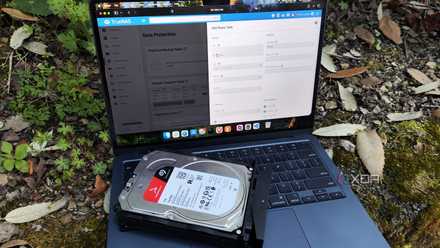


I installed TrueNAS 26 beta on my NAS over the weekend, and I’ve been pretty excited about what I’ve seen so far. That probably sounds risky if you treat a NAS as the box that quietly holds everything important. I don’t think beta storage software belongs anywhere near irreplaceable data without a plan in place. That’s why I’m not treating this as an upgrade at all.
A beta is useful because it lets those questions show up early, before I confuse interest with trust.
For me, this install was closer to a lab rebuild with useful stakes. I wanted to see how TrueNAS 26 feels on real hardware, with real disks, real shares, and the small annoyances that never show up in a release note. I’m interested in the new direction, especially browser-based sharing, better search, newer OpenZFS work, and the continued push toward a more complete home lab platform. But excitement doesn’t change the job of a NAS: to keep my data safe and stay out of the way.
Beta storage software deserves a different kind of weekend plan
I wanted to test the workflow, not gamble data
The most important decision I made before installing TrueNAS 26 beta was deciding what the install was allowed to prove. It could prove whether the new interface felt cleaner. It could prove whether WebShare and TrueSearch changed how I moved around my storage. It could not prove that I should casually trust a beta with the only copy of anything I care about.
That distinction changed the whole weekend. I didn’t go into the install thinking I’d click through an update, reboot, and get back to normal life. I treated the NAS as a test machine that happened to resemble my normal setup. That meant I cared just as much about rollback, backups, and import behavior as I did about any headline feature.
That’s the only way I’m comfortable approaching beta software on storage hardware. A NAS holds photos, documents, media libraries, configuration exports, and sometimes the backup of the backup. It also tends to collect little decisions over time, from share permissions to snapshot schedules to app data I barely think about anymore. When that system changes, the test plan matters more than the novelty.
Before installing a TrueNAS beta on hardware you care about, make sure you have a current backup, a rollback plan, and a clear idea of what you’re testing. A beta install is great for learning how new features behave on real hardware, but it shouldn’t be the only thing standing between your data and a bad weekend.
TrueNAS 26 looks interesting because it changes daily use
The best upgrades are the ones you actually touch
What makes TrueNAS 26 compelling is that it doesn’t just sound like a stack of backend improvements. Those matter, especially in a platform built around OpenZFS, but the quality-of-life pieces are what I was most eager to try. WebShare could make a NAS feel less trapped behind SMB habits and one-off workarounds. TrueSearch could make stored files feel more accessible without turning the whole system into a separate app hunt.
That matters because much NAS management still feels too administrative for everyday storage tasks. I don’t always want to mount a share, browse nested folders, or remember exactly where I put a file. Sometimes I just want to find something and share it from the browser without turning the NAS into another project. If TrueNAS 26 makes that feel natural, it could be one of those upgrades that changes daily behavior instead of just improving a spec sheet.
That’s also why I wanted to install it on real hardware rather than only read about it. Browser-based sharing sounds great until permissions, datasets, user accounts, and network quirks come into play. Search sounds great until you learn whether it fits the way your files are actually arranged. A beta is useful because it lets those questions show up early, before I confuse interest with trust.
The beta label is doing important work here
New features still need time to meet real systems

Waiting is still the smarter move for a lot of people, and I don’t think that’s overly cautious. TrueNAS 26 is beta software, and that label should mean something when the product is responsible for storage. Even a polished beta can behave differently when it encounters unusual hardware, older pools, imported datasets, or existing application setups. The risk may be manageable, but it doesn’t disappear because the release looks promising.
There’s also a difference between a clean install and a meaningful upgrade. A clean install can feel great because it avoids years of accumulated decisions. An upgrade has to carry all those decisions forward without breaking the things you forgot to configure. That includes shares, permissions, apps, snapshots, networking, alerts, and the habits built around them.
That’s why I don’t think anyone should read “I installed it this weekend” as “you should upgrade your main NAS immediately.” Those are very different choices with very different levels of risk. My weekend install was about learning what TrueNAS 26 is becoming. A real upgrade is about deciding whether the current stable system should be replaced.
The cautious approach still makes the beta more useful
Testing carefully gives the new features a fair shot
The funny thing is that being careful made me more optimistic, not less. If I installed TrueNAS 26 beta with messy expectations, every rough edge would have felt more frustrating than useful. By installing it as a test, those rough edges became useful information. That’s the whole point of running beta software before it reaches the machines I actually depend on.
A good test also made it easier to judge the new features. I could try WebShare without pretending it needed to replace every file-sharing habit in one weekend. I could use TrueSearch on a realistic library and see whether it saved time or just looked impressive in a demo. I could poke at containers, shares, and storage behavior without making the NAS responsible for my entire digital life.
That approach also kept the excitement honest. TrueNAS 26 may prove a meaningful step forward, especially if its user-facing features make the system easier to live with every day. But storage software earns trust slowly. I’m happy to start that process now, as long as I don’t mistake curiosity for deployment planning.
This install is about learning before trusting
I installed TrueNAS 26 beta because I wanted to understand it, not because my current NAS desperately needed replacing. That’s the right frame for a release that looks promising but still belongs in testing territory. I wanted to see how the new sharing and search features felt while handling files I recognized. I also wanted to see where the seams showed, because those details matter before the stable release lands.
The summary is simple: TrueNAS 26 beta is worth exploring, but I’m not treating it like a normal upgrade. I’m treating it as a weekend lab project with rules, backups, and a clear exit path. That gives the new features room to impress me without asking them to carry more responsibility than they should. If the beta earns confidence there, the eventual upgrade decision will be much easier.