

Local AI seems to rise in popularity month after month, but yet, the question of accessibility requires an honest approach. Running a model locally means installing Ollama or LM Studio, researching which model fits your use case, checking whether it’s compatible with your hardware, and hoping you own the right hardware to begin with. Even the most patient, beginner-friendly tutorials tend to assume a pre-existing knowledge of terminals, VRAM budgets, and quantization formats.
That’s not the level of proficiency you’d expect from a busy university professor planning their curriculum, a school teacher planning next week’s lessons, or anyone who exists outside the fairly niche base of users who already run agentic automations for fun. And yet, these non-coders represent a group of individuals who could benefit from automation the most. Claude and Cursor solved this for people who can code, and local AI made it free for them. Google Opal, on the other hand, may have solved it for everyone else. Here’s why I think it deserves another look.
Trying to self-host LLMs made me realize local AI has a friction problem, not a quality problem
Think of it as the Linux desktop problem, all over again
Why does agentic automation still feel out of reach for non-coders?
Because not everyone’s command-line or PowerShell-savvy

For all the progress local AI has made, the daunting learning curve still seems to begin before you’ve even downloaded your first model. If you search for a beginner’s guide on the web, the first few things you’ll encounter are conversations surrounding VRAM requirements, context windows, quantization formats, and GPU ecosystem compatibility for inference. Consumer forums and subreddits will almost always have a story from someone who bought a GPU only to realize it couldn’t comfortably run the model they wanted, or discovered that even 24GB of VRAM wasn’t enough for the model they had in mind.
If you get past the hardware wall, the terminology wall is next to follow. Forums are flooded with terms like GGUF, AWQ, GPTQ, and can often be seen arguing the merits of Q4_K_M and Q5_K_M quantization, discussing num_gpu flags or context windows. That sort of discourse is the language of developers, but for most other users who just want menial aspects of their routine tasks automated at a reasonable cost, it can be certainly off-putting.
The same problem exists in a slightly different form with most consumer-facing large language models. The chat interface is orders of magnitude more accessible than a command-line interface, but building reliable automations still comes with its own learning curve. You’re expected to understand prompts, workflows, agents, sub-agents, tool permissions and context management before you can automate anything beyond a report generator. Having spent some time with Claude Cowork myself, I can say that it’s capable, but I can’t say that the average user will hit the ground running. Building effective agents is an iterative process of experimentation, refinement, and inevitably, failure. That’s reasonable by itself, but it also means learning by trial and error. Problem is, every failed attempt counts against your usage limit, and Anthropic’s limits aren’t particularly very kind to those who are still figuring things out.
Google Opal does what Cursor and Claude Code can’t by letting me build apps without touching code
Google continues to democratize app development, and it has me excited
Google Opal succeeds where all other AI services fail
You ask for the automation, and it delivers
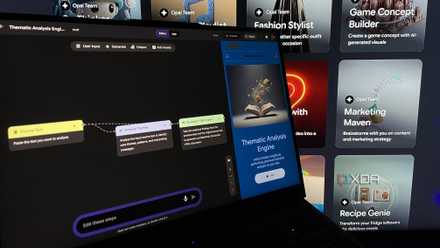
When I first discovered Google Opal, the first distinctive feature that stood out was the visualization-based workflow it offered. It was a breath of fresh air compared to the conventional chat-based interface that most language models offer. Google already has such an interface with Gemini, but despite using the same underlying model, Opal is slightly different in the way it’s used. With Opal, Google promised to “empower anyone to discover, build, and deploy AI mini apps” without having to look “at a single line of code.” Interestingly enough, describing Opal as a tool to “deploy AI mini apps” feels slightly reductive and rather commercial in its framing.
Opal works best as a workflow automation utility for those who are familiar with the varying steps involved in their repetitive routine tasks. What’s perhaps most fascinating is that, while one gets to prompt the way they normally would to an LLM, the Opal workflow affords a level of governance and control over each individual step. I first noticed this while developing a dedicated “thematic analysis” engine on the platform, which is a qualitative research method involving various, distinct steps of analysis in a particular, defined order.
Now, building such an engine meant mapping each stage, including familiarization, initial coding, theme searching, theme review and definition onto its own step in the Opal editor, with the output of one stage feeding directly into the prompt for the next. That level of granularity is not replicable elsewhere, especially through chat prompts. I was even able to add a step instructing the model to recognize Bryman and Bell’s research ethics before proceeding with the analysis.
I also noticed that each step in the workflow also lets you specify exactly which model or agent handles the particular step of the task, rather than relying on one generalist model for the entire pipeline. For something like a thematic analysis engine, this meant using a reasoning-focused model for coding and theme review stages, while a separate step could just as easily call Nano Banana Pro to generate a visual summary, or even Veo if the output needed to be a short explainer video. Every workflow stands to benefit from augmenting each individual step using a an appropriate model that’s defined by the user, so in that sense, Opal returns most of the decision-making back to the user.
Opal continues to silently get better
Google Labs will not abandon this project, unlike many others

Google has developed sort of a notorious reputation for abandoning projects the moment they stop being strategically convenient, which naturally makes users wary of developing their workflow around its tools. Opal, so far, hasn’t followed that pattern. As a matter of fact, the most recent substantial update arrived in February 2026 introducing an agent step that can turn static workflows into adaptive ones.
Rather than having to manually assign a model to every step, Opal can now hand a step to an agent that figures out the right tools and models on its own, whether that means triggering a web search or calling Nano Banana for image generation. This update also introduced persistent memory across sessions, dynamic routing based on logic a user has to define once, and the ability to initiate a follow-up chat when the model deems it necessary to ask for further information.
Opal proves automation doesn’t need command-line interfaces
Opal represents a rare segue of big tech building for the segment that doesn’t dabble between several dozen agentic terminals before breakfast, and that, itself, is an opportunity for the non-coders. I can see teachers, professors, marketers, and designers using the platform to boost their respective workflows and benefiting from automation, especially at a time when its benefits seem to be reserved exclusively for developers and software engineers. That’s something that makes the platform worth watching.