






At first, I thought that Gemini’s Library was simply for saving generated media. I ignored it for a while because I didn’t need access to anything Gemini had previously created. It wasn’t until I needed an exact image and went to the library to open it that I realized it wasn’t just a storage spot. After digging a little further, I saw that it gave me ways to return to the original chat and keep working from there instead of starting a new image from scratch.
Gemini’s Library lets me go back to the original chat
I could view my past prompts to see what worked and what didn’t

It’s frustrating to think about the time I wasted redoing an image because I didn’t realize I could go back to the original chat from the Library. For example, a friend and I were trying to come up with new decorative ideas for her new office. So I took a picture of the area, and Gemini gave us some ideas. Later, she wanted to give it another try, but instead of reopening the originals, we started from scratch and wasted time trying to get back to the same starting point, so we could improve it.
Looking at the prompts I used was a huge help because I knew what not to repeat. Also, I could see how my lack of detail made the image look. I told Gemini to add frames, but I forgot to mention I wanted them small, so it went ahead and added huge ones that I knew my friend wouldn’t use. I gave Gemini another prompt to make the frames smaller, and that’s when the image looked good to me. In this case, Gemini helped me get the frame sizes right by adding the details I missed in previous prompts.
I can keep working from the image I already liked
I fixed the details I missed without starting from scratch

Gemini has a redo option that does just that. It recreates the image with more detail. I find this option useful when I don’t like the image, but I’m not sure what to add. I used the option on my friend’s office pic, and it added details that made it look better.
For example, she wanted to add more frames, but we weren’t sure what to frame. Since she’s a lawyer, a picture of the scales of justice and a gavel on a book helped us finish the collage we were aiming for. When we were happy with the results, I downloaded the image to use as a reference when the decorating started. The redo option was able to add detail because it not only added the frames, but also added a laptop on the desk. I completely forgot to mention those details. Here, it was about fixing the picture inside the frame and making sure every detail was spot on.
My documents also had their spot in the library
I can create quizzes about my docs to test myself
Library also saved documents Gemini created for me, and it even had the date and time. I had three documents in the library, such as:
Through the Library, I can do all sorts of things with those files, such as create a quiz. It was better than I expected because Gemini labeled each answer as right or wrong and showed me how many questions remained before I finished the quiz. I found it very useful because, by the end, I knew how much of the topic I actually understood.
The rabbit hole of features continued at the end of the quiz, where I had the option of creating a Study Guide or Flashcards. I liked that I could review the quiz if there was a question I wanted to research further, or customize it by changing the difficulty level, the number of questions, or the focus. It wasn’t until I got a little more curious as to what the Gemini Library had to offer that I saw all the features I could take advantage of.
Gemini’s Library was easy to mistake for simple storage
Clicking an image showed me there was more

To be fair, someone could say that missing the extra options was my fault. Gemini’s Library saved the images, docs, and video I had created, so it was already doing something useful. It gave me one place to find previous Gemini creations, and that alone made the feature worth having.
The name also threw me off a bit, and so did the layout. The layout made it easy to think it was a place where I could review my finished creations. So I moved too quickly because I saw my saved creations, treated them like finished items, and didn’t stop to question whether those files led back to the original chats.
I got more out of Library when I didn’t treat it like storage
The experience changed for the better when I could access the original work again

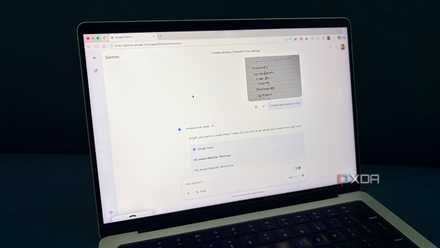
I still think Library is useful because it lets me revisit my original work. I can now see the options were not hidden. The options were there, but it was also easy to focus on the saved image itself and overlook the smaller buttons below it. When I realized that I could return to the original chat, that’s when Library started making more sense to me. I could continue from the last image Gemini made for me without having to start over.
Also, it helped me discover files I had completely forgotten about and even create quizzes from them. There were other options, such as creating Audio Overviews, Web pages, Infographics, and Flashcards. After this, I stopped considering Library a dead end for my files and started seeing it as a place where I could pick things up again.
Don’t write off Library as a simple Storage area
The more curious you can be about a feature or section on Gemini, the better. After searching through every inch of the Library I can now see everything I can do with it, and how one option leads me to another. I don’t have to waste time anymore trying to duplicate an image or redo work I already finished.