






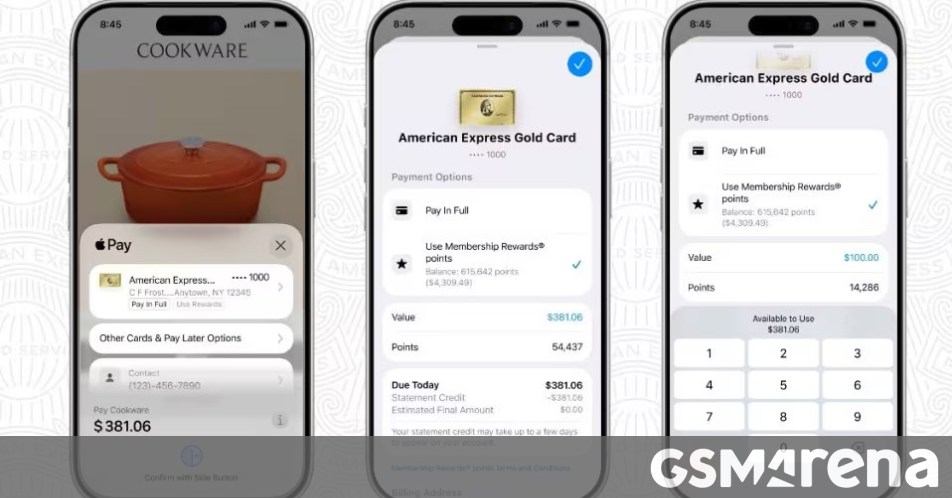
If you are an American Express cardholder, you can now finally use your Membership Rewards points when you check out with Apple Pay for online purchases. You can redeem your points directly within the Apple Pay secure checkout experience online, without needing to leave checkout, open another app, or complete additional redemption steps.
You just shop online or in apps on your iPhone or iPad as usual, select Apple Pay at checkout, then choose an eligible American Express card, select Use Rewards and enter the amount of points you want to use to cover all or part of your purchase. Completing the transaction redeems your Membership Rewards points, and that’s it.


When you do this, Amex notes that Apple will not retain any transaction information linked to you. To add your Amex card for use with Apple Pay, go to the Wallet app, tap the + button, hold your card near the iPhone, and follow the instructions. Then make your Amex card the default card for Apple Pay and you’re all set.